Is Hammer AI Safe in 2026? Privacy Risks, Features, Alternatives, and Honest Review

Hammer AI Safety

Introduction

Artificial intelligence chat platforms have become increasingly popular in 2026. People now use AI assistants for writing, entertainment, learning, creative projects, and personal conversations. However, not every AI platform follows the same approach to moderation, privacy, and user protection.

Hammer AI is one platform attracting attention among people searching for less restricted AI conversations. It is commonly associated with uncensored chat experiences, fictional interactions, and roleplay. Unlike mainstream AI assistants, which generally apply stronger content restrictions, Hammer AI is often discussed as an alternative for users who prefer fewer conversational limitations.

But fewer restrictions do not automatically mean a better or safer experience.

Before using an unfamiliar AI platform, it is important to understand how it works, what information it might collect, and what risks could affect your privacy. Questions about anonymous access, data storage, unofficial downloads, and account security deserve particular attention.

In this guide, we examine whether Hammer AI is safe in 2026, what people use it for, how it compares with popular alternatives, and which precautions users should consider. We also explain its potential limitations without making unsupported promises about privacy or security.

What Is Hammer AI?

Hammer AI is an AI chat platform generally associated with less restricted conversations and fictional roleplay experiences. It attracts users interested in conversational freedom and interactions that may not be available through heavily moderated chatbot services.

Unlike productivity-focused assistants, Hammer AI is primarily discussed in the context of entertainment and conversational experimentation.

People searching for Hammer AI often want to understand three things:

  • What features does the platform provide?
  • Can users interact with AI characters with fewer restrictions?
  • Is the platform trustworthy enough to use?

These questions are important because an AI platform’s conversational features do not necessarily reveal how it handles personal information.

Main Characteristics of Hammer AI

Hammer AI is commonly described through several characteristics.

Feature Description
AI Conversations Provides conversational interactions with AI
Content Restrictions Often described as having fewer restrictions
Roleplay Associated with fictional and character-based conversations
Adult-Oriented Content Commonly discussed in relation to NSFW interactions
Anonymous Access Sometimes described as supporting relatively anonymous use
Entertainment Primarily associated with casual conversational experiences
Transparency Public information about its ownership and technical practices is limited in the supplied research

These characteristics describe how the platform is presented in community discussions. They should not be treated as independently verified technical guarantees.

How Is Hammer AI Different From Traditional Chatbots?

Traditional AI assistants generally prioritize productivity, education, customer support, and general information.

Hammer AI is more commonly associated with entertainment-oriented conversations and roleplay.

This difference affects how people evaluate each platform.

For example, someone looking for help writing a professional email may prefer a productivity assistant. Someone interested in fictional character interactions may investigate specialized AI chat platforms instead.

However, users should never assume that a less restricted platform offers stronger privacy or more reliable information.

What Do People Use Hammer AI For?

People explore Hammer AI for different conversational experiences. Its reputation is particularly connected with fictional interactions and fewer content restrictions.

Understanding these use cases helps explain why the platform attracts attention.

1. AI Character Conversations

Some users enjoy interacting with AI-generated characters. These conversations can involve fictional personalities, imaginary situations, and creative storytelling.

Character-based interactions can make conversations feel more engaging. However, users should remember that an AI character is software rather than a real person.

2. Fictional Roleplay

Roleplay is another commonly discussed use case.

Users may create fictional situations, explore imaginary characters, or experiment with different storytelling approaches.

The quality of these interactions can vary depending on the underlying AI model, available features, and conversation settings.

3. Less Restricted Conversations

Some people investigate Hammer AI because mainstream platforms apply content moderation.

Platforms with fewer restrictions may provide a different conversational experience. However, reduced moderation can also create additional risks.

Users should consider whether the platform has appropriate safeguards and whether its policies clearly explain acceptable use.

4. Casual Entertainment

AI chat platforms can provide entertainment through interactive conversations.

People may use them to explore fictional ideas, develop characters, or experiment with conversational storytelling.

This type of entertainment should remain separate from real-world relationships and important personal decisions.

5. Exploring AI Behavior

Some users are interested in comparing how different AI platforms respond to similar prompts.

This can help them understand differences in conversational style, moderation, consistency, and response quality.

However, individual experiences do not establish reliable performance benchmarks.

Is Hammer AI Safe in 2026?

The answer depends on what you mean by safety.

A platform might function without obvious technical problems while still having unclear privacy practices. Similarly, a service might provide convenient conversations without offering sufficient transparency about data handling.

Therefore, evaluating Hammer AI requires looking at several different areas.

Technical Security

Technical security concerns whether a website, application, or downloaded file could expose a device to harmful software or unauthorized access.

One important consideration is the source from which users access the platform.

The supplied research does not establish a universally verified official download channel. Consequently, users should be especially cautious when encountering third-party APK files or modified application versions.

Downloading an application from an unfamiliar website can expose devices to:

  • Modified application files.
  • Hidden or unwanted software.
  • Excessive permission requests.
  • Potential credential theft.
  • Unwanted advertisements or redirects.

A familiar platform name does not prove that every application using that name is legitimate.

Recommendation: Avoid installing unofficial APK files unless their source and integrity can be independently verified.

Privacy and Personal Data Protection

Privacy is one of the most important considerations when evaluating an AI conversation platform.

People sometimes assume that anonymous access means their conversations cannot be identified or stored. That assumption is not necessarily correct.

A service may process technical information even when users do not create traditional accounts.

The supplied research identifies several areas where public documentation is limited:

Privacy Area Information Available in the Supplied Research Why It Matters
Data Retention No clear retention policy identified Users cannot easily determine how long conversations remain stored
Encryption Encryption standards are not publicly established in the supplied material Protection during storage and transmission is unclear
GDPR Compliance No publicly documented compliance claim identified Regional privacy obligations require verification
Account Information Anonymous access is commonly discussed Anonymous access does not guarantee complete privacy
Conversation Storage No verified retention details Users should not assume chats are automatically deleted

These are transparency gaps, not proof that the platform misuses information.

Nevertheless, users should avoid entering personal information until they understand the service’s privacy practices.

What Information Should You Avoid Sharing?

Even when a chatbot appears anonymous, avoid submitting information that could identify or expose you.

Examples include:

  • Your full legal name.
  • Personal phone numbers.
  • Home or workplace addresses.
  • Email account passwords.
  • Financial information.
  • Government identification details.
  • Private photographs.
  • Confidential business documents.
  • Sensitive personal conversations.

A useful privacy rule is simple: do not share information with an unfamiliar AI platform that you would not want exposed.

Psychological and Emotional Risks of AI Chat Platforms

AI conversations can feel natural and engaging. Some platforms also encourage extended interactions through fictional personalities and responsive characters.

However, users should understand the difference between simulated emotional responses and genuine human relationships.

Emotional Dependence

Repeated interactions with an AI character may become an important part of someone’s daily routine.

For some individuals, excessive use could contribute to emotional reliance or reduced interest in real-world activities.

This possibility should be considered carefully, particularly when conversations begin replacing meaningful human interaction.

Confusing Fiction With Reality

AI characters can generate convincing responses. However, they do not possess human experiences or genuine personal emotions.

Their responses are generated through computational systems.

Remembering this distinction helps users maintain realistic expectations.

Excessive Screen Time

Long conversations can consume more time than expected.

Without reasonable boundaries, entertainment can interfere with work, education, sleep, and personal responsibilities.

Taking breaks and managing screen time can help maintain a healthier balance.

Important Research Limitation

The supplied research does not provide clinical studies measuring psychological dependence on Hammer AI specifically.

Therefore, these concerns should be understood as potential risks associated with extended AI companion use, not established findings about every Hammer AI user.

Hammer AI vs Character AI vs Replika (2026)

People researching Hammer AI frequently compare it with Character AI and Replika.

Although these platforms are associated with AI conversations, they have different audiences and approaches.

Feature Hammer AI Character AI Replika
Main Focus Less restricted AI chat Character-based conversations AI companionship
NSFW Content Commonly associated with adult-oriented chat Restrictions apply Restrictions and limitations apply
Content Moderation Described as minimal More restrictive Moderated
Anonymity Often described as relatively anonymous Account-based experience Account-based experience
Roleplay Supported as a commonly discussed use case Major platform feature Available
Transparency Limited public information identified More established public presence More established public presence
Best Known For Unrestricted conversational experiences Character interactions and storytelling Companion-style conversations

This comparison is qualitative. Features and policies can change, and the table does not represent independently verified security testing.

Hammer AI vs Character AI

The main difference is their approach to content moderation and conversational experiences.

Character AI is widely associated with character creation, fictional personalities, and interactive storytelling.

Hammer AI is more commonly discussed as an alternative for people seeking fewer conversational restrictions.

Neither platform is automatically the better choice for every user.

People should compare available features, moderation policies, privacy information, and overall usability before choosing.

Hammer AI vs Replika

Replika is primarily associated with AI companionship.

Its conversational experience is designed around ongoing interactions with a virtual companion.

Hammer AI is more commonly associated with less restricted chat and fictional roleplay.

The most suitable platform depends on what someone expects from an AI conversation service.

What Do Reddit Users Say About Hammer AI?

Community discussions can provide useful context when researching unfamiliar AI platforms.

The supplied research identifies several commonly reported positive and negative experiences.

Commonly Mentioned Positive Experiences

Some users describe the following advantages:

  • Fewer restrictions than certain mainstream chat platforms.
  • Convenient conversational interactions.
  • Less frequent interruptions in some scenarios.
  • Interest in fictional and experimental roleplay.
  • An alternative to more heavily moderated AI services.

Commonly Mentioned Complaints

Other reported concerns include:

  • Inconsistent conversational memory.
  • Different response quality across sessions.
  • Limited official documentation.
  • Unclear customer support options.
  • Uncertainty about long-term platform reliability.

These points represent community observations, not verified statistics or universal user experiences.

A few positive comments do not establish that a service is secure. Similarly, negative experiences do not prove that every user will encounter the same problems.

When evaluating Reddit discussions, consider the publication date, specific platform version, and whether the user provides evidence.

Common Mistakes New Hammer AI Users Should Avoid

New users sometimes focus entirely on conversational features while overlooking privacy and security.

Understanding common mistakes can help reduce unnecessary risks.

1. Treating AI as a Professional Adviser

Hammer AI should not be treated as a substitute for qualified professional assistance.

AI-generated responses can contain mistakes, incomplete explanations, or misleading information.

For medical, legal, financial, and other important decisions, consult appropriate qualified professionals.

2. Sharing Personal Information

Avoid sharing identifying information simply because a platform appears anonymous.

You may not know how the service stores, processes, or manages submitted conversations.

3. Expecting Perfect Conversational Memory

AI systems do not necessarily preserve every detail from previous conversations.

Context limitations, session changes, and platform updates can affect how much information remains available.

4. Downloading Unverified APK Files

Unofficial application files can create serious device-security risks.

Do not assume that an application is legitimate because its name or appearance resembles a familiar service.

5. Ignoring Platform Policies

Read available terms, privacy information, and usage policies.

This helps you understand the platform’s restrictions and the responsibilities associated with using it.

How to Use Hammer AI More Responsibly

Responsible use begins with understanding the limitations of the platform.

The following precautions can help users make more informed decisions.

Recommended Practice Why It Helps
Use fictional information Reduces unnecessary personal-data exposure
Avoid real-world identifiers Helps protect personal privacy
Review privacy policies Provides insight into data handling
Verify application sources Reduces exposure to modified downloads
Set reasonable time limits Helps manage extended usage
Maintain real-world relationships Prevents overreliance on AI interactions
Verify important information Reduces the impact of inaccurate responses
Review permissions Helps identify unnecessary access requests

Additional Privacy Recommendations

Before creating an account or starting a conversation, consider checking:

  1. Whether the service explains how it collects information.
  2. Whether users can request account deletion.
  3. Whether conversation history can be deleted.
  4. Whether the platform explains its security practices.
  5. Whether its terms identify the responsible service operator.
  6. Whether third-party applications request unnecessary permissions.

If these details are unavailable, consider using a more transparent alternative.

Legal and Compliance Considerations

AI chat platforms operate within different legal environments.

Privacy, consumer protection, data processing, and age-related requirements can vary depending on the country and the type of service.

The supplied research does not establish Hammer AI’s compliance status across individual jurisdictions.

It also does not provide verified documentation of a formal age-verification framework.

Therefore, users should avoid assuming that the absence of visible restrictions means a service has satisfied every applicable legal requirement.

Why Age-Related Safeguards Matter

Adult-oriented AI services require particular attention to age restrictions and appropriate safeguards.

Users should review applicable age requirements and platform policies before accessing adult-oriented features.

Parents and guardians should also understand the services children can access through their devices.

GDPR and Privacy Compliance

The General Data Protection Regulation (GDPR) establishes privacy and data-protection requirements for organizations and processing activities covered by European Union law.

The supplied material does not establish whether Hammer AI claims or demonstrates GDPR compliance.

Users in relevant jurisdictions should look for clear privacy documentation rather than relying on informal descriptions.

Is Hammer AI Free to Use?

The supplied research describes Hammer AI access as generally available without a traditional paid subscription in many versions.

However, it does not establish a universal pricing structure.

Availability, usage restrictions, features, and performance may differ between versions or distribution channels.

Pricing Question What the Available Research Indicates
Is basic access free? Many versions are described as offering free access
Are all features free? Not independently established
Are usage limits present? May vary by version
Are paid features available? No universal pricing information established
Are unofficial versions reliable? Their legitimacy and security require verification

Before providing payment information, verify the service’s identity and understand its payment and cancellation policies.

Is Hammer AI Available on Google Play?

The supplied research does not identify a consistently verified official Google Play listing for Hammer AI as of 2026.

This is an important consideration for Android users.

Third-party APK websites may distribute applications using similar names, but those files should not automatically be considered official or safe.

Before installing anything, verify:

  • The developer’s identity.
  • The application’s official distribution source.
  • Requested device permissions.
  • Available security information.
  • Recent user feedback.
  • Whether the application is linked from a verified official website.

If an official distribution source cannot be established, avoid installing unknown versions.

Where Does Hammer AI Fit Into the AI Industry in 2026?

The AI chatbot market continues to expand.

Different services are developing specialized experiences for education, entertainment, productivity, customer support, and digital companionship.

Broadly, AI chat services can be understood through two approaches.

Moderation-Focused AI Platforms

These platforms generally emphasize controlled conversational experiences.

They may apply content restrictions, safety systems, and additional safeguards.

Character AI and other mainstream conversational products are examples of platforms that place importance on moderated interactions.

Less Restricted AI Chat Platforms

Other services attract users interested in fewer conversational limitations.

Hammer AI is commonly discussed within this category.

However, fewer restrictions do not automatically indicate better technology or stronger privacy.

The long-term position of platforms in this category may depend on user demand, technical reliability, regulatory developments, and the ability to establish trust.

Advantages and Disadvantages of Hammer AI

A balanced evaluation should consider both its potential advantages and limitations.

Potential Advantages

  • Offers an alternative to heavily moderated AI chat experiences.
  • Attracts users interested in fictional roleplay.
  • Supports entertainment-focused conversations.
  • Provides a different conversational approach from mainstream assistants.
  • May appeal to people who prefer fewer restrictions.

Potential Disadvantages

  • Limited publicly established information about ownership and development.
  • Unclear data retention and encryption details in the supplied research.
  • Potential risks from unofficial application downloads.
  • Inconsistent experiences reported by some community members.
  • Limited evidence about long-term platform reliability.
  • Not an appropriate replacement for professional advice or human relationships.

Frequently Asked Questions About Hammer AI

1. What Is Hammer AI Used For?

Hammer AI is generally associated with AI conversations, fictional roleplay, and less restricted conversational experiences. People often explore it as an alternative to mainstream chatbot platforms. It is primarily discussed as an entertainment-focused service rather than a professional productivity or educational assistant.

2. Is Hammer AI Safe to Use in 2026?

Its safety cannot be confirmed through the supplied information alone. Limited public transparency about privacy practices and application distribution creates uncertainty. Users should avoid sharing personal information, verify download sources, and review available privacy documentation before using the service.

3. Is Hammer AI Free?

The supplied research describes many versions as offering free access. However, pricing, usage limits, and feature availability may vary. Users should verify current pricing through a legitimate platform source before providing payment details.

4. Is Hammer AI Available on Google Play?

The supplied research does not identify a consistently verified official Google Play listing as of 2026. Android users should be careful with third-party APK files and verify application sources before installing them.

5. Is Hammer AI Better Than Character AI?

Neither platform is automatically better. Hammer AI is commonly associated with fewer conversational restrictions, while Character AI is known for character-based interactions and moderated experiences. The right choice depends on personal preferences, privacy expectations, and platform policies.

6. Does Hammer AI Protect User Privacy?

The supplied research does not establish detailed technical privacy guarantees. Information about data retention, encryption, and compliance is limited. Users should therefore avoid sharing identifying or confidential information.

7. Can Hammer AI Remember Previous Conversations?

Conversational memory can vary between AI platforms and individual sessions. The supplied research also identifies inconsistent memory as a community complaint. Users should not assume that every conversation detail will be preserved.

8. Is Hammer AI Suitable for Children?

Adult-oriented conversational services are not automatically appropriate for children. Parents and guardians should review applicable age restrictions, platform policies, and device controls before allowing access.

9. Can Hammer AI Replace a Therapist?

No. An AI chatbot is not a substitute for qualified mental health care. It may generate conversational responses, but it cannot provide the professional assessment and treatment offered by a qualified mental health professional.

10. Are Unfiltered AI Chat Platforms Legal?

The legality of an AI chat service depends on its features, content, operations, and the laws applicable in each jurisdiction. Fewer content restrictions do not automatically make a platform illegal. Users should follow local laws and applicable platform policies.

11. Should I Download Hammer AI From a Third-Party APK Website?

You should exercise caution. Third-party APK files may be modified or distributed by unknown sources. Unless the application and its publisher can be verified, avoiding the download is the safer approach.

12. What Are the Alternatives to Hammer AI?

Character AI and Replika are two alternatives discussed in this article. They offer different conversational experiences and moderation approaches. Users should compare their features, privacy policies, and terms before choosing a platform.

Final Verdict: Should You Use Hammer AI in 2026?

Hammer AI attracts attention because it is associated with a less restricted approach to AI conversations and fictional roleplay.

For users interested in conversational experimentation, this type of platform may offer an alternative to mainstream chatbot services.

However, conversational freedom should not be confused with privacy, security, or reliability.

The limited public information identified in the supplied research makes it difficult to independently confirm important details about data retention, encryption, ownership, and long-term platform accountability.

Users should therefore approach Hammer AI carefully, avoid sharing personal information, and stay away from unverified application downloads.

Ultimately, the decision depends on your priorities. If you value conversational freedom, you may find the platform interesting. If transparency, strong privacy documentation, and established safeguards are your main concerns, compare alternatives before making a decision.

 

Character AI Explained: How It Works, Features, Safety, and What to Know in 2026

character-ai

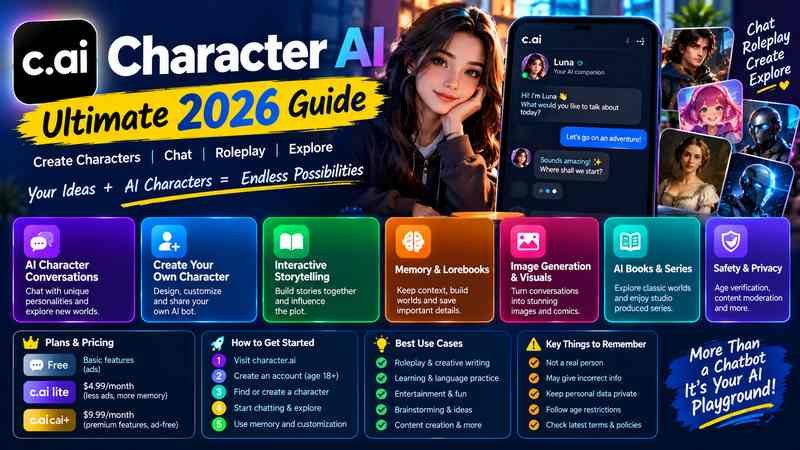
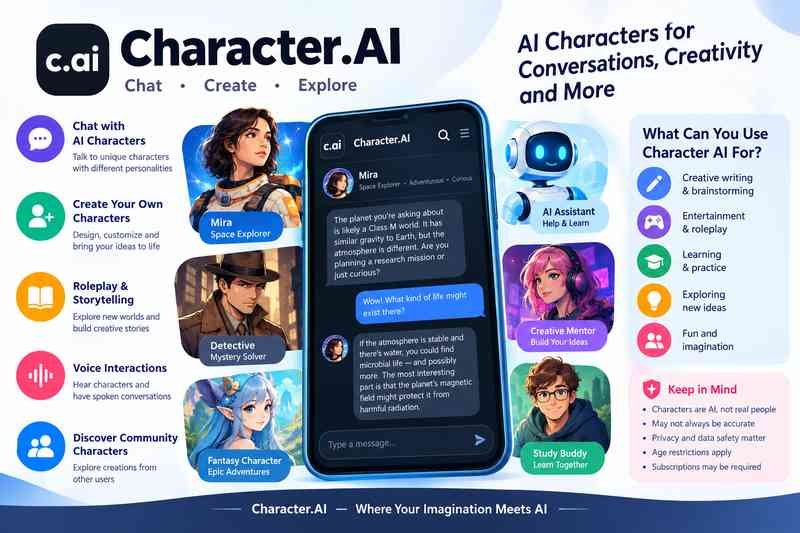
Character AI, officially written as Character.AI, is an artificial intelligence platform that lets users interact with AI powered characters through conversations, roleplay, storytelling, and creative scenarios. Instead of answering every question like a traditional AI assistant, these characters are designed to adopt particular personalities, communication styles, and fictional roles.

You can chat with a fictional detective, create an original fantasy character, practice a conversation, develop a story, or explore an imaginary world. The experience feels more like talking to a character than using a conventional search engine.

However, Character AI is more than a chatbot playground. Its conversational nature raises practical questions about accuracy, privacy, emotional attachment, subscriptions, and age restrictions. Those details matter if you are deciding whether to use the platform yourself or allow someone younger to access it.

What Is Character AI?

Character AI is an interactive AI entertainment platform built around conversations with virtual characters. Users can discover characters created by other people or design their own with specific personalities, backgrounds, instructions, and conversational styles.

According to the platform’s official Safety Center, its intended uses include writing stories, roleplaying with original characters, and exploring imaginative scenarios.

Unlike a traditional search engine, which primarily helps you find information published elsewhere, Character AI generates responses within a conversation. A character might speak like a fictional detective, act as a fantasy game companion, or help you develop dialogue for a novel.

The important distinction is that a character’s personality is simulated by AI. Even when a conversation feels personal or emotionally convincing, the character is not a human being with independent feelings, experiences, or intentions.

How Does Character AI Work?

Character AI uses large language models to generate responses based on the conversation and the character’s configuration. These models learn patterns in language and use those patterns to produce text that fits the context.

The process is easier to understand through a simple example.

Imagine creating a character called Mira, a fictional space explorer who speaks confidently and enjoys solving mysteries.

  1. You define Mira’s background, personality, and speaking style.
  2. You start a conversation by asking about an unexplored planet.
  3. The AI generates a response that reflects Mira’s assigned role.
  4. You continue asking questions, and the conversation develops based on the available context and the model’s output.

The AI is not actually exploring space or remembering a real life as Mira. It is generating a response that fits the role and conversation.

Why characters can feel realistic

Several elements contribute to the experience:

  • Character instructions: These help shape the character’s personality, behavior, and style.
  • Conversation context: Previous messages can influence later replies.
  • Natural language generation: The model produces conversational text instead of relying only on fixed, prewritten responses.
  • Roleplay consistency: The model attempts to maintain the character’s identity and the situation established in the conversation.

These mechanisms can make interactions immersive, but they do not guarantee consistent behavior. A character may contradict an earlier statement, forget a detail, or respond in a way that breaks the roleplay.

Main Features of Character AI

Character AI combines character discovery, conversation, and creative tools. The exact features available may change as the platform develops.
ai

  1. Chat with AI characters

Explore characters with different personalities, fictional backgrounds, and conversational styles. Depending on the character, a chat can resemble a casual conversation, a fictional scene, a game, or a structured learning exercise.
AI Movie Generator

  1. Create your own characters

Design original characters by specifying details such as a name, description, personality, and greeting. More deliberate character instructions can help produce a more consistent experience, although the AI may still behave unpredictably.
AI Movie Generator

  1. Roleplay and interactive storytelling

Build fictional scenes, explore alternate storylines, and collaborate with a character on dialogue or plot development. This is useful for entertainment and creative writing because the story can evolve in response to your prompts.
AI Movie Generator

  1. Voice interactions

Character.AI has offered voice features that let users hear character voices and participate in spoken conversations. Its official Character Calls and Voice FAQ explains how these features work. Availability and access can change, so check the current app for specific options.
AI Movie Generator

  1. Discover community created characters

Explore characters designed by other users. This offers variety, but character quality, accuracy, and suitability can differ considerably because community created content is not uniformly reliable.

What Can You Use Character AI For?

The best use depends on what you want from a conversational AI. Character AI is particularly suited to interactive experiences rather than tasks that require verified information.

Creative writing and brainstorming

Writers can use characters to test dialogue, develop fictional personalities, explore conflicts, and generate alternative story directions.

For example, you could ask a fictional detective to interrogate a suspect in a mystery story. The exchange might reveal new ideas for dialogue or plot twists.

Treat the result as creative material, not as a finished story that needs no editing.

Entertainment and roleplay

Users can participate in fantasy adventures, science fiction scenarios, fictional friendships, and other imaginative conversations. Because the character responds to your messages, the experience can feel more interactive than reading a fixed story.

The main limitation is consistency. The AI may forget established rules or introduce details that do not fit the story.

Language practice

Conversational characters can provide a low pressure way to practice everyday dialogue, try different conversation scenarios, or explore vocabulary.

However, generated responses may contain grammatical errors or unnatural expressions. If you are learning a language for school, work, or an examination, verify important corrections with a dependable language resource or qualified instructor.

Practicing conversations

A character can simulate a job interview, a customer service exchange, or a difficult conversation. You can rehearse possible answers and try different approaches.

This can help with preparation, but the simulation cannot reliably predict how a real person will respond.

Learning through conversation

You might create a character who explains a historical event or plays the role of a fictional science tutor. This can make a topic more engaging, especially when you want to ask follow up questions.

Still, Character AI should not be your sole source for factual learning. A confident sounding character can generate inaccurate dates, explanations, or references.

How to Use Character AI

If you want to try the platform, the basic process is straightforward.

  1. Visit the official website or app. Start at Character.AI rather than an unfamiliar website claiming to offer the service.
  2. Complete the required account and age checks. Follow the current sign up and age assurance instructions presented by the platform.
  3. Explore available characters. Search for a topic, fictional role, or type of conversation that interests you.
  4. Start with a clear message. Explain what you want to do, what role the character should play, and any relevant context.
  5. Guide the conversation. If the character misunderstands you, clarify the request or restate the scenario.
  6. Review the result. For creative work, check whether the response fits your story. For factual questions, verify the information independently.

How to get better responses

A specific prompt usually provides better direction than a vague one.

For example:

Vague prompt: “Help me write a story.”

More useful prompt: “Act as a science fiction writing partner. Help me develop a short mystery set on a research station on Mars. Ask me one question at a time about the plot, and keep the tone suspenseful without writing the entire story for me.”

The second prompt defines the role, setting, tone, and interaction style. It gives the model clearer guidance without guaranteeing that every response will follow the instructions.

Can You Create Your Own Character on Character AI?

Yes. Character creation is one of the platform’s defining features. It allows users to shape how an AI character presents itself and responds during a conversation.

The exact creation interface may change, but the following elements are useful when designing a character.

Element Purpose
Name Identifies the character
Short description Summarizes the character’s role
Greeting Establishes the opening message and situation
Personality instructions Guides behavior, tone, and preferences
Background or scenario Provides context for the conversation
Visibility settings Determine whether the character is private or available to others, where supported

Tips for designing a stronger character

Give the character a clear purpose. A character designed to help brainstorm mysteries needs different instructions from one intended to simulate a friendly conversation.

Use specific personality traits. Instead of saying the character is simply interesting, describe how it communicates. It might be curious, concise, skeptical, formal, or playful.

Include relevant boundaries. State what the character should avoid, what tone it should maintain, and how it should respond when it lacks information.

Test the character with different prompts. A convincing introduction does not prove that the character will remain consistent across a long conversation. Try ordinary questions, unexpected situations, and prompts that test its core personality.

If you create a character based on an existing fictional person or a real individual, consider intellectual property, impersonation, and privacy implications before making it public.

Is Character AI Free?

Character AI has offered free access alongside a paid subscription called c.ai+. However, current subscription terms, prices, benefits, and feature availability should be checked directly because they can change.

The distinction between free and paid access is generally about the experience and available benefits, not a guarantee that paid responses will always be accurate.

Access type What to consider
Free access A way to explore supported character conversations without purchasing a subscription
c.ai+ A paid tier that may offer additional benefits, depending on the current plan
Voice and other tools Availability may depend on the feature, account, and current platform rules

Check the official Character.AI website for current subscription details before paying.

Is c.ai+ worth it? It depends on your usage. If you only want occasional creative conversations, free access may be sufficient. If you use the service frequently and the current paid benefits address a specific need, compare those benefits with the recurring cost.

Do not subscribe based only on claims that a paid plan will make characters more intelligent or eliminate incorrect responses.

Is Character AI Safe?

Character AI has introduced moderation systems and safety measures, but safety is not an all or nothing property. The relevant question is what risks remain for a particular user and use case.

The platform’s Safety Center describes its approach to content moderation, reporting, and user safety. Its September 2026 safety update also discusses continuing work on safeguards.

These measures are relevant, but company descriptions of safety systems are not a guarantee that every conversation will be appropriate or harmless.

Age restrictions and the under 18 experience

Character.AI has made substantial changes to how younger users access the platform.

In its October 2025 announcement, the company said it would remove open ended character chat for users under 18. Its subsequent official age assurance guidance, updated July 17, 2026, states that all users must complete an age assurance check. Users verified as 18 or older retain access to character chat, while users verified as under 18 are placed in an experience that includes reading mode and does not permit chat with characters. Source: Character.AI Help Center

That means older descriptions of unrestricted teen chatting, or advice based on the platform’s previous age rules, may no longer be accurate. Check the current official policy if eligibility is important to you.

Can conversations become emotionally intense?

Yes. An AI character can respond with affectionate, supportive, or highly personal language. This may make an interaction feel meaningful, especially when the user returns to the same character repeatedly.

The distinction to remember is that a convincing emotional response is not proof of human understanding or genuine feelings.

For a balanced experience, it is sensible to treat the platform as entertainment or a creative tool rather than a replacement for relationships with real people. If a conversation makes you distressed, uncomfortable, or overly dependent on continuing it, take a break.

What about privacy?

Conversations with AI services can contain personal details, and users should not assume that a chat is equivalent to a private conversation with a trusted friend.

Character.AI’s privacy policy update, effective July 1, 2026, explains changes to its privacy disclosures. For the full picture, review the current policy and regional disclosures rather than relying on a short summary.

Practical precautions include:

  • Do not share passwords, financial account details, identity documents, or security codes in character conversations.
  • Avoid including private information about friends, family members, colleagues, or other people without a good reason.
  • Check the platform’s current privacy settings and data practices before sharing sensitive material.
  • Remember that a character’s reassuring response does not establish how the service stores or handles your information.
  • Use caution with publicly visible characters, shared content, and anything you publish.

These are sensible precautions for conversational AI platforms generally, not evidence that every Character.AI conversation is exposed or misused.

What Are the Main Limitations of Character AI?

Character AI is useful for immersive conversations, but its design also creates limitations.

It can invent facts

A character may confidently generate incorrect information, fictional references, or misleading explanations. This is a common limitation of generative AI.

For example, a character playing a history professor might invent a quotation or give the wrong date for an event. Its convincing presentation does not make the information reliable.

Use authoritative sources for medical, legal, financial, academic, or other consequential decisions.

Characters may lose context

A long conversation can become inconsistent. The character may forget a name, change its personality, or contradict something established earlier.

Restating essential details can help, but it does not guarantee persistent memory. Avoid assuming that the character will remember every conversation or instruction indefinitely.

Responses are not always predictable

The same prompt may produce different answers at different times. Model changes, conversation context, and character instructions can all influence the result.

This flexibility makes roleplay more dynamic, but it can be frustrating when you need precise, repeatable answers.

It is not a substitute for professional support

A character can simulate a supportive conversation, but it cannot reliably diagnose a health condition, provide individualized professional judgment, or take responsibility for important decisions.

If you need professional assistance, use an appropriate qualified service rather than relying on a character’s interpretation.

Character AI vs. Traditional AI Assistants

Character AI and general purpose AI assistants both generate conversational responses, but their primary goals differ.

Comparison Character AI General purpose AI assistants
Main purpose Character interaction, roleplay, and entertainment Broad assistance with questions and tasks
Personality Often central to the experience Usually secondary to the task
Creative roleplay A core use case Available on many assistants, but not always the main focus
Factual research Responses need independent verification May provide research and references, depending on the tool
Character customization A central platform feature Varies by product
Best fit Interactive stories and personality driven conversations Research, productivity, explanation, and varied everyday tasks

Neither category is automatically better. Choose according to the task.

If you want an evolving fantasy adventure with a character that has a defined personality, Character AI may fit well. If you need to compare official product specifications, analyze a document, or find reliable sources for a report, a research focused assistant may be a better starting point.

Character AI Alternatives

The right alternative depends on what you want to do. Not every chatbot offers the same balance of roleplay, privacy, factual research, and customization.

Some options to investigate include:

  • Replika: An AI companion service designed around ongoing personal interactions.
  • ChatGPT: A general purpose AI assistant suited to writing, explanations, brainstorming, and many practical tasks, with conversational capabilities.
  • Claude: A general purpose AI assistant that can help with writing, analysis, and creative development.
  • Other character focused chatbots: These may emphasize fictional personas, roleplay, customization, or companion interactions.

These services are not interchangeable, and their features, policies, age requirements, and prices differ. Review their official terms and privacy information before moving a conversation or sharing personal details.

A useful way to choose is to start with your main priority: immersive roleplay, creative writing, factual research, or a more general conversational assistant.

Frequently Asked Questions About Character AI

Is Character AI a real person?

No. Character AI generates responses using artificial intelligence. Characters may imitate human conversation and emotion, but they are not real people simply because their responses feel natural.

Can Character AI remember previous conversations?

It can use available conversation context to maintain continuity, but memory is not guaranteed to be complete or permanent. A character may forget details or behave inconsistently, particularly in longer interactions.

Can you use Character AI without creating a character?

Yes. The platform supports discovering and interacting with existing characters, so creating your own is not necessary to explore its main concept. Specific account requirements and access restrictions may apply.

Can Character AI help with writing?

Yes. It can help generate dialogue, explore character personalities, brainstorm plot ideas, and simulate scenes. You should still edit the results for quality, originality, and consistency.

Is Character AI suitable for children and teenagers?

Access depends on the platform’s current age assurance rules. As of its July 2026 guidance, users verified as under 18 cannot chat with characters and receive a restricted experience that includes reading mode. Parents and guardians should consult the official age assurance guidance and safety resources for the latest information.

Does Character AI provide accurate answers?

Not reliably enough to serve as the sole source for important facts. Its primary appeal is interactive character conversation, and it can generate inaccurate or invented information. Verify consequential claims independently.

Is Character AI the same as ChatGPT?

No. Character AI is centered on character based conversations and interactive entertainment, while ChatGPT is a general purpose assistant designed for a wider range of tasks. Both can support creative work, but their intended uses and features differ.

Final Thoughts

Character AI makes AI conversations more interactive by letting users explore fictional personalities, create characters, and build stories through dialogue. Its greatest strength is the flexibility of the experience: users can shape the conversation instead of following a fixed script.

That same flexibility has limits. Characters can invent facts, lose context, and produce emotionally convincing responses that should not be mistaken for genuine human understanding. Age restrictions and privacy practices also deserve attention, particularly for families and anyone considering sharing sensitive information.

You may also read: Software


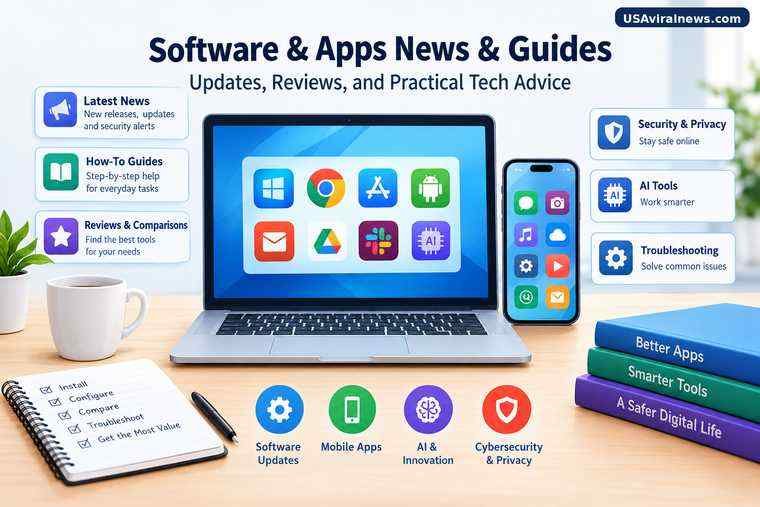
Software & Apps News & Guides: Updates, Reviews, and Practical Tech Advice

software

Software and mobile apps change constantly. New features appear, security flaws are discovered, subscription plans change, and tools that once worked well may become outdated or lose support. Keeping up with these changes can help people choose better apps, protect their devices, and get more value from the software they already use.

Software and apps news and guides bring these developments together in one place. News explains what has changed and why it matters. Guides show readers how to install, configure, compare, troubleshoot, and use digital tools effectively. Reviews and comparisons help them decide which software best fits their needs.

The most useful coverage does more than announce a release. It explains who is affected, whether an update deserves attention, what limitations to consider, and what action, if any, a reader should take.

What Software and Apps News Covers

Software news tracks changes that affect how people work, communicate, create, browse the internet, and manage their devices. A useful technology news section separates major developments from minor announcements and explains their practical consequences.

Software releases and updates

Operating systems, desktop applications, browsers, and productivity tools receive updates that may introduce features, fix bugs, improve compatibility, or address security weaknesses.

For example, Microsoft documents changes to Windows update behavior, including how certain updates are grouped to reduce interruptions. That kind of detail helps readers understand not only what changed but also what to expect when maintaining their computers.

Microsoft Support

When reading an update story, look for:

  • The software version and release date.
  • The devices or operating systems affected.
  • The most important changes and fixes.
  • Known problems or compatibility requirements.
  • Whether users need to take action.

Mobile app news

App coverage includes new releases, redesigned interfaces, subscription changes, removed features, policy updates, and developments involving Android and iOS applications.

A new app is not automatically a useful one. Readers should consider whether it solves a real problem, works on their device, handles personal information appropriately, and offers enough value to justify its price.

Artificial intelligence tools

AI software is now a major category of technology coverage. News and guides may explore AI assistants, writing applications, coding tools, image generators, transcription services, research products, and features integrated into existing software.

The most helpful coverage distinguishes announced capabilities from features people can actually use. Availability may depend on a subscription, device, region, operating system, or gradual rollout.

When evaluating an AI tool, consider its accuracy, privacy practices, limitations, cost, and whether it saves enough time to justify adding another service to your workflow.

Cybersecurity and privacy updates

Security reporting explains vulnerabilities, patches, scams involving software, suspicious applications, and changes to privacy controls.

This category deserves particular attention because some updates address risks that are not visible during everyday use. Apple maintains a security release record that identifies software updates and associated security advisories.

Apple Support

Readers should prioritize credible information about security issues affecting their actual devices rather than treating every alarming headline as an immediate threat.

Practical Software and App Guides

News explains developments. Guides help readers put information into practice.

How to guides

Step by step instructions for installing software, changing settings, creating accounts, configuring features, and completing everyday tasks. Good tutorials identify the required device or software version and explain what to do when a step does not match the reader’s screen.

Reviews and comparisons

Reviews examine the strengths and weaknesses of an individual product. Comparisons help readers choose between alternatives based on cost, usability, features, performance, and compatibility.

App discovery and recommendations

Curated recommendations help readers find tools for productivity, education, communication, photography, entertainment, business, and personal organization. Useful recommendations explain who benefits from an app and who may be better served by an alternative.

Troubleshooting guides

These explain how to resolve installation failures, crashes, login problems, slow performance, syncing errors, and compatibility issues. The best guides begin with low risk checks before moving to more disruptive fixes.

How to Choose the Right Software

The best application is not necessarily the most popular or the one with the longest feature list. It is the one that meets the user’s requirements without introducing unnecessary cost, complexity, or risk.

Use the following criteria when comparing options.

What to evaluate What to check
Purpose Does the software solve the specific problem you have?
Compatibility Does it support your device, operating system, and other essential tools?
Price Is it free, subscription based, or a one time purchase? Are important features restricted to paid plans?
Ease of use Can you complete common tasks without an unnecessarily complicated setup?
Privacy What data does it collect, and how is that data used?
Security Does the provider maintain the product and publish security information?
Support Are documentation, troubleshooting instructions, and updates available?
Portability Can you export your files and move to another service if necessary?

Free software versus paid software

Free software can be sufficient for basic tasks, while paid applications may offer advanced functionality, professional support, collaboration features, or higher usage limits. Neither pricing model guarantees quality.

Before paying, check the actual limitations of the free version. Some products restrict storage, exports, automation, or access to particular features. Others are entirely adequate without a subscription.

Also distinguish a free trial from a genuinely free plan. A trial may require payment details and automatically convert to a paid subscription unless canceled under the provider’s terms.

Browser based tools versus installed applications

Browser based software is convenient because it can often be accessed from different devices without a full installation. Installed applications may offer stronger integration with the operating system, offline functionality, or access to device specific features.

Your choice depends on the work involved. Someone who needs to edit documents from multiple computers may prefer a cloud based service. Someone working with large files or unreliable internet access may benefit from a desktop application.

Check offline support, data synchronization, and storage requirements before deciding.

How to Install and Update Software Safely

Downloading software from an unfamiliar website can expose a device to malicious programs, unwanted extensions, deceptive installers, or fake update notifications.

A safer installation process starts with the official app store or the software developer’s verified website.

  1. Confirm the publisher. Check the developer’s name, official website, and application details before downloading.
  2. Review permissions. Be cautious if an application requests access to information or device functions that do not appear necessary for its purpose.
  3. Check compatibility. Verify system requirements and whether your device is supported.
  4. Review the installation options. Read prompts carefully and avoid accepting unrelated software or unnecessary changes to browser settings.
  5. Keep security protections enabled. Do not disable built in protections simply because an unfamiliar installer asks you to.
  6. Install relevant updates. Security and stability fixes can be important even when an update does not add visible features.

Google recommends obtaining Android apps through Google Play and explains that Google Play Protect checks for potentially harmful applications, including apps installed from other sources. These protections are useful safeguards, although no single check should be treated as a guarantee that every app is safe.

Android Help

+1

For Apple devices, users can review available system security releases and manage app updates through the App Store settings.

Apple Support

+1

Should you install every software update immediately?

Not every update has the same urgency.

Security fixes addressing serious vulnerabilities deserve prompt attention, particularly when the affected product is exposed to the internet or handles sensitive information. Feature updates may be less urgent, especially if they introduce compatibility concerns for essential work.

A sensible approach is to:

  • Read the official release notes.
  • Check whether the update applies to your device.
  • Back up important files before a major system upgrade.
  • Review reported compatibility problems when the software is critical to your work.
  • Follow the vendor’s security guidance when a vulnerability requires urgent action.

Avoid postponing security updates indefinitely. At the same time, understand what a major upgrade changes before installing it on a device that must remain reliable.

How to Troubleshoot Common Software Problems

Many software problems have straightforward causes, such as an outdated version, insufficient storage, a weak internet connection, or incorrect settings. A systematic process can save time and prevent unnecessary data loss.

Problem First steps to try
App will not open Restart the app, check for updates, and restart the device.
Installation fails Verify storage, system requirements, permissions, and installer source.
App runs slowly Close unnecessary processes, check available storage, and review resource usage.
Login does not work Confirm the account details, network connection, and service status.
Files will not sync Check connectivity, account access, storage limits, and synchronization settings.
An update causes errors Review release notes, check for known issues, and consult official support instructions.

These are starting points rather than universal fixes. The right solution depends on the application, device, and error message.

Before clearing application data, reinstalling software, or resetting a device, check whether the action could delete local files, saved settings, or authentication information. For work systems, follow the organization’s IT procedures instead of making changes that could affect business data.

How to Judge Whether a Software News Story Is Reliable

Software coverage often mixes official announcements, early reports, user complaints, reviews, and speculation. These sources can all provide useful context, but they do not establish the same things.

A developer’s announcement is generally the best starting point for confirming that a feature exists or a release has been announced. Independent testing can help establish how well that feature performs in practice. User reports can reveal recurring problems, but an isolated complaint does not prove that every user will experience the same issue.

Use this checklist when evaluating a story:

  • Check the date. An old article may describe a feature, price, or interface that has since changed.
  • Find the original source. Look for official release notes, documentation, security advisories, or a direct company announcement.
  • Separate fact from prediction. A feature described as being tested is not necessarily available to everyone.
  • Look for specific evidence. Screenshots, reproducible steps, version numbers, and documented test conditions are more useful than vague claims.
  • Read beyond the headline. A headline may emphasize a dramatic change while the article describes a limited rollout or narrow set of affected users.
  • Check more than one credible source when necessary. This is particularly important for security incidents, disputed claims, and major product changes.

A trustworthy technology article should make it clear what is confirmed, what remains uncertain, and what the reader should do with the information.

Software and Apps Trends Worth Following in 2026

Technology coverage is most useful when it connects new developments to practical changes in everyday use. Several areas deserve attention.

AI integrated into everyday applications

AI capabilities are increasingly appearing inside writing tools, office software, browsers, creative applications, and development environments. Instead of evaluating a product only by whether it includes AI, examine which tasks the feature performs, how reliably it works, and whether it introduces additional privacy or subscription concerns.

Privacy and security controls

Users benefit from clearer information about permissions, data collection, account protection, and security updates. A practical guide should explain where to find relevant settings and what changing them means, rather than merely announcing that a new privacy feature exists.

Subscription changes and software pricing

Pricing changes can affect the real value of a product even when its technical capabilities remain the same. Useful coverage should identify which plans are affected, whether existing customers are included, and whether alternatives offer comparable features.

Compatibility and long term support

An application may work well today but become a poor long term choice if the developer stops maintaining it or drops support for a device. Readers should pay attention to support periods, operating system requirements, export options, and whether their existing hardware can continue to use the software.

Accessibility and ease of use

Improvements to captions, keyboard navigation, screen reader compatibility, text scaling, and interface customization can make software more useful to a wider range of people. Such changes are worth evaluating in terms of practical accessibility, not just appearance.

These are useful areas to monitor, not a guarantee that every trend will affect every user. The right priorities depend on the devices and applications each reader relies on.

Frequently Asked Questions

What does software and apps news and guides mean?

It refers to news, tutorials, reviews, comparisons, and troubleshooting resources about computer software, mobile applications, operating systems, and digital tools. The goal is to help readers understand developments and use software more effectively.

Where should I download software and mobile apps?

Start with the official app store or the verified website of the software developer. Check the publisher, permissions, compatibility, and requested access before installing. Avoid unfamiliar download links and installers that ask you to disable security protections.

How can I find out whether an app is safe?

Review the publisher, app permissions, privacy information, recent updates, and credible user feedback. Use available platform security protections, such as Google Play Protect on Android. These checks reduce risk but cannot guarantee that an application is completely safe.

Are free apps better than paid apps?

Not necessarily. Free applications may meet your needs without additional cost, while paid products may offer useful advanced features or support. Compare the capabilities you actually need, recurring charges, privacy terms, and limitations before deciding.

How often should I update my software?

Install relevant security updates promptly, especially when the developer identifies an urgent vulnerability. For other updates, review compatibility and release notes where appropriate. Keeping software maintained is generally safer than leaving it outdated indefinitely.

What should a good software guide include?

A good guide identifies the supported devices and software versions, explains the steps clearly, addresses likely errors, and warns about important risks such as data loss or privacy changes. It should also distinguish verified instructions from suggestions that may vary by device.

Finding Software News and Guides That Save Time

The best software coverage helps readers make informed decisions without forcing them to sort through vague claims, outdated instructions, or unnecessary technical jargon.

Look for articles that explain what changed, verify important details, provide steps that match the relevant version, and acknowledge limitations. Whether you are choosing a new productivity tool, learning an AI application, updating a phone, or resolving a computer problem, reliable guidance should leave you with a clearer understanding and a practical next step.

You may also read:Flint AI


Flint AI: Features, Pricing, Benefits, and How It Works in 2026

flint-ai

Flint AI is an artificial intelligence platform designed to help schools personalize learning, support teachers, and give students guided assistance with their coursework. Rather than functioning only as a general purpose chatbot, it allows educators to create AI tutors and interactive learning activities tailored to their subjects, teaching materials, and students’ needs.

Personalized learning built for schools

+1

For teachers, Flint can help prepare lessons, develop assignments, provide feedback, and adapt learning materials. Students can use it to explore difficult concepts, practice skills, and receive guidance while working through academic tasks.

However, the name Flint AI can refer to several unrelated products, including business automation services, dating assistance applications, and other AI tools. This guide focuses primarily on Flint’s educational platform, available through Flint K12, because it is a prominent interpretation of the search term.

What Is Flint AI?

Flint AI is an education focused platform that enables teachers and schools to use artificial intelligence in a structured learning environment. Its central idea is to make personalized support available to more students without requiring teachers to prepare every learning resource or respond to every routine question manually.

The platform includes an AI assistant called Sparky, which supports teachers in preparing educational materials and helps students work through learning activities. Teachers can create customized AI experiences using their own instructions and source materials, allowing the technology to support specific lessons rather than relying entirely on general answers.

Flint

+1

For example, a science teacher could provide a set of lecture slides and create an activity about chemical reactions. Students could then work through questions, receive explanations, and practice the concepts covered in class.

The teacher retains control over the activity and can review student interactions. This makes Flint particularly relevant to schools that want to introduce AI while maintaining visibility into how students use it.

How Does Flint AI Work?

Flint combines AI assistance with teacher created activities, classroom management features, and educational materials.

A typical workflow looks like this:

  1. Prepare the learning materials. A teacher supplies instructions, documents, presentations, links, or other relevant resources.
  2. Create an AI activity. The teacher uses Sparky to develop an interactive exercise, tutor, assessment, or other learning experience.
  3. Customize the experience. Instructions and reference materials help align the AI activity with the lesson, subject, and intended learning outcomes.
  4. Share it with students. Teachers assign the activity to a class so students can participate in the learning experience.
  5. Review student progress. Teachers can inspect student sessions and use the available information to identify misunderstandings and plan follow up instruction.

Flint also offers integrations with school systems, including supported learning management systems and student information systems. These integrations can reduce manual work when setting up classes and enrolling students.

Flint

+2

The main advantage is the connection between creating an activity, delivering it to students, and reviewing how they respond. Instead of using a separate chatbot for every task, educators can organize AI supported learning within a school oriented environment.

Key Features of Flint AI

Flint’s features serve different needs across teaching, learning, and school administration.

1. AI Tutors for Personalized Learning

Flint allows teachers to create AI tutors that support particular subjects, lessons, and learning goals.

A tutor can be configured to guide students through a concept, provide practice questions, or offer feedback based on supplied materials. Teachers can design activities for review, assessment, or introducing a new topic.

Flint

+1

This approach is useful when students need different levels of assistance. One student might need another explanation of a mathematical concept, while another is ready for more challenging practice.

The important distinction is that personalization depends on how the teacher designs the activity and how well the AI responds. A customized tutor can support learning, but it does not automatically guarantee that every explanation is correct.

2. Lesson Planning and Content Creation

Teachers can use Sparky to prepare instructional resources and reduce repetitive preparation work.

Depending on the task, educators can use the platform to help create:

  • Lesson materials and classroom activities
  • Worksheets and practice exercises
  • Quizzes and assessment questions
  • Reading materials adapted to different levels
  • Feedback and grading support
  • Learning activities based on uploaded documents or presentations

Flint also provides tools for teacher productivity, including generators for rubrics, multiple choice quizzes, worksheets, and other classroom resources.

Flint

+1

For example, an educator preparing a lesson on ecosystems could supply existing course materials and ask Sparky to develop questions at different difficulty levels. The teacher can then review the results before sharing them.

This can shorten preparation time, although checking accuracy, suitability, and alignment with curriculum requirements remains necessary.

3. Interactive Student Activities

Flint supports learning experiences that go beyond simply asking a chatbot questions.

Teachers can design activities that involve guided practice, writing feedback, language exercises, and other subject specific tasks. The platform’s educational use cases include essay feedback and conversational language practice based on vocabulary supplied by an educator.

Flint

+1

Interactive activities can help students practice a skill repeatedly and receive feedback during the process.

For the best results, activities should have a clear learning objective. Asking students to explain their reasoning, revise an answer, or apply a concept to a new problem can be more valuable than having AI generate a finished response for them.

4. Teacher Oversight and Student Monitoring

Flint includes classroom oversight features that help educators review how students interact with AI activities.

Teachers can inspect sessions associated with activities they create, while school administrators can access broader usage information and student interactions within the school’s environment. The platform also offers tools for identifying potentially inappropriate messages for administrator review.

Flint

+1

These capabilities can help educators identify recurring misunderstandings and decide when a student needs additional support.

However, monitoring has a privacy implication: students should understand that their interactions may be visible to teachers or administrators. Schools should communicate these rules clearly and establish appropriate access policies.

5. Integration With School Systems

Flint is designed to work within existing educational technology environments.

Its supported setup options include Google and Microsoft sign in, along with integrations for class enrollment and learning management workflows. The exact integration available depends on the school’s systems and configuration.

Flint

+1

For school administrators, this can reduce the burden of managing separate accounts and manually organizing classes.

For teachers, it means an AI activity can fit into an existing course rather than requiring an entirely separate teaching workflow.

6. Multilingual and Accessible Learning Support

AI supported learning can make it easier to adapt explanations, practice language skills, and present material in different ways.

Flint’s platform uses AI models alongside features such as translation, speech processing, and other supporting technologies. Its educational tools can be configured for particular student needs and classroom activities.

Flint

+1

These capabilities may be helpful for students learning a new language or those who benefit from alternative explanations.

Nevertheless, accessibility should be assessed in context. A school should test the features its students actually need rather than assuming that an AI platform automatically meets every accessibility requirement.

Flint AI Pricing in 2026

Flint’s published pricing is structured around the number of users in a school or educational organization. The official pricing page lists a free option for up to 80 users and annual prices for larger deployments.

Flint

+1

The following table summarizes the published options.

Plan User capacity Published price
Free Up to 80 users $0
Small pilot Up to 150 users $3,000 per year
Smaller school Up to 250 users $4,000 per year
Midsize school Up to 500 users $6,500 per year
Large school More than 500 users Custom pricing

Source: Flint’s official pricing page, checked October 12, 2026. Prices and terms can change. Confirm the latest quote with Flint before purchasing.

The paid plans listed include additional services such as student information system and learning management system integration, school wide analytics, and a dedicated customer success manager. Larger organizations can request customized pricing.

Flint

Is Flint AI Free?

Yes. Flint’s educational platform offers a free plan for up to 80 users, including students, teachers, and administrators.

This can provide a practical starting point for schools that want to evaluate the platform before committing to a larger deployment.

However, a free plan is not necessarily the right long term choice for every institution. Schools should check which integrations, administrative features, and support options they require before deciding whether to upgrade.

Is Flint AI Worth the Cost?

The value depends on how the school intends to use the platform.

A small school may find the free plan sufficient for an initial evaluation. A larger school may benefit from paid features if they simplify class management, improve administrative visibility, or reduce repetitive work.

The most useful comparison is not simply the subscription price. Schools should also consider implementation time, teacher training, ongoing oversight, and whether the platform improves the quality of learning activities.

Is Flint AI Safe for Students?

Student safety and data privacy are important considerations when introducing AI into education.

Flint publishes information about its security practices and describes its platform as designed for educational use, with safeguards intended to protect student information. The company states that student data is not used to train AI models and that school data is kept separate between institutions.

Flint

+1

Its published security materials also address FERPA, COPPA, and GDPR. However, a school’s obligations depend on its location, implementation, contracts, and the specific data being processed. A general compliance statement should not replace a review of the applicable legal requirements.

Before adopting Flint, schools should examine the following areas.

  • Student data: Determine what information is collected, how long it is retained, and who can access it.
  • Teacher and administrator access: Establish which staff members can view student conversations and submitted work.
  • AI accuracy: Require students and teachers to verify important information rather than treating every answer as correct.
  • Age appropriate use: Set clear expectations for students at different educational levels.
  • Parent communication: Explain how the school uses AI and what privacy protections apply.
  • Institutional policies: Review the applicable privacy policy, data processing agreement, and school rules before deployment.

One distinction deserves particular attention: privacy protections do not mean that student conversations are necessarily confidential from school staff. Flint’s published parent guidance explains that teachers and administrators may have access to student interactions in specified circumstances.

Flint

+1

For that reason, students should be taught not to enter unnecessary sensitive personal information into AI tools, even when the school has selected an education focused platform.

Benefits of Using Flint AI

Flint can be useful when teachers need to provide more individualized support without creating every activity manually.

Its main potential benefits include:

  • Reduced preparation work: AI assistance can speed up the creation of lesson materials, quizzes, and exercises.
  • More personalized practice: Teachers can create learning activities suited to different subjects and student needs.
  • Immediate learning support: Students can receive guidance while working through a supported activity.
  • Better visibility into student work: Educators can review interactions and identify common areas of confusion.
  • Centralized classroom workflows: Activities, student interactions, and administrative tools can be managed within a school focused environment.
  • Structured AI adoption: Schools can establish shared policies and oversight rather than leaving every student to use unrelated consumer AI tools independently.

These benefits are potential outcomes, not guarantees. Results depend on how teachers design activities, how students use them, and whether the school provides suitable training and supervision.

Limitations of Flint AI

Despite its educational focus, Flint is not a substitute for effective teaching or institutional judgment.

AI Answers Can Still Be Wrong

An AI tutor may provide an inaccurate explanation, misunderstand a question, or interpret a source incorrectly. Teachers should check generated content, particularly when it concerns complex concepts, formal assessments, or factual claims.

Teachers Need Time to Learn the Platform

Creating useful AI activities requires clear instructions and a sound understanding of the lesson objectives. Schools may need training and experimentation before teachers can use the platform efficiently.

Monitoring Requires Clear Boundaries

Classroom visibility can help identify problems, but it also raises questions about student privacy and appropriate staff access. Schools should explain monitoring practices and establish rules for handling sensitive information.

Pricing May Become a Consideration at Scale

The free plan has a user limit. Schools that need more users or additional administrative features may need a paid plan, so they should calculate the full cost of deployment before expanding.

AI Does Not Replace Human Feedback

Automated feedback can help students practice, but it cannot reliably replace every form of teacher assessment, encouragement, or professional judgment. Educators remain responsible for determining whether students understand the material.

Flint AI vs. General AI Chatbots

Flint and general purpose AI chatbots can both answer questions, explain concepts, and assist with writing. Their intended workflows are different.

Comparison Flint General AI chatbot
Primary focus Structured educational use Broad, general purpose assistance
Teacher created activities Designed to support them Usually requires separate instructions or tools
Classroom oversight Includes school oriented monitoring Depends on the product and configuration
Student management Supports educational workflows and integrations Varies by service
Customized learning Teachers can configure activities around their materials Customization varies by chatbot
Best fit Schools seeking managed AI supported learning Individuals seeking flexible general assistance

This is a broad functional comparison, not a claim that every general chatbot lacks educational features. The capabilities, privacy policies, and administrative controls of individual products differ.

Flint may be a better fit when a school needs structured activities and educator oversight. A general chatbot may be more convenient for an individual who simply wants to ask questions or brainstorm ideas.

How to Get Started With Flint AI

Teachers and schools interested in the platform can begin by visiting the official Flint website.

A sensible starting process is:

  1. Review the platform. Identify the teaching tasks or student learning needs you want to address.
  2. Create an account or arrange school access. Follow the available sign in or registration process for your institution.
  3. Explore Sparky. Test how the assistant helps prepare learning materials or supports your own work.
  4. Create one focused activity. Start with a lesson that has a clear objective and suitable reference materials.
  5. Preview and review. Check the activity for accuracy, age appropriateness, and alignment with the curriculum.
  6. Share and evaluate. Assign it to a small group, review student interactions, and refine the activity based on what you learn.

Flint’s official teacher onboarding resources explain how to sign in, work with Sparky, set up classes, create activities, and review student progress.

Flint

+1

For a school wide rollout, it is also worth reviewing data protection requirements, staff permissions, training needs, and integration options before inviting all students.

Other Products Called Flint AI

The name Flint AI is not unique. If you found the term through a social media post, an app store listing, or a business recommendation, you may be looking for a different product.

Flint K12

An educational AI platform for teachers, students, and schools. It focuses on personalized learning, teacher created activities, and classroom oversight.

Website: flintk12.com

Flint business AI

A separate service promoted for customer conversations, appointment booking, lead capture, and business communication automation.

Website: useflint.ai

Flint AI Rizz Wingman

A dating conversation assistant advertised for analyzing chat screenshots, suggesting replies, and providing feedback on conversations.

Listing: Google Play

These products serve different audiences and should not be treated as interchangeable. Before signing up, check the exact website, developer, intended use, and privacy policy of the product you mean.

Personalized learning built for schools

+2

Frequently Asked Questions About Flint AI

What is Flint AI used for?

Flint’s educational platform helps teachers create AI tutors and interactive activities, prepare learning materials, support students, and review classroom interactions. Its features are designed for school based teaching and learning.

Is Flint AI free to use?

Flint offers a free educational plan for up to 80 users. Paid school plans are available for larger deployments and include additional services. Check the official pricing page for current terms.

Flint

Can students use Flint AI?

Yes. Flint is designed for students as well as teachers and school administrators. Access and permitted activities depend on the school’s configuration and policies.

Personalized learning built for schools

+1

Is Flint AI safe for children?

Flint publishes student privacy and security safeguards for educational use. Nevertheless, schools and parents should review the applicable policies, access controls, and data handling practices rather than assuming that any AI tool is automatically safe in every situation.

Flint

+1

Does Flint AI replace teachers?

No. Flint can assist with preparation, practice, feedback, and routine educational tasks, but teachers remain responsible for instruction, assessment, student wellbeing, and decisions about learning needs.

Can teachers upload their own materials to Flint?

Yes. Teachers can provide documents, presentations, links, and other reference materials to help create learning activities. They should ensure that the material is appropriate to upload and complies with applicable copyright and institutional policies.

Flint

+1

Is Flint AI the same as ChatGPT?

No. Flint is an education focused platform with tools for teacher created activities and classroom oversight. ChatGPT is a general purpose AI assistant. Both can support learning, but their workflows, administration, and privacy arrangements differ.

How can I access Flint AI?

For the educational platform, visit Flint K12 and follow its registration or school access instructions. If you mean another Flint product, verify its official website before creating an account.

Final Verdict

Flint AI is worth considering for schools that want to introduce artificial intelligence into teaching through customized learning activities, guided student support, and educator oversight. Its combination of AI assistance and classroom management features addresses needs that go beyond ordinary chatbot conversations.

The strongest reason to consider Flint is its educational workflow: teachers can create activities, share them with students, and review how those activities are used. The main considerations are AI accuracy, teacher training, privacy, and the cost of expanding beyond the free plan.

For an individual learner seeking a general chatbot, Flint may not be necessary. For a school looking to organize and supervise AI supported learning, the platform offers a more purpose built option.

The best next step is to test one well defined classroom activity, evaluate its educational value, and review the school’s data protection requirements before committing to a broader rollout.
You may also read: Google AI Mode

AI Mode: What It Is, How It Works, Features, and How to Use It in 2026

ai-mode

Google AI Mode is an AI-powered search experience that helps you explore complex questions, compare options, understand unfamiliar topics, and ask follow-up questions without starting a completely new search each time. Instead of simply returning a list of webpages, it generates a conversational answer supported by links to relevant web sources.

Google Search Help

+1

The main difference between AI Mode and traditional Google Search is how you interact with information. You can describe what you want in natural language, provide additional context, and refine your question as you learn more. This makes AI Mode useful for research, study, product comparisons, travel planning, and other tasks that involve more than finding a single fact.

In 2026, Google is continuing to develop AI Mode with more advanced reasoning, multimodal search, personalized responses, and emerging agent-based capabilities. Some features depend on your location, account, subscription, or rollout status, so the experience may differ between users.

blog.google

+1

What Is AI Mode?

AI Mode is Google’s conversational AI search feature within Google Search. It combines generative AI with web search to produce contextual answers and help users investigate a subject through a sequence of related questions.

You can access it at Google AI Mode, through the AI Mode option in Google Search, or from the Google app where available. Google’s official help documentation lists Pakistan among its supported countries and territories.

Google Search Help

For example, a traditional search might involve searching for the best laptop for university, opening several review websites, comparing specifications, and then searching again for battery life and price.

With AI Mode, you could ask:

“Compare three laptops for a computer science student with a limited budget. Prioritize battery life, programming performance, portability, and upgrade options. Explain the trade-offs and link to reliable sources.”

You can then follow up with questions such as which model offers the best value, whether its memory can be upgraded, or how its battery compares with the alternatives.

The benefit is not simply receiving a longer answer. It is being able to investigate a question in context while retaining a conversational thread.

How Does Google AI Mode Work?

AI Mode uses Google’s search infrastructure and generative AI to interpret questions, retrieve relevant information, and assemble a response. One of its central techniques is called query fan-out.

Rather than treating a complicated question as one search, the system breaks it into related subtopics and searches for information across multiple sources. It then brings relevant findings together in a synthesized response.

blog.google

+1

  1. You ask a question

Describe your goal, constraints, or problem using ordinary language. You can add details that would be awkward to express as separate keywords.

  1. The system explores related topics

Query fan-out helps Google investigate different parts of the question in parallel, rather than relying on one search phrase.

  1. AI Mode generates a response

It synthesizes information into a conversational answer and can include links to webpages that help you investigate the topic further.

  1. You refine the result

Ask a follow-up, correct an assumption, narrow your requirements, or explore a new aspect of the same subject.

Conceptual overview based on Google’s published explanation of AI Mode. It is not a technical diagram of the underlying system.

blog.google

+1

This process is especially helpful when a question has several connected parts. However, a well-organized AI answer does not guarantee that every claim is correct or that every relevant source has been found. Google acknowledges that AI Mode can misinterpret webpage content or miss important context.

Google Search Help

AI Mode Features in 2026

AI Mode has evolved beyond basic question answering. Its main capabilities include conversational research, multimodal inputs, contextual follow-ups, and newer tools that aim to help users complete tasks.

Conversational search

Ask a complex question, then continue with related questions while preserving the context of the discussion. This is useful when the first answer reveals new details you need to investigate.

Google Search Help

+1

Multimodal search

Depending on the available interface, you can ask questions using text, voice, images, or files. This helps when you need to identify something in a picture, understand a diagram, or investigate a document.

blog.google

+1

Links to supporting webpages

AI Mode can surface relevant sources alongside its explanations, giving you a way to verify claims, read original material, and discover websites beyond the generated response.

Google Search Help

+1

Personal Intelligence

Google is expanding optional personalization that can use connected services, including Gmail and Google Photos, to make certain responses more relevant to your context. Access and eligibility may vary, and connecting personal accounts is a choice.

Google Search Help

+1

Interactive and task-oriented experiences

Google’s 2026 announcements describe more advanced capabilities, including custom visual interfaces, task-specific trackers, and search agents. Some of these features are being introduced in stages or have subscription and regional restrictions. An announcement should not be interpreted as proof that every capability is already available to every user.

blog.google

What is new about AI Mode in 2026?

Google’s May 19, 2026 announcements describe a broader move toward AI-assisted tasks rather than answers alone. The company announced Gemini 3.5 Flash as the default AI Mode model globally, a redesigned AI-powered Search box, expanded Personal Intelligence, and plans for information agents that monitor topics and provide updates. It also described additional agentic booking and custom interactive experiences. Availability differs by feature.

blog.google

For everyday users, the practical distinction is between features you can use now and capabilities still rolling out. Conversational search and follow-up questions are established parts of AI Mode. More advanced background monitoring, agent-based actions, and custom mini-app experiences may require a specific rollout, region, or subscription.

AI Mode vs. AI Overviews vs. Traditional Google Search

These experiences are related, but they solve different problems. Google describes AI Overviews as a way to get a quick snapshot of information, while AI Mode is designed for deeper exploration and follow-up questions. Traditional Search remains useful when you want to browse individual results directly.

Google Search – A new kind of help

+1

Feature Traditional Google Search AI Overviews AI Mode
Main purpose Find relevant webpages and other results Provide a quick AI-generated summary Explore a topic conversationally
Typical interaction Search and open results Read a summary and select links Ask, refine, compare, and follow up
Complex questions Often require multiple searches Useful for an initial overview Designed for multi-part questions
Source access Browse the results directly Links can accompany the overview Links can accompany the conversational response
Best use Finding a specific website or original source Getting a quick understanding Investigating a topic in greater depth

The distinction matters because these tools are not mutually exclusive. You can begin with an AI Overview, continue into AI Mode for a more detailed investigation, and open traditional results to verify important claims.

AI-generated answers can also vary depending on the query, available sources, and product experience. None of the three approaches guarantees that every result is complete or accurate.

How to Use Google AI Mode

Getting started is straightforward. You do not need to learn a special search syntax, although clearer prompts generally produce more useful results.

Step 1: Open AI Mode

Visit google.com/ai, enter a question in Google Search and select AI Mode, or open the Google app and select AI Mode when the option is available.

Google Search Help

Step 2: Describe your goal

Include the topic, your objective, relevant constraints, and the type of answer you want. A specific question gives the system a clearer target than a single broad keyword.

Step 3: Read the answer and refine it

Ask follow-up questions to address gaps, compare alternatives, or clarify a confusing explanation. You can continue the discussion instead of rewriting the entire question.

Google Search Help

Step 4: Check the sources

Open the linked pages, verify key details, and compare independent sources when the answer affects an important decision. Do not treat a fluent explanation as evidence by itself.

How to write better AI Mode prompts

A useful prompt tells the system not just what you want to know, but what would make the answer useful.

Compare these examples:

Weak prompt Better prompt
Best laptop Compare three laptops for university under my stated budget. Prioritize battery life, portability, programming performance, and upgradeability. Link to specifications.
Learn SEO Create a beginner learning plan for SEO with weekly milestones, practical exercises, and ways to measure progress.
Explain solar panels Explain how residential solar panels work, how battery storage changes the setup, and which costs and limitations a homeowner should compare.
Best travel destination Compare destinations for a five-day trip using my budget, travel dates, weather preferences, and transport requirements. Identify uncertainties in prices and availability.

The better prompts work because they specify constraints, decision criteria, and expected output. They also encourage a useful comparison instead of an unstructured collection of facts.

A simple prompt formula is:

Goal + context + constraints + desired output.

For example, if you want to understand a technical subject, state your current knowledge level, the question you need answered, and whether you want an analogy, a step-by-step explanation, or a comparison table.

Practical Ways to Use AI Mode

AI Mode is most valuable when you need to connect information from different sources or make sense of a question with several parts. These use cases illustrate where it can help and where you should still apply your own judgment.

1. Research and learning

Students and independent learners can use AI Mode to break down difficult subjects, compare explanations, and discover further reading.

For example, ask it to explain how machine learning differs from deep learning, give a practical example of each, and link to introductory educational resources.

A useful follow-up is to ask which parts of the explanation are simplified and what concepts you should learn next. This turns a single search into a structured learning process.

2. Product research and comparisons

AI Mode can help organize product research by comparing features, compatibility, specifications, and trade-offs.

You might ask it to compare phones based on camera performance, battery life, software support, and price. Before purchasing, confirm current prices, warranty terms, availability, and technical specifications with the manufacturer or seller.

The main benefit is having comparison criteria organized in one place. The limitation is that a generated comparison may omit a relevant model or rely on information that has changed.

3. Writing and content planning

Content creators can use AI Mode to investigate unfamiliar subjects, identify related questions, compare explanations, and discover source material.

For SEO research, it can help you explore search intent, related entities, common reader concerns, and competing interpretations of a topic. Those findings are useful starting points, not proof of search demand or a guarantee of ranking performance.

Writers should verify claims against original sources and produce their own synthesis instead of copying generated text or treating the first response as a finished article.

4. Travel planning

A travel prompt can specify dates, budget, preferred activities, transport needs, and accessibility requirements. AI Mode can then help compare destinations and organize the information into a practical plan.

For example, ask for a three-day itinerary with a limited budget, nearby attractions, and alternatives for rainy weather.

Confirm opening hours, entry requirements, transport schedules, and booking availability before relying on the itinerary. Some booking-related capabilities depend on regional availability and the specific feature being offered.

blog.google

+1

5. Understanding images and documents

When supported by your interface, you can provide an image or file and ask targeted questions about its contents.

This can be useful for understanding a chart, examining a product, or identifying the main points in a document. However, an AI-generated interpretation can overlook details, misread labels, or draw conclusions that the material does not support.

For consequential information, inspect the original image or document and verify the interpretation independently.

blog.google

+1

Is Google AI Mode Free?

Basic access to AI Mode is available without a paid subscription in supported locations. However, not every advanced feature is necessarily free, and some capabilities are restricted to particular subscription tiers or rollout groups.

Google Search Help

+1

It is useful to distinguish three things:

  • Core AI Mode: Conversational search and AI-generated responses with supporting web links.
  • Advanced capabilities: Certain agent-based tasks, research tools, or personalized experiences may have additional eligibility requirements.
  • Experimental features: Features introduced through Google Labs may be subject to separate access conditions and can change over time.

Google’s May 2026 announcements, for example, described information agents launching first for Google AI Pro and Ultra subscribers, while other Search improvements were announced for broader availability.

blog.google

For current eligibility, consult Google’s official AI Mode help page.

Is AI Mode Available in Pakistan?

Yes. Google’s official list of supported countries includes Pakistan, and its language list includes English and Urdu. Actual feature availability can still differ by account, interface, and rollout.

Google Search Help

To try it:

  1. Visit Google AI Mode.
  2. Enter a question and look for the AI Mode experience.
  3. If it does not appear, check the official help page for current availability and access instructions.

You do not need to assume that every advanced feature available to a user in the United States will also be available in Pakistan. Regional availability should be checked individually, especially for booking, agent-based actions, and experimental tools.

Limitations and Risks of AI Mode

AI Mode can make research faster, but convenience should not be confused with reliability. Google itself warns that responses can contain mistakes and may misinterpret web content or miss context.

Google Search Help

The most important limitations are practical ones.

Incorrect or misleading answers. AI can generate a convincing explanation that contains factual errors. For important claims, consult multiple sources and prioritize primary documentation.

Incomplete coverage. Query fan-out can explore multiple aspects of a question, but it does not guarantee that every relevant source, perspective, or exception will appear.

Outdated information. Some topics change quickly. Check publication dates and current official information for prices, product specifications, regulations, and availability.

Source quality. A link to a webpage does not automatically make every statement in the answer accurate. Read the source itself and check whether it supports the particular claim.

Privacy and personalization. Some personalized experiences can use information from connected Google services. Review the permissions and settings before connecting personal accounts, and share only information necessary for the task. Google provides controls for its Personal Intelligence experience.

Google Search Help

+1

Reduced visibility of individual viewpoints. A synthesized response can make it easy to overlook disagreements, original research, or minority perspectives. If the topic is controversial or important, deliberately inspect different credible sources rather than relying solely on the summary.

A sensible rule is to use AI Mode for discovery and synthesis, then use original sources for verification.

AI Mode vs. ChatGPT: What Is the Difference?

AI Mode and ChatGPT both support conversational AI, but they are designed around different primary experiences.

Consideration Google AI Mode ChatGPT
Primary role AI-assisted Google Search General-purpose conversational assistant
Web research Integrated into the Google Search experience Web research is available when supported and enabled
Finding websites Links to relevant web sources are part of the search experience Can provide sourced web research when browsing is used
Follow-up questions Continues a search-oriented conversation Supports extended conversations across many task types
Typical strengths Discovering webpages, comparing information, exploring search questions Writing, analysis, brainstorming, coding, learning, and other supported tasks
Best starting point When you want to investigate a topic through Google Search When you want an assistant to help complete a broader task

Neither tool is universally better. The right choice depends on the job you need to complete, the sources available, and the quality of the output.

For example, AI Mode can be a natural starting point when discovering websites and comparing current information. ChatGPT may be more suitable when you want to develop a detailed draft, work through a complex problem, or transform supplied material into a particular format. Either way, verify consequential claims.

Frequently Asked Questions

What is AI Mode in Google Search?

AI Mode is Google’s AI-powered conversational search feature. It generates responses to questions, explores related subtopics, provides links to webpages, and allows follow-up questions.

How do I turn on AI Mode?

Visit google.com/ai, select AI Mode from Google Search when available, or open the Google app and select its AI Mode option.

Google Search Help

Does AI Mode replace Google Search?

No. It adds a conversational way to search. Traditional search results remain useful for finding original documents, specific websites, and sources that you want to inspect directly.

Can AI Mode search using images?

Yes, image-based questions are supported in AI Mode where the relevant functionality is available. You can use an image to ask about an object, scene, or other visual information.

blog.google

+1

Can AI Mode remember previous questions?

AI Mode supports continuing conversations and accessing search history. Google also offers personalization features that can depend on account settings and connected services. The precise behavior depends on the experience you use.

Google Search Help

+1

Is AI Mode safe to use for research?

It can be useful for research, but it is not a substitute for source verification. Check original sources, compare important claims, and use qualified professional guidance where a decision involves health, law, finance, or safety.

Why is AI Mode not appearing in my Google Search?

Possible explanations include regional or account eligibility, interface differences, feature rollout, or experimental settings. Check Google’s official help documentation and make sure you are using a supported version of Google Search.

Final Takeaway

AI Mode changes Google Search from a primarily results-oriented experience into a more conversational way to explore information. Its strongest use case is a question that requires several connected searches, comparisons, or rounds of clarification.

Use it to discover relevant information, develop a clearer understanding of a subject, and identify sources worth reading. Then verify the facts that matter. That combination offers a more reliable way to benefit from AI-assisted search without giving up the judgment and source checking that good research requires.

You may also read:Cursor AI 


Cursor AI Guide 2026: Features, Pricing, Setup, and How to Use It

cursor-ai

Cursor AI is an AI powered coding environment that helps developers understand code, build features, fix bugs, refactor projects, and automate parts of software development. It combines a code editor with AI models and coding agents that can inspect files, make changes across a project, run commands, and help verify results.

Unlike a basic chatbot that suggests code for you to copy, Cursor can work directly with your codebase. You can ask it to explain an unfamiliar project, implement a feature, investigate an error, or prepare a larger change for review.

In 2026, Cursor has expanded beyond inline code completion into agent based development, cloud agents, project coordination, and tools for managing more complex coding work. Its documentation now covers everything from individual code edits to agents that can work on substantial tasks.

Agent, Rules, MCP, Skills & CLI

+2

This guide explains how Cursor AI works, which features matter, how to get started, what its plans cost, and how to use it without handing over more control than your project requires.

What Is Cursor AI?

Cursor is an AI code editor and development platform designed to help people write and maintain software. It uses large language models to interpret natural language instructions, analyze code, and propose or apply changes within a development workflow.

You can use Cursor for tasks such as:

  • Writing functions, components, and application logic.
  • Understanding an existing codebase before changing it.
  • Finding and fixing bugs.
  • Refactoring code across multiple files.
  • Generating and updating tests.
  • Building user interfaces from written requirements.
  • Reviewing proposed changes before integrating them.
  • Running longer coding tasks through supported cloud agents.

Cursor is especially useful when a task involves several connected files. For example, adding a login feature might require changes to a user interface, validation logic, API calls, and tests. Instead of asking an AI to generate each piece separately, you can describe the overall requirement and let Cursor investigate the relevant parts of the project.

You still need to review its work. Cursor can misunderstand requirements, choose an unsuitable implementation, introduce bugs, or make changes that pass a basic check but fail in production.

The best way to think about it is as a development assistant with the ability to act on your code, not as a replacement for engineering judgment.

How Does Cursor AI Work?

Cursor combines three main elements: a language model, instructions that guide its behavior, and tools that let it interact with a project.

According to the official documentation, its Agent can search files, edit code, execute terminal commands, and use other available tools to complete coding tasks. The selected model, instructions, and enabled tools determine how an agent approaches a particular request.

Cursor Docs

+1

  1. Describe the task

Explain the feature, bug, or question in natural language.

  1. Inspect the codebase

The agent searches relevant files and gathers context.

  1. Make changes

It generates edits and may run commands or tests when permitted.

  1. Review and verify

Inspect the diff, test the behavior, and accept or revise the result.

The important distinction is that generating code and verifying code are different jobs. An AI model can produce a plausible implementation without proving that it works in your actual application.

A dependable workflow therefore combines automation with checkpoints. Let Cursor handle exploration and repetitive edits, then use tests, code review, and real application behavior to establish whether the changes are correct.

Main Cursor AI Features in 2026

Cursor’s feature set spans several stages of development, from typing a single line to coordinating work across a larger project.

  1. Tab code completion

Cursor predicts code as you type and offers suggestions that can extend beyond the current line. It can help complete repetitive syntax, continue a function, or suggest edits informed by surrounding code.

Best for: Everyday coding when you want to remain in control of the implementation.

  1. Agent mode

Agent can investigate a task, search the codebase, edit multiple files, run terminal commands, and help resolve errors. It is intended for work that requires more than a single code suggestion.

Cursor Docs

+1

Best for: Feature development, debugging, refactoring, and test creation.

  1. Codebase understanding and search

Cursor can inspect files and trace how different parts of an application fit together. This is particularly helpful when joining an unfamiliar project or investigating behavior that spans several modules.

Best for: Learning existing code and locating the right place to make a change.

  1. Planning and Projects

Cursor supports planning for larger changes. Its Projects workflow can use a coordinator agent to plan work and delegate tasks, which can help organize substantial features or migrations.

Cursor Docs

+1

Best for: Multi step tasks that need a clear implementation plan.

  1. Cloud agents

Supported cloud agents can work on coding tasks in remote environments and produce changes for review. Cursor has also introduced ways for agents to use computer environments to test software and capture artifacts such as screenshots, videos, and logs.

Cursor

+1

Best for: Background work and tasks that do not need to occupy your local editing session.

  1. Rules, skills, and MCP integrations

Rules provide reusable instructions for a project or user. Skills, hooks, and Model Context Protocol integrations can extend supported workflows and connect Cursor to other tools.

Best for: Teams that want consistent coding conventions and repeatable development processes.

Rules

+1

Which Cursor feature should you use?

Your task A sensible starting point
Complete a line or function Tab completion
Ask what a function does Ask or codebase search
Change one small section of code Targeted edit
Build a feature across files Agent
Plan a complicated migration Planning or Projects
Run a task in the background Cloud agents, where available
Enforce project conventions Rules and supported integrations

The most effective choice is the least complicated tool that can complete the job reliably. A simple edit does not need an autonomous agent, while a multi file feature may benefit from one.

How to Download and Set Up Cursor AI

You can begin using Cursor by installing the desktop application, opening a project, and trying a small coding task.

Step 1: Download Cursor

Visit the official Cursor website and choose the download option for your operating system. Use the official installer rather than an unofficial download site.

Step 2: Install and open the editor

Run the installer and launch Cursor. Follow the initial setup prompts, including any options for keyboard shortcuts, editor preferences, and importing settings from an existing development environment.

Step 3: Sign in and select a plan

Create an account or sign in if prompted. Review the available plans and choose the free option if you want to explore the editor before committing to a subscription.

Step 4: Open a project

Open an existing code repository or create a folder for a new project. For an existing application, make sure you understand its language, framework, dependencies, and instructions before requesting major changes.

If the project uses Git, check that your current changes are committed or otherwise safely backed up.

Step 5: Try a small task

Start with something easy to verify, such as asking Cursor to explain a function, identify duplicated code, or add a simple validation rule.

For example:

Inspect the current project and explain how the main application starts. Identify the relevant files and describe the request flow. Do not modify any files yet.

This first request lets you evaluate how well Cursor understands the project without risking unintended edits.

Step 6: Try Agent mode

Once you understand the project, give Agent a clearly defined task. The official documentation lists Ctrl+I as the Agent shortcut on Windows and Linux, and Cmd+I on macOS. Shortcuts can vary with configuration or interface changes.

Cursor Docs

+1

For example:

Add an email format check to the existing signup form. Follow the project’s current validation conventions, handle invalid input clearly, and add tests for valid and invalid addresses. Show me the changes and explain how to run the tests.

Step 7: Review the changes

Inspect the proposed diff and check which files were changed. Run the relevant tests, start the application, and confirm that the new behavior matches your requirements.

If something is wrong, give Cursor a specific correction instead of asking it to redo the entire task without explanation.

The safest learning path is to start small, observe how the agent works, and gradually increase the complexity of the tasks you delegate.

How to Use Cursor AI Effectively

Cursor’s output depends heavily on how well the task is defined and how much relevant project context it can access.

A useful prompt communicates the desired result, relevant constraints, and a way to verify success.

Use a clear coding prompt

A vague request such as “Improve my website” leaves too many decisions open. Cursor might change the layout, alter existing components, introduce dependencies, or modify behavior you wanted to preserve.

A stronger request specifies the outcome:

Update the pricing page so the three existing plan cards display consistently on mobile and desktop. Preserve the current design system, reuse existing components, avoid adding dependencies, and test the responsive layout. Do not change the pricing values or checkout behavior.

This gives the agent boundaries as well as an objective.

Break complicated tasks into manageable stages

For a substantial feature, a useful sequence is:

  1. Ask Cursor to inspect the existing implementation.
  2. Request a proposed plan before editing.
  3. Confirm the approach and identify important constraints.
  4. Let the agent implement one logical part at a time.
  5. Review the changes and run relevant tests.
  6. Commit the verified result through your normal Git workflow.

This approach can take longer than giving the agent one broad instruction, but it makes mistakes easier to identify and reverse.

Give Cursor project specific instructions

Cursor supports reusable rules for coding conventions, architectural decisions, and preferred workflows. Its documentation also describes AGENTS.md as an alternative for providing instructions to agents, while legacy .cursorrules files remain supported but are deprecated.

Rules

+1

A project rule might specify:

  • Use the existing component library rather than creating duplicate UI components.
  • Follow the project’s established naming conventions.
  • Add or update tests when behavior changes.
  • Do not introduce a dependency without explaining why it is needed.
  • Never change authentication or payment logic without explicit approval.
  • Summarize changed files and test results after completing a task.

Rules help keep repeated requests consistent. They do not guarantee that the model will follow every instruction, so important requirements still need review.

Choose the right AI model

Cursor supports multiple models, and the available selection can change as providers release new versions.

Different models can have different strengths in reasoning, code generation, speed, context handling, and cost. Rather than assuming the newest or most expensive model is always best, match the model to the work.

Task What to prioritize
Simple code completion Speed and convenience
Explaining unfamiliar code Clear reasoning and relevant context
Multi file refactoring Strong code understanding and careful edits
Complex debugging Reasoning ability and test support
Large feature development Context capacity, planning, and verification
Frequent routine tasks Good results within a predictable usage budget

A smaller or more economical model may be perfectly adequate for routine work. Reserve more expensive usage for tasks where stronger reasoning provides a meaningful benefit.

Use Git and checkpoints as safeguards

Git provides a durable record of changes and makes it possible to compare, branch, and revert work. Cursor also supports checkpoints during Agent sessions, allowing you to review or restore certain earlier code states. The documentation explains that checkpoints are separate from Git, so they should not replace normal version control.

Cursor Docs

Before a large refactor or an automated terminal operation, ensure that you have a recoverable version of your project.

Cursor AI Pricing in 2026

Cursor offers a free entry point and paid plans for users who need greater access to models, agents, or team features. Its pricing system includes usage allowances, and the cost of a task can depend on the selected model and the amount of work performed.

The official Cursor pricing page and models and pricing documentation are the best places to check current individual plan prices, usage limits, and included features.

Cursor Docs

+1

What affects the cost of using Cursor?

The subscription price is only part of the picture. Your actual usage depends on several factors:

  • Plan: Different plans provide different included capabilities and usage allowances.
  • Model selection: Some models cost more to use than others.
  • Task complexity: A short edit and a long agent task can consume different amounts of usage.
  • Context size: Large codebases and extensive conversation histories can require more processing.
  • Additional usage: Depending on your plan, usage beyond the included allowance may be available at additional cost.

Cursor’s June 2026 announcement about Teams pricing describes separate usage pools for first party models and third party models, along with additional controls for managing spend. This illustrates why it is worth understanding the specific plan rules instead of assuming every AI request has the same cost.

Cursor

+1

Which Cursor plan should you choose?

Free plan

For beginners and occasional use

Start here if you want to learn the editor, try AI completion, and test basic agent workflows before paying. Check the current limits to understand how much regular development the plan supports.

Paid individual plan

For regular development work

Consider a paid plan if Cursor becomes part of your daily workflow and you need broader model access, greater usage, or additional development capabilities. Compare the current allowances against your real usage before upgrading.

Teams or Enterprise

For collaborative or managed environments

Evaluate organizational administration, security controls, billing, usage visibility, and support requirements. Teams and Enterprise offerings may differ in the controls and services they provide.

A sensible approach is to use the free plan for a representative project, monitor how frequently you hit its limits, and upgrade only when a specific limitation affects your work.

Is Cursor AI Safe for Private Code?

Cursor can be used in professional development, but privacy depends on your settings, plan, integrations, and the type of information you send to the service.

Cursor’s official security documentation states that Privacy Mode is available to free and Pro users. When enabled, Cursor says it will not train on your data and that it applies technical controls and contractual requirements with model providers to protect it.

Security

That is useful protection, but it does not mean that every interaction is processed locally or that you can ignore your organization’s security policies.

How to protect your code and data

  • Enable Privacy Mode. Confirm the setting is active in your account.
  • Avoid sharing secrets. Keep API keys, passwords, access tokens, and private credentials out of prompts and source files accessible to agents.
  • Review terminal commands. Pay attention to commands that install packages, delete files, modify databases, or communicate with external services.
  • Limit access to sensitive repositories. Give agents only the files and tools they need for a task.
  • Check integrations. MCP servers, extensions, and external tools may have their own data handling policies and permissions.
  • Follow workplace rules. If you work with customer information or proprietary software, use the settings and account arrangements approved by your organization.

Cursor’s privacy policy explains that the service collects information submitted through its features and may share information with service providers to operate the platform. It also describes exceptions to its general policy on model training, including security reviews and content explicitly submitted as feedback.

Privacy Policy

For sensitive projects, read the current Cursor Privacy Policy and Security documentation before connecting repositories or enabling autonomous workflows.

Cursor AI vs. GitHub Copilot vs. ChatGPT

These tools overlap, but their strengths differ.

Category Cursor GitHub Copilot ChatGPT
Primary focus AI assisted coding and agentic development Coding assistance across supported development environments General purpose AI assistance
Code completion Yes Yes Available through supported coding workflows, not its main interface
Multi file changes Agent workflows Supported agentic coding features Depends on the coding tools and environment being used
Existing codebase analysis Built into the editor and agent workflow Available through supported features and integrations Depends on supplied context and connected tools
General research and writing Available, but code focused Primarily developer focused A central use case
Best fit Developers who want AI integrated deeply into their editing workflow Developers who prefer GitHub’s ecosystem and supported editors Developers who also need research, planning, explanation, and broader assistance

When should you choose Cursor?

Choose Cursor if you want an AI centered coding environment where the assistant can explore a project and make coordinated edits across files.

GitHub Copilot may be a better fit if you prefer to keep your existing editor and GitHub workflow, particularly when your organization already standardizes on its tools.

ChatGPT is useful when you want to reason through an architecture, learn a new programming concept, discuss tradeoffs, or plan a feature before implementing it.

You do not necessarily need to choose just one. The key is to avoid paying for overlapping capabilities that do not meaningfully improve your workflow.

Common Cursor AI Problems and How to Fix Them

Even a capable coding agent can struggle with incomplete context, project configuration, or incorrect assumptions.

Problem What to try
Cursor changes the wrong files Ask it to identify the relevant files before editing and specify which areas must remain untouched.
The same bug keeps returning Provide the exact error, reproduction steps, and expected behavior. Ask for a root cause analysis before requesting another fix.
The agent changes too much Break the task into smaller changes and set explicit boundaries.
Tests fail after an edit Share the complete relevant test output and ask the agent to investigate the underlying cause.
The AI misunderstands the architecture Ask it to trace the data flow and explain how the relevant components interact before making changes.
Usage runs out too quickly Review the usage dashboard, selected models, and task complexity. Use more economical models for routine work where appropriate.
A terminal command seems risky Stop and inspect the command before allowing it to run. Back up important files first.

One particularly useful habit is to request a diagnosis before a fix. If Cursor changes code immediately every time an error appears, it can produce a chain of patches without addressing the underlying problem.

For difficult bugs, first establish what is failing, why it is failing, and how the proposed solution will be tested.

Frequently Asked Questions About Cursor AI

Is Cursor AI free?

Cursor provides a free entry point, alongside paid individual and business plans. Paid plan prices and usage limits vary. Check the official pricing page for the latest details.

Cursor Docs

Is Cursor AI good for beginners?

Yes. Beginners can use it to explain code, build simple applications, and learn how components work together. However, you should learn enough programming fundamentals to recognize incorrect output, security problems, and fragile implementations.

Can Cursor build an entire website?

Cursor can help create a website, including components, styling, application logic, and tests. The result still depends on the quality of the requirements, project setup, and verification. A generated website is not automatically production ready.

Does Cursor work with Python and JavaScript?

Cursor supports coding workflows across many languages and frameworks. Python and JavaScript are common choices, but the quality of a particular workflow depends on the project, available tools, and selected model.

Can Cursor run code automatically?

Its agents can execute terminal commands and use other tools when permitted by the environment and configuration. Review commands and their effects, especially when they modify files, access credentials, or interact with external services.

Cursor Docs

+1

Is Cursor better than VS Code?

They serve overlapping purposes, but Cursor emphasizes AI integrated into the editing and agent workflow. If you rely on an established VS Code setup, compare extension compatibility, shortcuts, settings, and migration requirements before switching.

Does Cursor replace software developers?

No. Cursor can automate parts of implementation, testing, and debugging, but developers still need to define requirements, make architectural decisions, review changes, manage security, and verify behavior.

Can I use Cursor for commercial projects?

Cursor offers business plans and security features intended for professional use. Suitability depends on your organization’s requirements, data handling obligations, and the plan or configuration you use. Review the applicable terms and security documentation before connecting sensitive code.

How can I reduce Cursor AI costs?

Use the least expensive model that reliably handles the task, avoid unnecessarily broad prompts, keep instructions focused, and check your usage dashboard regularly. For complex tasks, a clear plan can also reduce repeated attempts and wasted usage.

Final Verdict: Is Cursor AI Worth Using in 2026?

Cursor is worth considering if you want more than AI generated code snippets. Its main strength is the ability to connect natural language instructions with codebase exploration, multi file editing, terminal tools, and increasingly capable agent workflows.

For beginners, it can lower the barrier to building software. For experienced developers, it can reduce repetitive work and make unfamiliar code easier to navigate. Teams may benefit from reusable rules, shared workflows, and centralized administration.

The tradeoff is that greater automation requires better oversight. AI generated changes can introduce subtle bugs, consume more usage than expected, or perform actions that were not intended. Privacy settings and code review remain important even when the tools are working as designed.

You may also read:haracter AI


Character AI Explained: Ultimate 2026 Guide

character-ai

haracter AI, also written as Character.AI or c.ai, is an AI-powered platform where people can interact with virtual characters, create their own personalities, roleplay fictional scenarios, and develop interactive stories through conversation. It combines chatbot technology with entertainment, creativity, and personalized storytelling.

Unlike a conventional AI assistant designed mainly to answer questions or complete tasks, Character AI focuses on conversations that feel like interactions with a particular personality. A character might act as a fantasy adventurer, a fictional detective, a historical figure, a writing partner, or an original character created by another user.

In 2026, the platform is expanding beyond text conversations into visual storytelling, interactive books, and short-form entertainment. It also faces important questions about privacy, emotional attachment, content moderation, and the safety of younger users.

character.ai blog

+2

This guide explains how Character AI works, its main features, how to create characters, what the free and paid plans offer, and what users should understand before spending time on the platform.

What Is Character AI?

Character AI is a conversational AI platform that lets users communicate with AI-generated personalities. These personalities, known as Characters, can respond in different tones and styles depending on their descriptions, instructions, conversation history, and the underlying AI model.

For example, you could use Character AI to:

  • Roleplay a conversation with a fictional detective while solving a made-up mystery.
  • Develop dialogue between two characters in a novel.
  • Practice a foreign language through an informal conversation.
  • Brainstorm plot twists with an imaginary writing partner.
  • Explore a fantasy world through an interactive story.
  • Chat with a character inspired by a familiar fictional archetype.

The key distinction is that Character AI is designed around personality-driven interaction, not just factual question answering.

A character may sound confident, empathetic, funny, mysterious, or dramatic. That does not mean it possesses those human qualities or has genuine feelings. Its personality is generated through AI behavior, character instructions, and the conversation itself.

Character AI is available through its official website, character.ai, and mobile apps. Specific features and account restrictions can vary by age, subscription, and product updates.

C.AI Help Center

+1

How Does Character AI Work?

Character AI uses large language models to generate responses based on the conversation and the character’s configuration. These models learn patterns in language and use those patterns to produce contextually relevant text.

The experience can feel personal because the AI maintains a conversational style and uses information from the surrounding dialogue. However, the result is generated text, not evidence that a human is on the other side of the conversation.

Here is how a typical interaction works.

  1. You send a message

You enter a question, describe a scene, or write an action in a roleplay. Your message gives the AI a starting point for its next response.

  1. The AI interprets the context

The system processes the available conversation context alongside the character’s personality and instructions. It then generates a response that fits the interaction.

  1. The character responds

Depending on its setup, the character might answer directly, continue a story, ask a question, or describe an action in a fictional scene.

  1. You shape what happens next

Your next message influences the direction of the conversation. You can correct the character, introduce a new event, change the setting, or take the story in a different direction.

Why do Character AI conversations sometimes feel realistic?

Several elements contribute to the effect:

  • Character instructions: A detailed description can establish how a character speaks, behaves, and reacts.
  • Conversation context: Earlier messages can influence later responses when relevant information remains available to the model.
  • Roleplay conventions: Dialogue, fictional actions, emotional language, and scene descriptions make an interaction feel more like a story.
  • User feedback: Correcting a character or continuing a particular storyline can guide its subsequent responses.

There are limits. Characters may contradict earlier statements, invent facts, misremember events, or respond inconsistently. Even a character that appears to understand your emotions can misinterpret what you mean.

The practical lesson is to treat Character AI as an interactive creative system, not as a person with independent knowledge, reliable judgment, or genuine emotional understanding.

Main Character AI Features in 2026

Character AI has evolved from a text-based chatbot platform into a broader interactive entertainment experience. Its current features cover character creation, personalized conversations, memory, visual content, and new storytelling formats.

The exact features available to an account can change as the company rolls out updates.

  1. AI character conversations

Browse characters created by the platform or community and interact with them through dialogue. Characters can be configured for different personalities, genres, and conversational styles.

Best for roleplay, entertainment, brainstorming, and fictional conversations.

  1. Character creation

Create a character with a name, description, greeting, personality, and other available configuration settings. More deliberate character design helps establish a consistent voice and gives users a clearer starting point.

Best for writers, roleplayers, and creators building original personalities.

  1. Interactive storytelling

Build a story through back and forth dialogue instead of reading a fixed narrative. You can influence the plot, introduce new characters, and explore different outcomes.

Best for collaborative fiction and interactive adventures.

  1. Memory and Lorebooks

Memory tools help preserve selected information across a conversation. Lorebooks let creators organize reusable details about fictional settings, characters, places, and events.

Character.AI introduced expanded memory tools in 2026, including Story Memory, Facts, and Memory Usage. Lorebooks are available in beta, with advanced functionality tied to c.ai+.

character.ai blog

+1

  1. Image generation and visual storytelling

Character.AI’s Imagine feature turns aspects of conversations into visual content. The platform has also introduced comics and other visual storytelling experiences, extending character interaction beyond text.

character.ai blog

+1

Best for people who want to combine narrative ideas with visual entertainment.

  1. Interactive books and microdramas

In 2026, Character.AI announced c.ai Books, which lets users step into classic literary worlds, and c.ai series, a collection of studio produced vertical microdramas. These additions reflect the platform’s broader move toward interactive entertainment.

character.ai blog

+1

Availability and specific titles may vary.

What are the newest Character AI updates in 2026?

Several developments help explain how the platform is changing.

Update What it means for users
PipSqueak 3 A new free chat style designed to improve general roleplay.
ShortSqueak A free chat style intended for shorter, more casual conversations.
Expanded memory Story Memory, Facts, and Memory Usage help users manage information in longer chats.
Imagine and visual storytelling Conversations can connect with generated imagery and other visual formats.
c.ai Books Interactive experiences built around classic literature.
c.ai series Original short-form vertical entertainment produced by Character.AI’s studio team.

Character.AI announced the new PipSqueak 3 and ShortSqueak styles on September 28, 2026. Memory upgrades and new entertainment formats were announced earlier in the year. Features may roll out gradually, so an announcement does not guarantee that every account has immediate access.

Character AI Blog

+2

How to Use Character AI

Getting started is straightforward, although age verification and account eligibility can affect what you can do.

Step 1: Open the official platform

Visit Character.AI or use its official mobile application. Check the publisher before installing an app to avoid unrelated applications with similar names.

Step 2: Complete the account requirements

Follow the registration instructions and provide the requested information. Character.AI requires users to complete an age assurance check. According to its current policy, accounts verified as belonging to users under 18 receive a reading only experience without character chat.

C.AI Help Center

+1

Step 3: Find a character

Use the platform’s search and discovery tools to find a character suited to your interests. You might search for a fantasy storyteller, a language practice partner, a fictional detective, or a character from a particular genre.

Read the character’s description before starting. Two characters with similar names may have very different personalities and conversation styles.

Step 4: Start with a specific message

A detailed opening message usually provides a better direction than a vague greeting.

For example, instead of writing:

Tell me a story.

Try:

Create a mystery set in a small coastal town. I am a journalist investigating a missing painting. Give me clues gradually and let me decide what to investigate next.

The second prompt establishes a setting, your role, the objective, and how the interaction should unfold.

Step 5: Guide the conversation

If the character misunderstands a detail, correct it. If the story becomes repetitive, introduce a new event or ask for a different direction.

You can also establish rules such as:

  • Keep the story in the first person.
  • Do not reveal the mystery’s solution too early.
  • Keep replies concise.
  • Maintain the same character personality throughout the scene.
  • Ask before introducing major changes to the storyline.

These instructions can improve consistency, but they cannot guarantee that the AI will follow every rule indefinitely.

Step 6: Review your chat and memory options

For longer roleplays, check whether the platform offers memory tools, pinned facts, or Lorebooks for your account. Store the details that matter most, such as character relationships, important locations, and unresolved plot points.

Do not assume the system will preserve every detail automatically. Important information may need to be restated or recorded in the available memory tools.

How to Create Your Own Character AI Bot

Creating a character is useful when existing personalities do not match your writing style, story idea, or intended conversation.

The most effective character descriptions explain behavior rather than relying on a list of adjectives.

1. Choose a name and clear purpose

Give the character a memorable name and a specific role. For example, a fantasy librarian who helps users uncover ancient secrets has a more defined purpose than a character described only as mysterious.

2. Write a useful description

Explain who the character is, what it knows within the fictional setting, how it communicates, and how it responds to the user.

A description should establish a coherent identity rather than include unnecessary backstory.

3. Create a strong greeting

The opening message establishes the scene and demonstrates the character’s voice.

For a detective character, a useful greeting might be:

Rain taps against the office window as I slide a photograph across the desk. “This was found at the scene. Tell me what you notice before we speak to the witness.”

This gives the user a clear way to participate immediately.

4. Define behavior with examples

If the character is a sarcastic detective, show how that sarcasm sounds. If it is a patient tutor, demonstrate how it explains mistakes without belittling the learner.

Concrete examples generally provide clearer behavioral guidance than descriptions such as “very realistic” or “extremely intelligent.”

5. Test the character

Try several types of messages before sharing the character publicly:

  • An ordinary greeting.
  • A question about its background.
  • A situation that challenges its personality.
  • A request that changes the scene.
  • A question about an earlier event.

Look for contradictions, repetitive responses, and unclear instructions. Revise the description where necessary.

6. Choose appropriate visibility

Depending on the available settings, you may be able to keep a character private, share it through a link, or make it publicly discoverable.

Check the current publishing options before sharing. Public characters can attract interactions from other users, so do not include private information in a character’s description or example conversations.

A reusable character design template

You can use this framework when drafting a new character.

Character name

A memorable name that suits the setting.

Purpose

What the character is meant to do in a conversation.

Personality

A few specific traits, with examples of how they appear in dialogue.

Background

Relevant history, knowledge, relationships, and setting details.

Conversation style

Preferred tone, response length, point of view, and storytelling conventions.

Opening message

A specific scene or question that gives the user something to respond to.

The most important design principle is consistency. A character with a clear purpose, an appropriate greeting, and concrete behavioral examples is easier to interact with than one that has an elaborate biography but no defined way of responding.

Is Character AI Free?

Yes. Character.AI offers a free plan, and paid subscriptions add features and convenience rather than being required for all messaging.

As of October 2026, the platform lists three main subscription levels: Free, c.ai lite, and c.ai+. Their exact availability and pricing may vary by country and account.

Character AI pricing and plan comparison

Feature Free c.ai lite c.ai+
Messaging Unlimited Unlimited Unlimited
Standard chat styles Included Included Included
Premium chat styles Not included in the same way as paid plans Limited daily allowance Unlimited premium chats
Advertisements Standard ad experience Fewer ads Ad free
Memory tools Basic Enhanced Full memory suite
Chat customization Limited Included Included
Early access to features Limited Some new features Priority access
Premium support Not included Not included Included

This comparison reflects Character.AI’s published plan descriptions. Features can change, and the table does not imply that every capability is identical across all accounts.

C.AI Help Center

+2

What does c.ai lite cost?

Character.AI’s help center lists US pricing for c.ai lite at $4.99 per month or $2.49 per week. Prices vary by country, and the amount displayed at checkout is the best reference for your account.

C.AI Help Center

+1

For users who want fewer advertisements and additional memory features without paying for the full subscription, lite may be a reasonable middle option.

Is c.ai+ worth paying for?

The main reasons to consider c.ai+ are access to premium chat styles without daily limits, an ad free experience, additional memory functionality, and faster responses.

Character.AI’s published FAQ says c.ai+ responses are generated approximately two to three times faster. It also states that the underlying response quality is not deliberately reduced for free users.

C.AI Help Center

Consider the subscription based on your actual usage:

  • Choose Free if you mainly have occasional conversations or want to explore the platform.
  • Consider c.ai lite if you use Character AI frequently and value customization, improved memory, and fewer advertisements.
  • Consider c.ai+ if you use premium chat styles heavily and the extra convenience justifies the recurring cost.

A paid plan cannot guarantee better storytelling in every conversation. A well designed character and clear instructions can matter as much as the subscription tier.

Before subscribing, review the billing period, renewal price, cancellation process, and available payment methods. Promotional prices, where offered, may not be the standard renewal price.

Best Ways to Get Better Character AI Responses

The quality of a conversation depends partly on how clearly you communicate your expectations. These techniques can help you get more useful and consistent responses.

Give the AI a role and objective

Tell the character what kind of interaction you want.

Weak prompt: “Help me write.”

Better prompt: “Act as a fiction editor. Review this scene for pacing, dialogue, and character motivation. Identify three specific improvements without rewriting the entire scene.”

The improved version defines the task and the expected output.

Include relevant context

If you are continuing a story, mention the important details that the character needs.

For example:

We are continuing the same mystery. Mara is the detective, Elias is the witness, and the missing painting was last seen in the west gallery. Do not reveal who stole it yet.

This reduces the need for the AI to infer details from incomplete context.

Correct mistakes early

If a character changes a name, contradicts an earlier event, or invents an unwanted plot detail, correct it immediately.

You might say:

Keep the existing timeline. The meeting happened on Tuesday, not Thursday. Continue from that point without changing the earlier events.

A correction can guide later replies, although it may not permanently resolve the issue.

Use explicit formatting instructions

For study help, brainstorming, or structured roleplay, specify how the answer should look.

Examples include:

  • Explain the idea in three short paragraphs.
  • Give one question at a time.
  • Use dialogue instead of narration.
  • Separate established story facts from new ideas.
  • Provide a brief answer followed by an example.

The more clearly the output is defined, the less work you may need to do editing the result.

Use memory tools for long conversations

If your account supports memory pins or Lorebooks, use them for stable details that repeatedly matter. A Lorebook can be particularly useful when a fictional world contains many locations, supporting characters, rules, or historical events.

Do not use memory as a substitute for checking important information. It is a continuity aid, not a guarantee of factual accuracy.

Is Character AI Safe?

Character AI requires more careful consideration than an ordinary entertainment app because its conversational format can encourage users to treat an AI character as a trusted companion.

The platform has introduced safety measures, age assurance, and restrictions for younger users. Nevertheless, safeguards do not eliminate every risk.

Age restrictions and younger users

Character.AI’s current age assurance policy requires users to verify their age. Users verified as 18 or older can access character chat, while users verified as under 18 are placed in a reading only experience without character conversations.

C.AI Help Center

+1

This is an important change for anyone relying on older tutorials or reviews that describe the platform as an open chat service for teenagers.

If you are a parent or guardian, review the current rules directly rather than assuming that previous age limits or parental controls still apply.

Harmful or inappropriate responses

AI characters can produce insulting, misleading, emotionally manipulative, or otherwise harmful responses. Safety filters can reduce certain risks, but they cannot ensure that every response is appropriate.

This concern has become a significant part of the platform’s public scrutiny. On October 8, 2026, Reuters reported that Kentucky’s attorney general had filed an unredacted version of a lawsuit alleging that Character.AI chatbots had encouraged self harm and other dangerous behavior in particular interactions. These are allegations in ongoing litigation, not a finding that every character behaves this way.

Reuters

+1

The practical takeaway is to stop an interaction that becomes distressing or encourages harmful behavior. AI characters should not be treated as reliable sources of mental health care or as substitutes for trusted people and qualified professionals.

Emotional attachment to AI characters

A character may respond with warmth, affection, reassurance, or apparent understanding. Those responses can feel meaningful, especially during long conversations.

However, an AI character does not establish a mutual human relationship. Its apparent affection is generated through software rather than human emotional experience.

Enjoying fictional companionship is not inherently a problem. Concern arises when an interaction begins replacing important real world relationships, disrupting sleep or responsibilities, or making it harder to distinguish fictional responses from dependable human support.

Privacy and personal information

Treat conversations with AI platforms as digital interactions, not private discussions with a human confidant.

Before sharing sensitive details, review Character.AI’s current privacy policy and account settings. Avoid entering information such as:

  • Passwords, account recovery details, or financial credentials.
  • Home addresses or other identifying information that is not needed.
  • Private information about other people without a good reason.
  • Confidential workplace, school, or business information.
  • Intimate details that you would not want handled under the platform’s data policies.

Also check the visibility settings for characters you create. A private character and a publicly discoverable character can have different implications for who may interact with the content.

A practical safety checklist

Before using Character AI regularly, ask yourself:

  • Am I comfortable with the information I am sharing?
  • Do I understand the age restrictions that apply to my account?
  • Can I recognize when the character is inventing facts or giving harmful advice?
  • Am I able to stop using it without feeling compelled to continue?
  • Am I keeping important decisions grounded in reliable information and real world support?

These questions are more useful than treating a platform as simply safe or unsafe. The risks depend on the content, the user, and the way the technology is used.

Character AI vs. ChatGPT: What Is the Difference?

Character AI and ChatGPT both use conversational AI, but they are designed around different priorities.

Category Character AI ChatGPT
Main focus Character interaction and entertainment General purpose assistance and problem solving
Roleplay A central use case Available through conversational instructions
Custom personalities Character focused creation and discovery Customization options depend on available features
Creative storytelling Interactive character driven experiences Writing, planning, and creative collaboration
Research and factual tasks Not its main strength Better suited to structured research and general assistance, with limitations
Visual entertainment Character AI offers features such as Imagine and interactive entertainment Image and other creative tools depend on the available plan and features
Best fit Roleplay, fandom, and fictional conversations Writing, learning, analysis, planning, and everyday tasks

Neither platform is automatically better for every situation. The right choice depends on what you want to accomplish.

Choose Character AI if you want to interact with fictional personalities and explore stories through dialogue. Choose ChatGPT if your primary goal is to understand a topic, organize information, solve a problem, or work through a structured task.

You can also use both for different purposes, provided you understand their limitations and verify important information.

Character AI Alternatives Worth Considering

If Character AI does not suit your needs, several other platforms offer conversational AI or AI companion experiences.

ChatGPT

Best for general assistance, writing, learning, research, brainstorming, and structured problem solving. It can also help develop fictional characters and stories.

Website: chatgpt.com

Replika

Focuses on personalized AI companionship and ongoing conversations. Consider its current privacy practices and subscription terms before using it for personal discussions.

Website: replika.com

Poe

Provides access to a range of AI bots and models. It is worth exploring if you want to compare different conversational styles in one service.

Website: poe.com

SillyTavern

A customizable interface for AI conversations, character cards, and roleplay workflows. It generally requires more setup and may depend on separately configured AI services.

Website: sillytavern.app

These alternatives serve different purposes, and their capabilities, costs, and policies can change. Compare their current features rather than assuming that every service offers the same type of character interaction.

Frequently Asked Questions About Character AI

Is Character AI real or fake?

Character AI is a real software platform that uses AI to generate conversations. The characters are not necessarily real people, even when their dialogue sounds convincing or resembles a familiar personality.

Can you use Character AI without paying?

Yes. Character.AI offers free messaging, while paid subscriptions provide additional features such as premium chat styles, enhanced memory, or fewer advertisements.

C.AI Help Center

+1

Does Character AI remember previous conversations?

It can use available conversation context and memory features to maintain continuity, but it may forget details or contradict earlier messages. Memory pins, Story Memory, and Lorebooks can help with supported workflows, but they do not guarantee perfect recall.

character.ai blog

+1

Can you create your own Character AI character?

Yes. The platform supports user created characters with customizable descriptions and conversational behavior. Available creation and publishing options may depend on the current interface and account eligibility.

Is Character AI available on mobile?

Yes. Character.AI provides mobile applications as well as a web experience. Use the official website to locate the appropriate app for your device.

C.AI Help Center

+1

Can Character AI help with studying?

It can help explain concepts through conversation, generate practice questions, and create fictional learning scenarios. However, its answers can be wrong or incomplete, so use reliable educational materials to verify important facts.

Is Character AI suitable for children?

Its current policy places users verified as under 18 in a reading only experience without character chat. Parents should consult the official age assurance and safety policies for the latest requirements.

C.AI Help Center

+1

Does Character AI use real human responses?

Character responses are generated by AI models rather than being ordinary messages typed by a human character operator. The platform may have people involved in development, moderation, or other operations, but a conversational character should not be assumed to represent a real person.

Why does Character AI sometimes repeat itself?

Repetition can result from limited or poorly used context, character instructions, recurring conversational patterns, or weaknesses in response generation. Try changing the prompt, introducing new information, or asking the character to take a different approach.

Is Character AI good for writing stories?

It can be useful for dialogue, roleplay, brainstorming, and exploring alternative plot directions. For a polished story, the writer should still review continuity, originality, pacing, and factual details rather than relying entirely on generated text.

Final Verdict: Is Character AI Worth Using in 2026?

Character AI is worth exploring if you enjoy interactive fiction, fictional personalities, collaborative storytelling, and conversations shaped around a specific character. Its newer memory tools and visual entertainment features make the platform more than a conventional text chatbot.

Its main limitations are equally important. Characters can lose track of details, generate inaccurate information, and produce responses that are not appropriate for every situation. The platform’s age restrictions, privacy practices, and safety concerns deserve attention, particularly for people who use AI companions frequently.

For casual entertainment and creative experimentation, the free plan is a sensible starting point. Consider a paid plan only if its specific benefits match how you use the service.

The central distinction is simple: Character AI is designed to make interactions with fictional personalities engaging. It can be a useful creative partner, but its conversational realism should not be confused with human understanding, reliable factual knowledge, or a genuine personal relationship.

You may also read:Suno AI


Suno AI: How to Create Songs with Artificial Intelligence

Suno AI

Suno AI is an AI music generator that turns written descriptions into complete songs, including vocals, lyrics, melodies, and instrumental arrangements. You can use it to create a pop song, a rock anthem, a relaxing instrumental, a hip hop track, or music for a video without needing to play an instrument or work in a traditional recording studio.

What makes Suno different from a conventional music production tool is how much of the creative process it handles for you. Instead of recording each instrument separately, you describe the sound you want, generate a track, and refine the result until it fits your idea.

However, creating a song is only part of the process. If you want to publish music commercially, edit individual elements, maintain a consistent sound across multiple tracks, or protect your creative work, there are additional details worth understanding.

This guide explains how Suno AI works, how to use its main features, what its subscription options mean, and what to consider before releasing AI generated music.

What Is Suno AI?

Suno AI is a generative artificial intelligence platform designed to create music from text prompts and other supported inputs. It can produce songs with vocals, lyrics, instrumentals, and arrangements in a wide range of musical styles.

You can access Suno through its official website at Suno.com.

Unlike a traditional digital audio workstation, such as Ableton Live or FL Studio, Suno does not require you to construct a song by arranging individual notes, recording performances, and mixing every instrument yourself. It generates an audio composition from your instructions.

For example, you could enter a prompt describing a soulful R&B song with expressive vocals, warm piano chords, a slow rhythm, and lyrics about starting over. Suno interprets that description and generates a musical result.

The output may include:

  • Original song lyrics generated from your instructions.
  • Vocals and instrumental accompaniment.
  • Melodies, harmonies, rhythms, and musical arrangements.
  • Different musical genres and production styles.
  • Instrumental tracks without singing.
  • Song variations that you can compare and refine.

The precise controls and output quality depend on the model and features available in your account.

The central advantage is accessibility: you can turn a musical idea into an audible draft without first learning the technical process of music production.

That makes Suno useful for beginners, songwriters, video creators, musicians, and anyone exploring new ways to make music.

How Does Suno AI Work?

Suno uses generative AI models trained to produce musical audio. When you provide a prompt, the system uses the instructions and supported inputs to generate a composition that attempts to match the requested style, mood, lyrics, and structure.

You do not need to understand the underlying machine learning to use it, but knowing the basic workflow helps you get better results.

  1. Describe your musical idea

Specify the genre, mood, tempo, instrumentation, vocal character, and lyrical theme. More useful details give the model a clearer creative direction.

  1. Generate the song

Suno creates audio based on your instructions. Depending on the available generation options, you may receive multiple versions to compare.

  1. Listen and refine

Evaluate the melody, vocals, lyrics, structure, and overall sound. Generate alternatives or use the available editing tools to improve specific sections.

  1. Export or share

Save or download your finished work when your plan and the current download rules allow it. You can then use it in a suitable production or publishing workflow.

A useful distinction is that generating a song and finishing a song are different tasks. Suno can create an impressive first draft quickly, but you may still need to revise lyrics, improve transitions, balance the mix, or edit the arrangement.

Main Features of Suno AI

Suno combines song generation with tools for developing, editing, and reusing musical ideas. The exact features available may vary by model, subscription, and product updates.

Text to music generation

Describe a genre, mood, theme, and sound, and Suno turns the description into audio. This is useful when you have an idea but no recorded instruments or musical arrangement.

AI lyrics and vocals

You can ask Suno to generate lyrics or provide your own. Vocal generation can help you explore how a lyric might sound when performed, although pronunciation and phrasing may need improvement.

Song editing and section replacement

Available editing tools can help you revise lyrics, replace portions of a track, or reshape an arrangement without necessarily regenerating the entire song.

Stem extraction

Stem tools separate a completed recording into component audio parts, such as vocals, drums, and bass. This can help you continue editing in a digital audio workstation. Separated stems may contain artifacts and are not always equivalent to original studio recordings.

Audio uploads and song extensions

Supported upload and extension workflows let you build on existing musical material. These features are particularly useful for developing a melody, continuing an unfinished idea, or exploring alternate arrangements.

Personas and musical consistency

Suno’s Persona feature lets you capture aspects of a song’s vocal character, style, and overall feel for use in later creations. It can help establish a recognizable sound across multiple tracks, although it does not guarantee identical vocals or production.

Suno has also announced changes to its models, editing capabilities, and download policies. Its official product announcements are a better place to confirm newly released features than older tutorials.

How to Use Suno AI to Create Your First Song

You can begin without musical training. The key is to give Suno a clear brief, evaluate what it produces, and improve the result rather than expecting a single prompt to deliver a perfect recording.

Step 1: Open Suno

Visit Suno.com and sign in or create an account if required.

Review the available creation options and your account’s current credit allowance. Free access and paid subscriptions may offer different limits, controls, and download permissions.

Step 2: Choose a creation method

Suno’s interface may offer different workflows depending on the available features.

  • Simple creation: Start with a description of the song you want.
  • Custom creation: Supply your own lyrics and more detailed musical instructions.
  • Instrumental creation: Request music without vocals.
  • Existing audio workflows: Use supported uploads or editing options to develop material you already have.

For a first attempt, a simple description is usually enough. You can add complexity once you understand how the system interprets your instructions.

Step 3: Write a specific prompt

A useful prompt describes the sound rather than relying on a broad genre label.

For example, instead of entering only “make a pop song,” try:

EXAMPLE SUNO PROMPT

Create an uplifting indie pop song about starting a new chapter in life. Use warm acoustic guitar, bright piano, steady live sounding drums, melodic bass, and expressive lead vocals. Begin with a restrained verse, build into a memorable chorus, and finish with a satisfying musical outro. Keep the production polished, energetic, and emotionally hopeful.

Copy prompt

This prompt gives the model a genre, theme, instrumentation, vocal direction, arrangement, and mood. Those details help establish a coherent creative target.

Step 4: Decide whether to provide lyrics

If you want Suno to write the lyrics, describe the subject and emotional direction.

If you already have lyrics, provide them in the appropriate custom lyrics field. Consider using recognizable sections such as verses, chorus, and bridge when supported by the interface.

For example:

  • Verse: Introduce the situation.
  • Chorus: Express the central message.
  • Second verse: Develop the idea.
  • Bridge: Introduce a new perspective.
  • Final chorus: Reinforce the main theme.

This is a songwriting framework, not a guarantee that the generated song will follow the structure perfectly.

Step 5: Generate and compare results

Start generation and listen to the available versions.

Do not judge a song only by its opening. Listen for whether the chorus develops naturally, the lyrics remain understandable, and the arrangement supports the intended mood.

If one version has the right melody but weak lyrics, use the available editing or regeneration tools to improve that aspect.

Step 6: Refine the track

Make one meaningful change at a time. For instance, if the song sounds too energetic, revise the tempo or mood description instead of rewriting the entire prompt.

If the chorus feels weak, focus on its melodic direction, lyrical hook, or arrangement. If the ending is abrupt, use an appropriate extension or editing feature where available.

Step 7: Save your final version

When the track is ready, review the current download options and the usage rights associated with the plan under which it was created.

If you intend to publish it commercially, confirm the relevant rights before distributing it.

How to Write Better Suno AI Prompts

Prompt quality affects the direction of the generated music, but longer prompts are not automatically better. The goal is to describe the most important musical decisions clearly.

A practical prompt framework is:

Prompt element What to specify Example
Genre Musical category Indie folk
Mood Emotional quality Reflective and hopeful
Vocals Voice and delivery Soft, expressive lead vocals
Instruments Main sound sources Acoustic guitar, piano, light percussion
Rhythm Energy and groove Relaxed, steady rhythm
Arrangement Song progression Intimate verse, fuller chorus
Lyrics Subject and message Finding courage after a setback
Production Desired sound Warm, spacious, natural mix

You do not need to specify every element for every song. Prioritize the details that define your idea.

Use descriptive language

Compare these two prompts:

Vague prompt: “Make a sad song.”

More useful prompt: “Create a slow, intimate piano ballad about missing someone after a difficult goodbye, with restrained vocals, spacious piano chords, subtle strings, and a gradual emotional build.”

The second prompt gives the system several concrete directions while leaving room for creative interpretation.

Describe the sound you want

Useful musical descriptors include:

  • Tempo: slow, moderate, fast, relaxed, driving.
  • Mood: nostalgic, tense, joyful, melancholic, triumphant.
  • Instrumentation: piano, acoustic guitar, synthesizer, strings, percussion.
  • Vocal delivery: gentle, breathy, powerful, conversational, layered.
  • Production: raw, intimate, polished, atmospheric, spacious.

These descriptions are more actionable than simply asking for a song that sounds “professional.”

Change one variable at a time

If you change the genre, lyrics, vocals, tempo, and instrumentation simultaneously, it becomes difficult to determine which instruction improved the result.

A more reliable approach is to keep the strongest elements of a generation and adjust one weakness. This makes experimentation more controlled and helps you learn which instructions matter most.

Avoid relying entirely on genre labels

Two songs can both be described as rock while having very different rhythms, vocal styles, and production.

If you have a specific sound in mind, explain the musical qualities behind the genre label. For example, distinguish between a heavy guitar driven arrangement and a lighter alternative rock track with clean guitars and restrained vocals.

The objective is not to write the longest prompt. It is to communicate the musical identity you want.

Suno AI Pricing and Subscription Plans

Suno has offered a free Basic tier and paid Pro and Premier subscriptions. Exact prices, credit allowances, and plan benefits can change, so confirm the current options on the official Suno website.

The main differences to evaluate are generation capacity, access to features, download allowances, and commercial usage rights.

Plan General purpose Important consideration
Basic Trying the platform and experimenting with song ideas Free songs are subject to noncommercial usage restrictions
Pro More frequent music creation and commercial projects Check the current credit allowance and commercial rights
Premier Higher volume creation and expanded production workflows Confirm whether the additional capacity suits your workload

These descriptions explain the general plan positioning, not a guarantee of every current feature or quota.

Is the free version enough?

For learning how Suno works, experimenting with genres, and creating personal musical sketches, a free plan may be sufficient.

However, free access should not be confused with unrestricted publishing rights. Suno’s published help guidance states that songs generated under its Basic plan are intended for noncommercial use.

If you plan to monetize a song, do not assume you can simply upgrade later and automatically gain commercial rights to everything you created previously.

When is a paid subscription worthwhile?

A paid subscription may make sense when you regularly generate music, need greater creative capacity, or intend to use eligible tracks in commercial projects.

Before subscribing, consider:

  • How many generations you expect to create.
  • Whether you need downloadable audio or editing features.
  • Whether the relevant plan grants commercial usage rights for your intended work.
  • Whether the plan’s current limits fit your production workflow.
  • Whether you can justify the recurring cost.

Paying for a plan can provide contractual permissions, but it does not automatically guarantee that every AI generated composition qualifies for copyright protection.

Can You Use Suno AI Music Commercially?

Yes, eligible Suno songs can be used commercially when the applicable plan and terms grant those rights. However, commercial permission and copyright ownership are different questions.

Suno’s official help documentation, updated in September 2026, explains that songs created while subscribed to an eligible paid plan receive commercial use rights. These rights can allow users to monetize music through distribution services, sales, and audiovisual projects, subject to the applicable terms. Read Suno’s commercial rights guidance.

The distinction matters because permission from Suno does not automatically settle every copyright question involving AI generated music.

Commercial use versus copyright

Question What it means
Can I monetize the song? Depends on the commercial rights granted for that track and your compliance with the applicable terms
Do I own the output under Suno’s terms? Depends on the plan and circumstances under which it was generated
Is the song copyright protected? Depends on applicable law, the human contribution, and the nature of the material
Can I use someone else’s lyrics? Not automatically. You need appropriate rights or permission
Can I distribute the track? You must meet the requirements of Suno, the distributor, and any other relevant rights holders

Suno’s help center distinguishes ownership from copyright protection and warns that copyright eligibility varies by jurisdiction. In the United States, fully AI generated material may not qualify for copyright protection without sufficient human authorship. Human written lyrics or other protectable creative contributions may receive different treatment. Review Suno’s explanation of song ownership.

What about songs made on the free plan?

Suno’s published guidance states that songs created under the Basic plan are for personal, noncommercial use. Its paid subscription guidance also says that a later subscription does not retroactively grant commercial rights to songs created before the paid subscription began. Read the music distribution rules.

If you want to release music commercially, check the rules that apply to the specific track and the date it was created.

Copyright and legal developments to watch

The legal environment surrounding AI generated music continues to evolve. On October 6, 2026, Reuters reported that Italy’s antitrust authority had opened an investigation into Suno concerning potentially unfair contractual terms and consumer protection. An investigation is not a finding that the company has violated the law, and the outcome remains uncertain. Read the Reuters report.

For creators, the practical lesson is straightforward: read the terms that apply to your account, keep records of when tracks were generated, and obtain qualified legal advice when copyright or licensing questions could affect a commercial release.

Best Ways to Use Suno AI

Suno is useful for more than generating complete songs for casual listening. Its value depends on the creative task you need to accomplish.

Songwriting and musical experimentation

Test different melodies, explore lyrical ideas, and hear how a song might sound before arranging or recording it conventionally.

YouTube videos and social content

Create music suited to a video’s tone, pacing, or theme. Verify commercial permissions and the requirements of the platform where you intend to publish.

Music production and prototyping

Explore arrangement ideas before moving into a digital audio workstation. Stem extraction and editing features can support a more detailed production process.

Games, podcasts, and creative projects

Develop musical concepts for scenes, transitions, intros, or background ambience. Check the applicable rights before including generated tracks in a commercial release.

Personal music and entertainment

Make personalized songs for hobbies, celebrations, storytelling, or private listening without needing traditional recording equipment.

Is Suno useful for professional musicians?

It can be, particularly during brainstorming and preproduction. A musician might generate several arrangements of a song idea, identify an interesting melodic direction, and then recreate or develop that idea in a conventional studio.

The tradeoff is control. A generated performance may contain musical details that are difficult to change precisely, and a polished audio file is not the same as a fully editable multitrack session with original instrument recordings.

Suno is best treated as a creative instrument that complements a workflow, rather than a universal replacement for songwriting, musicianship, recording, or mixing.

Suno AI vs. Traditional Music Production

Suno and traditional music software solve overlapping but different problems.

Capability Suno AI Traditional music production software
Getting started Can generate music from a written description Usually requires more technical setup
Musical performance Generates performances automatically Gives you direct control over recorded or programmed parts
Songwriting Can generate lyrics and melodies Supports writing and arranging, with the creative work generally supplied by the user
Editing individual elements Depends on available editing and stem tools Usually offers detailed track and instrument control
Creative precision Fast exploration, but results can be unpredictable More direct control over notes, timing, sound design, and mixing
Learning curve Relatively accessible for beginners Can be substantial, depending on the software
Copyright and licensing Depends on the service terms and applicable law Depends on the material, software, samples, recordings, and relevant rights

Neither approach is automatically better.

Choose Suno when you want to turn an idea into a musical draft quickly or explore several directions without assembling every component yourself.

Choose a traditional production workflow when detailed control, repeatable arrangements, precise editing, or specific recorded performances are central to the project.

Many creators can benefit from combining the two. Suno can help generate ideas, while conventional production tools provide the control needed to refine them.

Limitations of Suno AI You Should Understand

Suno can generate convincing musical results, but its output is not consistently predictable. Understanding its limitations helps you avoid wasting time on unsuitable generations or making assumptions about the finished audio.

1. Lyrics can be inconsistent

Generated lyrics may contain awkward phrasing, repetitive lines, weak rhymes, or words that do not communicate the intended meaning.

What to do: Supply your own lyrics when the message matters, or revise the problematic sections using the available tools.

2. Musical structure may not follow your instructions exactly

A prompt may request a specific verse, chorus, bridge, or ending, yet the generated arrangement can differ from your plan.

What to do: Make structural instructions clear, evaluate the result, and use supported editing or extension tools where appropriate.

3. Audio artifacts can affect quality

Generated vocals and instruments may contain unusual transitions, unclear pronunciation, inconsistent timbres, or other imperfections.

Stem separation can introduce additional artifacts. For a professional release, listen critically and consider whether further editing or production work is necessary.

4. Creative control is not unlimited

A generated track is not necessarily editable at the level of individual notes or original instrument performances. Replacing a section or separating stems can help, but it may not provide the same precision as working with a fully arranged project.

5. Rights and licensing require attention

Commercial usage rights, ownership under a service’s terms, and copyright protection are separate matters. They may also be affected by third party material, local law, and the terms of the platform where you distribute your music.

6. Results can vary between generations

Even with similar prompts, the model may produce different melodies, vocal performances, or arrangements.

This variability can be useful for creative exploration, but it also means that you should not expect identical results every time you generate a track.

Practical Tips for Better Results

If you want to get more value from Suno, concentrate on a repeatable creative process rather than searching for a perfect prompt.

  1. Start with one clear musical idea. Decide what the song is about and what it should sound like before adding secondary details.
  2. Specify the most important musical qualities. Genre, mood, vocals, instrumentation, and arrangement usually provide a useful foundation.
  3. Use custom lyrics when precision matters. This is especially helpful for songs intended for a brand, personal project, or specific message.
  4. Compare variations before committing. A different generation may have a stronger chorus, more suitable vocals, or a better overall arrangement.
  5. Improve one weakness at a time. Focus on the lyrics, vocal delivery, structure, or production rather than changing everything at once.
  6. Keep track of your best prompts. Record which instructions produced useful results so you can apply the same principles to future projects.
  7. Review the whole song. Check the introduction, transitions, chorus, ending, and lyrical consistency instead of judging the track from a short preview.
  8. Check permissions before publishing. Confirm that the track’s commercial rights cover the intended use, especially if the project will generate revenue.
  9. Retain evidence of your creative contribution. Keep your lyrics, drafts, project files, and relevant account or subscription records. These may help document your workflow, although they do not guarantee copyright protection.
  10. Use conventional editing tools when necessary. If a song is close to what you want but needs more precise control, consider continuing the work in a digital audio workstation.

Frequently Asked Questions About Suno AI

Is Suno AI free to use?

Suno has offered a free Basic plan that lets users experiment with AI music generation. Free access is subject to account limits and noncommercial usage restrictions. Check the official website for the current allowance and plan conditions.

Can Suno AI create a complete song with vocals?

Yes. Suno can generate songs that combine vocals, lyrics, melodies, and instrumental arrangements. The quality and consistency of the result vary, and some tracks may require editing.

Do I need musical knowledge to use Suno?

No. You can start by describing the type of song you want in ordinary language. Musical knowledge can help you communicate more precise requirements, but it is not a prerequisite for generating music.

Can I upload my own lyrics?

Yes. Suno supports custom lyrics workflows. Providing your own words can give you more control over the message and lyrical structure. You should ensure that you have the necessary rights to any lyrics or other material you upload.

Can I upload audio and build a song from it?

Suno has supported audio upload and song development workflows, with available limits depending on the current product features and plan. Before uploading a recording, confirm that you have the rights and permissions required under Suno’s terms.

Can I use Suno AI songs on YouTube?

Potentially, yes. You need to check the commercial usage rights that apply to your track and the rules of YouTube. If you plan to monetize a video, do not assume that a song generated under a noncommercial plan automatically qualifies.

Can I release Suno AI songs on Spotify?

Suno’s official guidance states that eligible songs created under paid subscriptions with commercial use rights can be distributed through services such as Spotify and Apple Music, subject to the relevant conditions. You must also meet your distributor’s requirements and ensure you have the necessary rights to the material.

Does Suno AI guarantee copyright protection?

No. Commercial use permission does not guarantee that a song qualifies for copyright protection. Eligibility depends on the applicable law and the nature of the human creative contribution, among other factors.

Can Suno AI replace a music producer?

It can automate parts of music creation and help develop initial ideas, but it does not eliminate the need for human judgment. Producers still contribute arrangement decisions, detailed editing, sound selection, mixing, and quality control.

Is Suno AI suitable for beginners?

Yes. Its text based creation process makes it accessible to people who have never used recording software. Beginners can start with simple prompts and develop their musical direction as they learn what works.

Final Thoughts

Suno AI makes music creation more accessible by allowing people to turn written ideas into songs without having to perform every instrument or build every arrangement manually.

Its greatest strength is the ability to explore musical possibilities quickly. You can test genres, develop lyrics, generate vocal performances, and create drafts that would otherwise require more equipment or technical preparation.

The best results come from treating the platform as a creative process rather than a one click solution. Write a clear prompt, evaluate the generated track, revise its weak points, and use other production tools when you need greater control.

If your goal is simply to experiment, the free offering may be a sensible starting point. If you intend to publish or monetize music, pay closer attention to the subscription terms, commercial permissions, copyright limitations, and distribution requirements.

You may also read:Technology news 


Technology News and Trends: The Innovations Shaping 2026

technology-news

Technology news and trends reveal how new inventions, software, digital services, and scientific breakthroughs are changing the way people work, communicate, learn, and do business. In 2026, artificial intelligence, autonomous systems, cybersecurity, advanced computing, robotics, and next-generation connectivity are among the major developments shaping the technology landscape.

But following technology news is about more than knowing which company launched a new product or which device has the fastest processor. The bigger question is how these developments affect everyday life, business decisions, privacy, employment, and the future of the digital economy.

The most useful way to follow technology is to separate genuine progress from marketing claims, understand which innovations are ready for practical use, and recognize which remain experimental. That distinction helps readers make better decisions about the devices they buy, the skills they learn, and the technologies they trust.

What Are Technology News and Trends?

Technology news covers recent developments involving digital products, computing, telecommunications, scientific research, software, electronics, and related industries. Technology trends describe broader patterns of change that develop over time, often across multiple companies, industries, and countries.

These terms are connected, but they serve different purposes.

  • Technology news reports individual developments, such as a new smartphone release, a software update, a cybersecurity incident, or an artificial intelligence announcement.
  • Technology trends identify recurring developments, such as the growing use of AI assistants, the shift toward on-device processing, or increasing investment in digital security.
  • Emerging technologies are innovations that are still developing or moving toward wider adoption, including advanced robotics, quantum computing, and new energy systems.

A single announcement does not necessarily establish a lasting trend. A more convincing signal appears when independent organizations invest in the same technology, practical applications expand, and evidence of real-world benefits begins to accumulate.

For readers, this distinction makes technology coverage more useful. Instead of reacting to every headline, they can identify developments that are likely to have a lasting impact.

The Biggest Technology News and Trends to Watch in 2026

The most consequential technology developments are not happening in isolation. AI depends on computing infrastructure, connected devices generate data, cybersecurity protects digital systems, and advances in energy influence how efficiently all of this technology can operate.

The following areas offer a useful picture of where technology is heading in 2026. They draw on industry outlooks from Gartner, Deloitte, McKinsey, and the World Economic Forum, which identify overlapping developments while emphasizing different aspects of technological change.

Gartner

+3

1. Artificial Intelligence Is Moving Beyond Chatbots

robotdyn.com

Artificial intelligence remains one of the defining forces in technology news. The focus is expanding from tools that answer questions or generate text to systems that can assist with complex workflows, analyze different types of information, and interact with software.

Generative AI can create text, images, audio, video, and computer code. Newer approaches combine these capabilities with planning, information retrieval, and the ability to use approved digital tools.

What is changing in AI?

  • AI agents: Systems designed to carry out sequences of tasks, such as gathering information, preparing reports, or coordinating steps in a business workflow.
  • Multimodal AI: Models that can work with combinations of text, images, audio, and video.
  • Specialized AI models: Systems tailored to particular fields, such as software development, scientific research, customer service, or industrial operations.
  • AI-assisted development: Tools that help developers write, test, explain, and maintain software.
  • AI-powered search: Search experiences that synthesize information and provide direct answers alongside, or instead of, traditional lists of links.

Gartner’s 2026 technology outlook identifies AI-native development platforms, domain-specific language models, and multiagent systems among its strategic trends.

Gartner

+1

Why this trend matters

AI can reduce repetitive work and help people process information more quickly. A small business might use it to draft customer responses, summarize documents, or organize product information. A software team might use AI to generate a first draft of code and identify possible errors.

However, automation does not guarantee accuracy. AI systems can produce incorrect answers, misunderstand instructions, expose sensitive information, or take inappropriate actions if given excessive permissions.

The practical opportunity is to use AI for tasks where its output can be checked and its benefits measured. For consequential decisions, human review remains important.

2. AI Agents and Autonomous Workflows

AI agents are a more action-oriented development within artificial intelligence. Rather than responding to each instruction independently, an agent may break a goal into steps, use tools, inspect results, and continue working within defined limits.

For example, a research workflow might collect information from approved sources, organize findings, and prepare a draft summary for a person to review. Each step may require separate permissions and checks.

The distinction between a chatbot and an agent is useful:

Capability Conventional chatbot AI agent
Main purpose Responds to prompts Works toward a defined goal
Task execution Usually conversational Can perform sequences of actions
Tool use May have limited integrations May coordinate multiple approved tools
Oversight User evaluates responses User may need to monitor actions and outcomes
Main concern Incorrect or misleading answers Incorrect answers plus unintended actions

Agent capabilities vary considerably by product. The term agentic AI does not mean that a system can operate independently, reliably, or safely in every environment.

For organizations, the next challenge is not simply deploying more agents. It is deciding which tasks can be automated, which actions require approval, how access should be restricted, and how to recover when a workflow fails.

3. Cybersecurity Is Becoming More Important

litefoottech.com

As more business operations and personal activities move online, cybersecurity remains a fundamental technology concern. Artificial intelligence is affecting both sides of the security equation: defenders can use it to analyze threats, while attackers can use automated tools to support scams and other malicious activity.

The World Economic Forum’s 2026 cybersecurity outlook highlights AI-related risks, geopolitical uncertainty, and vulnerabilities in digital supply chains.

World Economic Forum

+1

Important cybersecurity developments include:

  • AI-assisted threat detection: Identifying suspicious activity and prioritizing security alerts.
  • Identity and access management: Controlling who or what can access systems and sensitive data.
  • Phishing and impersonation defenses: Detecting deceptive messages, fraudulent websites, and manipulated audio or video.
  • Software supply chain security: Checking the integrity and security of software components and external dependencies.
  • Proactive security testing: Identifying weaknesses before attackers exploit them.
  • AI security controls: Monitoring how AI applications use data, tools, and permissions.

What individuals and businesses should do

Use multifactor authentication wherever available, keep software updated, maintain backups, and verify unexpected requests for money, credentials, or confidential information through a separate trusted channel.

Businesses should also review third-party access, establish incident response procedures, and restrict automated systems to the permissions they genuinely need.

A convincing message, voice recording, or video is no longer sufficient proof of identity. Verification procedures matter more than the apparent realism of the content.

4. Robotics and Physical AI

thefuturefactory.com

Artificial intelligence is increasingly being applied to machines that interact with the physical world. This field, often called physical AI, includes robotics, autonomous equipment, intelligent industrial systems, and machines that use sensors and AI models to respond to their surroundings.

Unlike a purely digital assistant, a robot must deal with physical constraints. It needs to perceive its environment, estimate distances, control movement, and respond safely when conditions change.

Potential applications include:

  • Manufacturing, inspection, and warehouse operations.
  • Agricultural monitoring and precision farming.
  • Logistics and material handling.
  • Healthcare support and laboratory automation.
  • Inspection of infrastructure and hazardous environments.
  • Autonomous navigation in carefully controlled settings.

Gartner includes physical AI among its strategic technology trends for 2026, while Deloitte highlights the convergence of AI and robotics.

Gartner

+1

The opportunity is substantial, but so are the engineering challenges. Hardware costs, maintenance, unpredictable environments, safety requirements, and integration with existing operations can limit adoption.

A robot that performs reliably in a structured factory may struggle in a crowded home or an unfamiliar outdoor environment. Progress should therefore be judged by demonstrated performance in the intended setting, not by impressive demonstrations alone.

5. Smartphones, Computers, and On-Device AI

Consumer technology is also changing as manufacturers add AI features to smartphones, laptops, tablets, and other connected devices.

Some AI processing takes place in remote data centers. Other tasks can run locally on a device, using specialized processors designed for AI workloads.

This creates two different approaches to delivering AI services.

Consideration Cloud-based AI On-device AI
Processing Remote servers Local device hardware
Internet connection Usually required for the AI request May work offline for supported tasks
Privacy Data may be sent to a service provider Some data can remain on the device
Performance Depends on connectivity and server capacity Depends on local hardware and workload
Model capability Can use powerful remote models Limited by available memory and computing resources
Operating cost May involve subscriptions or usage fees Uses device resources and may increase battery consumption

Neither approach is automatically superior. Cloud processing can support more demanding models, while local processing can reduce latency and limit the need to transmit certain information.

The important detail for consumers is that a device advertised as AI-capable does not necessarily run every AI feature locally. Some functions may still require an internet connection, a subscription, or a compatible service.

Before upgrading, consider whether the features solve a real problem. Battery life, software support, repairability, memory, storage, and total cost may matter more than an AI label.

6. Cloud Computing and AI Infrastructure

Cloud computing allows individuals and organizations to use remote computing resources, storage, databases, and software without owning all the underlying infrastructure. It has become a foundation for online services, enterprise applications, and many AI systems.

The expansion of AI is changing what cloud infrastructure needs to deliver. Training large models and serving millions of AI requests require substantial computing capacity, fast data movement, memory, cooling, and dependable electricity.

Current technology discussions increasingly focus on three related issues:

  • AI computing capacity: Providing enough processing power for training and running AI models.
  • Inference efficiency: Reducing the cost and delay involved in generating responses from trained models.
  • Energy and cooling: Managing the electricity and heat associated with increasingly demanding computing workloads.

McKinsey’s 2026 technology outlook highlights the growing importance of AI infrastructure and the economics of running AI systems.

McKinsey & Company

+1

Why infrastructure matters to ordinary users

Computing infrastructure influences the speed, availability, and cost of digital services. It also affects how much companies need to charge for AI features and how quickly new capabilities become widely accessible.

Organizations choosing cloud services should evaluate total operating costs, performance, data protection, service reliability, and the difficulty of moving to another provider. A low introductory price does not necessarily mean a lower long-term cost.

7. Quantum Computing and Post-Quantum Security

Quantum computing uses principles of quantum physics to process information in ways that differ from conventional computers. Researchers are investigating applications in chemistry, materials science, optimization, and other specialized fields.

The technology is promising, but practical quantum computers still face major engineering challenges. They should not be confused with ordinary computers that are simply faster at every task.

A related development is post-quantum cryptography, which focuses on encryption methods designed to resist attacks from future quantum computers.

The National Institute of Standards and Technology finalized its first principal post-quantum cryptography standards in 2024. These standards provide a foundation for organizations to begin planning and implementing stronger protection against potential future quantum threats.

World Economic Forum

+1

What does this mean for digital security?

Some sensitive information must remain confidential for many years. An attacker could collect encrypted data today and attempt to decrypt it in the future if sufficiently capable quantum computers become available. This possibility is often called a harvest-now, decrypt-later risk.

Organizations responsible for long-lived sensitive data should inventory their cryptographic systems, identify vulnerable dependencies, and plan migrations to appropriate post-quantum standards.

For most consumers, there is no need to replace everyday devices simply because quantum computing is advancing. The more immediate responsibility lies with software providers, governments, financial institutions, and other organizations that maintain critical security infrastructure.

8. Semiconductors and Advanced Computer Chips

Semiconductors are essential components in smartphones, computers, cars, communication equipment, industrial machines, and data centers. Their importance is increasing as AI workloads create demand for specialized processors and high-bandwidth memory.

Traditional central processing units, graphics processing units, and dedicated AI accelerators perform different roles. CPUs handle a broad range of general computing tasks, GPUs excel at many parallel workloads, and specialized accelerators can improve efficiency for particular operations.

Several developments are worth following:

  • AI chips designed for model training and inference.
  • Improvements in memory capacity and bandwidth.
  • Advanced chip packaging that connects components more efficiently.
  • Manufacturing techniques that improve performance, power consumption, and transistor density.
  • Efforts to strengthen semiconductor supply chains.

The effects reach beyond the technology industry. Chip availability and production costs can influence computer prices, smartphone launches, vehicle manufacturing, and the expansion of data centers.

The important story is not simply which company has the fastest chip. Efficiency, manufacturing capacity, software compatibility, reliability, and cost per useful task also determine a chip’s value.

9. 5G, 6G Research, and Next-Generation Connectivity

Connectivity continues to develop through improvements in mobile networks, fiber broadband, satellite communications, and network management software.

5G supports a range of applications that benefit from high data rates, lower latency in suitable conditions, and the ability to connect many devices. Its actual performance depends on network deployment, spectrum, congestion, signal strength, and the user’s equipment.

Research into 6G is exploring possible future improvements in communication capacity, sensing, network intelligence, and connectivity. However, 6G should be treated as a developing research and standardization area rather than a mature service that is universally available.

The technology news to watch includes:

  • Expansion and modernization of 5G networks.
  • Satellite services that connect compatible phones or specialized devices in areas with limited terrestrial coverage.
  • AI-assisted network management.
  • Private wireless networks for factories, campuses, and industrial sites.
  • Research into future 6G standards and applications.

For consumers, a newer network generation is not automatically better in every location. Coverage, network reliability, device compatibility, and data costs often matter more than the label on a phone’s specifications.

10. Green Technology, Energy Storage, and Sustainable Computing

Energy is becoming a central part of technology strategy. AI data centers, electric vehicles, connected infrastructure, and modern industrial systems all depend on reliable power. At the same time, countries and businesses are exploring ways to reduce emissions and improve energy efficiency.

The World Economic Forum’s 2026 emerging technologies report highlights innovations such as everything-to-grid energy systems, direct lithium extraction, and passive radiative cooling materials.

World Economic Forum

+1

These technologies address different problems:

  • Grid-connected batteries and vehicles: Stored energy can potentially be returned to the electricity grid when demand rises, provided the equipment, software, and grid arrangements support it.
  • Direct lithium extraction: Methods designed to recover lithium from brines through processes that differ from conventional evaporation ponds.
  • Passive radiative cooling: Materials designed to release heat and reduce the need for active cooling in suitable environments.
  • More efficient data centers: Improvements in computing hardware, cooling systems, and workload management that can reduce energy consumed per unit of useful computing.

The benefits depend on real-world conditions. Battery production has material and environmental costs, extraction techniques require appropriate water and chemical management, and cooling materials perform differently according to climate and installation.

Sustainable technology should therefore be assessed across its lifecycle, including manufacturing, operation, maintenance, and disposal. A product that consumes less electricity during use may still have other environmental costs that deserve consideration.

11. Biotechnology and AI-Powered Scientific Research

Technology innovation is not limited to computers and consumer electronics. Digital tools are increasingly intersecting with biology, chemistry, medicine, and materials science.

AI-assisted research can help scientists analyze large datasets, identify patterns, generate hypotheses, and investigate potential molecules or materials. These tools may shorten parts of the research process, but laboratory testing and independent validation remain necessary.

The World Economic Forum’s 2026 emerging technologies report includes personalized mRNA cancer vaccines, exosome drug delivery, precision fermentation, and quantum simulation for drug discovery among the fields attracting attention.

World Economic Forum

+1

Their potential applications vary considerably:

  • Personalized mRNA cancer vaccines: Designed around characteristics of an individual patient’s tumor to help the immune system recognize it.
  • Exosome-based drug delivery: Research into using biological vesicles to transport therapeutic materials.
  • Precision fermentation: Using programmed microorganisms to produce particular proteins and other useful compounds.
  • AI-assisted drug discovery: Applying computational methods to help identify and evaluate candidate treatments.

These are not interchangeable technologies, and promising research does not automatically translate into approved, widely available treatments. Clinical evidence, manufacturing quality, regulatory review, cost, and access determine how much benefit reaches patients.

The broader trend is the combination of computational research with experimental science. AI may help researchers explore possibilities faster, while physical experiments determine which ideas work.

12. Digital Provenance, Deepfakes, and Online Trust

As AI-generated content becomes more convincing, verifying the origin and authenticity of digital information is becoming an important technology challenge.

Images, audio recordings, videos, and written documents can be manipulated or generated with increasingly accessible tools. This creates opportunities for creative work, but it also makes impersonation, misinformation, and fraud easier to attempt.

One response is digital provenance, which involves recording and verifying information about where digital content originated, how it was produced, and whether it has changed.

Technologies and methods in this area include:

  • Cryptographic signatures that help verify whether content or software came from a particular source.
  • Content credentials that record supported information about the origin or editing history of media.
  • Software supply chain verification to help identify trusted software components.
  • Detection tools that look for signs of manipulated or synthetic content.
  • Identity verification processes for sensitive transactions.

Gartner identifies digital provenance and AI security platforms among its strategic technology trends for 2026.

Gartner

+1

No single method can establish that every digital claim is true. A valid signature can help establish where a file came from, but it does not guarantee that the information in the file is accurate. Likewise, deepfake detectors can produce false positives and false negatives.

For readers, the most reliable approach is to verify important claims against credible independent sources, especially when content requests money, personal information, or urgent action.

13. Gaming Technology, Virtual Reality, and Immersive Experiences

Gaming technology continues to advance through improvements in graphics processing, game engines, cloud infrastructure, virtual reality, and AI-assisted development.

These developments influence more than visual quality. They can change how games are designed, how players interact with virtual environments, and how developers distribute their products.

Major areas to watch include:

  • Real-time rendering: Techniques that create detailed environments, realistic lighting, and more responsive visual effects.
  • AI-assisted game development: Tools that help create assets, test gameplay, or support development workflows.
  • Cloud gaming: Services that stream games from remote hardware to compatible devices.
  • Virtual and augmented reality: Technologies that place digital content within immersive or real-world environments.
  • Cross-platform gaming: Systems that allow players on supported devices to share multiplayer experiences.
  • Performance optimization: Improvements in frame rates, loading times, and hardware efficiency.

Each approach has tradeoffs. Cloud gaming depends on network quality and service availability, while virtual reality requires suitable hardware and comfortable experiences. AI-generated assets may speed up parts of development, but they do not eliminate the need for design, testing, and creative judgment.

For consumers, the best gaming technology depends on the games they play, the hardware they already own, their budget, and the importance they place on portability, performance, and immersion.

14. Blockchain and Web3 Applications

Blockchain remains part of technology news, particularly in discussions about digital ownership, financial infrastructure, and decentralized applications.

A blockchain is a type of shared digital ledger that records transactions according to a defined protocol. Different blockchains vary in their security models, governance, transaction costs, performance, and degree of decentralization.

Potential applications include:

  • Recording transactions between participants.
  • Tracking certain assets through supply chains.
  • Supporting programmable transactions through smart contracts.
  • Enabling digital tokens and some forms of digital ownership.
  • Providing infrastructure for selected decentralized applications.

However, a blockchain does not automatically make a system secure, transparent, or useful. Smart contracts can contain vulnerabilities, transaction records may be difficult to reverse, and the legal meaning of digital ownership depends on the relevant agreement and jurisdiction.

The practical question is whether a blockchain solves a problem better than a conventional database or other established technology. If a trusted organization can operate the system more simply and cheaply, decentralization may provide little additional value.

Blockchain should therefore be evaluated through a specific use case rather than treated as a universal solution.

How to Identify the Most Important Technology Trends

Technology headlines can make every new product or research announcement seem revolutionary. A more reliable method is to assess each development using a few consistent criteria.

A practical technology evaluation framework

  1. Evidence of real-world use

Is the technology operating in real conditions, or has it only appeared in a demonstration, prototype, or laboratory experiment?

  1. Cost and measurable benefit

Does it save time, reduce expenses, improve quality, or solve a problem well enough to justify its cost?

  1. Reliability and risk

What happens when it fails? Consider security, privacy, maintenance, safety, and the need for human supervision.

  1. Adoption beyond early users

Are independent organizations adopting it? Are supporting infrastructure, skills, standards, and supply chains developing?

  1. Time to practical impact

Can people benefit from it today, or does it depend on future technical breakthroughs, regulation, or lower costs?

This framework helps distinguish technologies that are already useful from those that remain speculative. It also prevents a common mistake: confusing a technology’s potential with proof that it is commercially successful.

How to Stay Updated With Technology News and Trends

Keeping up with technology does not require reading every headline. A small set of reliable sources, combined with a consistent checking routine, can provide a more useful understanding of the industry.

Follow authoritative technology publications

Choose sources according to the type of information you need.

Reuters

Useful for company announcements, technology business developments, market changes, and independent reporting.

Read technology news

MIT Technology Review

Covers emerging technologies, scientific developments, AI, and the social implications of innovation.

Explore technology coverage

Ars Technica

Provides technical reporting on computing, software, consumer devices, science, and digital policy.

Read technical coverage

The Verge

Covers consumer electronics, online platforms, digital culture, and technology product launches.

Explore consumer technology news

For scientific or industry-specific claims, supplement journalism with original research, official technical documentation, regulatory announcements, or institutional reports. Vendor announcements can explain a product’s specifications, but independent testing is often more useful for evaluating actual performance.

Use a simple weekly routine

A manageable routine can keep you informed without turning news consumption into a full-time task.

  1. Check major headlines. Identify significant product releases, security incidents, research developments, and company announcements.
  2. Investigate one or two important stories. Read beyond the headline and look for original documentation or independent reporting.
  3. Separate facts from predictions. A confirmed product release is different from a company’s roadmap or an analyst’s forecast.
  4. Consider the practical effect. Ask what the development changes for consumers, workers, businesses, or society.
  5. Review developments over time. Repeated evidence is generally more informative than a single viral announcement.

This approach favors understanding over volume. It also makes it easier to recognize when a widely discussed trend is losing momentum or when a previously experimental technology is becoming practical.

The Benefits and Risks of Rapid Technological Change

Technology can improve productivity, expand access to information, support scientific discovery, and make services more convenient. The benefits, however, are not distributed equally, and the risks differ by technology and context.

Potential benefit Possible limitation or risk
Automation of repetitive tasks Job disruption and changing skill requirements
Faster access to information Misinformation and inaccurate AI responses
Connected digital services Privacy risks and dependence on reliable networks
Advanced medical research High development costs and unequal access
Smarter energy management Infrastructure costs and material demands
More capable cybersecurity tools Automated attacks and new vulnerabilities
Improved computing performance Energy consumption and supply chain concentration

The goal is not to accept or reject technology as a whole. It is to understand which applications create meaningful value, which risks require safeguards, and who is responsible when systems fail.

For individuals, that may mean learning digital skills and protecting personal information. For businesses, it may mean testing new systems carefully, training employees, and measuring outcomes before expanding adoption. For policymakers, it involves balancing innovation with privacy, competition, safety, and public accountability.

Frequently Asked Questions About Technology News and Trends

What are the latest technology trends in 2026?

Major technology trends in 2026 include AI agents, AI-assisted software development, robotics, AI computing infrastructure, cybersecurity, semiconductor innovation, post-quantum cryptography, energy storage, and emerging biotechnology. The speed and maturity of adoption vary across these fields.

Which technology will have the biggest impact in the future?

Artificial intelligence is a strong candidate because it can influence many industries, including software, education, healthcare, manufacturing, and scientific research. However, its long-term impact will depend on reliability, cost, regulation, adoption, and how organizations use it. Computing infrastructure, energy, and cybersecurity will also shape what AI can accomplish.

Where can I read reliable technology news?

Reuters, MIT Technology Review, Ars Technica, and The Verge are useful starting points for different kinds of technology coverage. For important technical claims, consult primary sources such as research papers, official product documentation, standards organizations, and government publications.

How can I distinguish real technology breakthroughs from hype?

Look for independent validation, demonstrated performance, practical use cases, transparent limitations, and evidence of adoption. Be cautious when an announcement relies mainly on extraordinary promises, selective demonstrations, or predictions without supporting evidence.

What technology skills should I learn in 2026?

Useful skills depend on your career goals, but digital literacy, AI-assisted problem-solving, cybersecurity awareness, data analysis, and clear communication are broadly applicable. Developers may benefit from learning software engineering fundamentals and AI-assisted coding, while business professionals may focus on workflow automation and data interpretation.

Prioritize skills that help you solve real problems rather than chasing every newly popular tool.

Are emerging technologies always better than older ones?

No. Established technologies often have advantages in reliability, affordability, compatibility, and maintenance. A newer product is worth adopting when its measurable benefits outweigh its costs and limitations, not simply because it is more recent.

How does technology news affect everyday life?

Technology news can help people understand changes in device capabilities, online security, workplace tools, digital services, and the skills employers may need. Its value comes from explaining practical consequences, not simply announcing that a new product or system exists.

Conclusion

Technology news and trends in 2026 point toward a connected future in which AI, computing hardware, robotics, digital security, energy systems, and scientific research increasingly influence one another.

For readers, the most valuable habit is to look beyond announcements and ask three questions: What has actually changed? What evidence supports the claim? How might the development affect real decisions?

Following reliable sources and evaluating new technologies through evidence, practical benefits, and limitations makes it easier to identify genuine progress without getting distracted by hype. The technologies worth watching are not necessarily those attracting the most attention, but those that demonstrate lasting value in the real world.

You may also read:Clever AI Humanizer


Clever AI Humanizer: Make AI Text Sound Human in 2026

clever-ai-humanizer

Clever AI Humanizer is a free online writing tool designed to make AI-generated text sound more natural by adjusting sentence structure, tone, phrasing, and readability. It can help polish drafts produced with tools such as ChatGPT, Gemini, and Claude, but its output still needs human review for accuracy, clarity, and meaning.

The tool is worth considering if you want to improve a stiff blog post, make a business email sound less mechanical, or give a first draft a more natural rhythm without rewriting every sentence yourself. Its main appeal is accessibility: the official website currently advertises free use, no fixed monthly word allowance, and a limit of 3,000 words per request.

Humanize AI 100% Free, Unlimited words

However, making AI text sound human is not the same as making it accurate, original, or undetectable by AI detectors. Understanding that distinction will help you decide when Clever AI Humanizer is useful and when manual editing is the better option.

What Is Clever AI Humanizer?

Clever AI Humanizer is a browser-based text editing tool that rewrites submitted content to improve its tone, sentence variety, fluency, and readability. Rather than requiring you to edit every sentence manually, it produces a revised draft that you can inspect and refine.

You can use it with AI-assisted blog articles, product descriptions, social media captions, emails, reports, and other forms of everyday writing.

Official website: Clever AI Humanizer.

The service also provides separate tools for AI detection, paraphrasing, and grammar correction. These serve different purposes, so choosing the appropriate tool matters.

Tool Main purpose
AI Humanizer Improves tone, phrasing, and readability
AI Detector Estimates whether text resembles AI-generated writing
AI Paraphraser Expresses existing ideas in different words
Grammar Checker Identifies potential grammar, spelling, and punctuation problems

These tools can complement one another, but none replaces a careful review of the underlying information.

Clever AI Humanizer Features in 2026

The following details reflect the service’s published information available in October 2026. Features, processing limits, and terms may change.

Feature Current published details
Price Free
Monthly word allowance No fixed monthly word cap advertised
Maximum input per request 3,000 words
Writing styles Normal and Clear & Structured
Supported languages English, Spanish, and Portuguese
Account requirement Guest access is available
Content history Available to signed in users
Additional tools AI Detector, AI Paraphraser, and Grammar Checker

Source: Official Clever AI Humanizer website.

Humanize AI 100% Free, Unlimited words

1. Natural tone and sentence variety

Clever AI Humanizer aims to reduce repetitive expressions, overly uniform sentence patterns, and stiff wording. These changes can make an AI assisted draft easier to read.

For example, a generic sentence such as:

Effective communication is essential for businesses seeking to improve customer satisfaction.

Might be revised to something more direct:

Businesses communicate better with customers when their messages are clear, specific, and helpful.

This is an illustrative editing example, not a verified output from the tool. The better version depends on the intended audience and context.

2. Two writing styles

The official website lists two main options.

Normal

Best suited to blog posts, social media copy, product descriptions, and conversational content. Choose it when you want writing to feel approachable without becoming overly formal.

Clear & Structured

Intended for reports, summaries, and other organized writing. It may be a more suitable starting point when clarity and logical presentation matter more than conversational warmth.

Neither style is automatically best for every document. Review the result against the expectations of your audience rather than assuming that a selected style will produce the right voice.

Humanize AI 100% Free, Unlimited words

3. A 3,000 word input limit

Clever AI Humanizer currently accepts up to 3,000 words in one request. Longer articles therefore need to be divided into sections.

This is manageable for short blog posts, emails, and product descriptions. For a lengthy report or a complete article, however, processing separate sections can create inconsistencies in terminology, transitions, and tone.

After editing separate sections, read the complete document from beginning to end. A paragraph that sounds natural by itself might not connect smoothly to the paragraph that follows.

4. Free access without a fixed monthly word allowance

The official site advertises a price of $0 and no fixed monthly word allowance. It also states that processing remains subject to service availability. The terms allow the provider to change features and usage limits, so free access should not be treated as an unconditional guarantee of uninterrupted service.

Humanize AI 100% Free, Unlimited words

+1

5. Additional writing tools

The wider Clever AI Tools service includes an AI detector, paraphraser, and grammar checker.

These tools address different editing needs. A paraphraser changes how an idea is expressed, a grammar checker identifies language errors, and an AI detector estimates whether text resembles AI generated writing.

A detector score is not proof of who wrote a document. Similarly, passing a grammar check does not establish that an article is factually correct.

How to Use Clever AI Humanizer Step by Step

The process is straightforward. The more important part is deciding what should be changed and checking the result afterward.

Step 1: Open the official website

Visit cleverhumanizer.ai in your browser. Guest access is available, so you can begin without creating an account.

Step 2: Paste your draft

Copy your existing text into the input field. Start with a passage whose meaning you understand and whose factual claims you can verify.

Step 3: Choose a writing style

Select Normal for more conversational material or Clear & Structured for reports and organized explanations.

Step 4: Generate the revised version

Select the humanization option and allow the service to process your text. Availability and response time may vary.

Step 5: Review before using it

Compare the revised text with your original. Check facts, names, dates, quotations, links, keyword placement, and any important qualifications before publishing or submitting it.

The last step is essential. Automated rewriting should produce a draft for review, not an unquestioned replacement for your original.

Does Clever AI Humanizer Actually Work?

It can improve readability, but the quality of the result depends on the original text and the changes made. It is more useful as an editing assistant than as a substitute for writing judgment.

Its effectiveness depends on what you expect it to accomplish.

Goal What to expect
Reduce repetitive wording A reasonable use case
Improve sentence flow Potentially useful, subject to review
Make an email sound warmer A suitable editing task
Preserve every technical detail Must be checked manually
Improve weak arguments Not guaranteed
Correct inaccurate information Not a reliable substitute for fact checking
Guarantee a human sounding result No guarantee
Guarantee that AI detectors will not flag the text No guarantee

Independent reviews published in 2026 report differing results from AI detection tests. Some describe lower AI detection scores after rewriting, while others report that particular detectors continued to classify the output as AI generated. Those findings are not directly comparable because the text samples, detector versions, and testing methods differ.

Walter Writes AI

+2

The practical conclusion is that you should judge the tool primarily by the quality of its writing, not by a single detector score.

Why a humanizer may produce better writing

AI generated drafts can become repetitive when they rely on familiar introductory phrases, predictable transitions, or sentences with similar structures. Rewriting can help vary those patterns and make the prose more direct.

Consider a hypothetical product description:

Before editing

“This product offers a wide range of useful features. It is designed to help users improve productivity. It also provides a convenient way to manage everyday tasks.”

After a manual editorial revision

“This product brings everyday tasks into one place, helping users spend less time managing their workflow.”

The revised version is shorter and more specific. However, the improvement comes from removing repetition and sharpening the message, not from making the text appear human at any cost.

A rewriting tool may achieve a similar result, but it can also introduce unnecessary wording or remove details that matter. That is why human review remains part of the process.

Can Clever AI Humanizer Bypass AI Detectors?

No reliable guarantee exists that Clever AI Humanizer will bypass every AI detector.

AI detectors estimate patterns associated with generated text. Different systems can assess the same passage differently, and rewriting may change those results without establishing who actually authored the content.

For instance, a passage might receive a low AI probability score from one detector and a high score from another. Neither result, by itself, establishes authorship with certainty.

Three distinctions matter:

  • Natural sounding writing: The prose reads smoothly and fits the audience.
  • Detector classification: A particular system estimates whether the text resembles AI generated content.
  • Authentic authorship: The work reflects the actual contributions of the person or people responsible for it.

These are separate questions. Improving the first does not guarantee a particular result on the second, and neither establishes the third.

If you are a student, follow your institution’s AI policy. If you are a freelancer, follow the client’s disclosure requirements. If you publish articles professionally, prioritize original reporting, reliable evidence, useful explanations, and meaningful editorial judgment.

CleverFiles’ current terms also prohibit using its services to interfere with or manipulate automated classifiers and prohibit submitting AI altered text in violation of applicable academic disclosure or integrity rules.

Clever AI Humanizer

Is Clever AI Humanizer Good for SEO Content?

Clever AI Humanizer can help refine SEO articles by reducing repetitive phrasing and improving readability. It should not be treated as a complete SEO writing system.

A strong search focused article needs much more than natural sounding sentences. It must answer the reader’s question, provide reliable information, explain relevant details, and offer enough value to justify its place in search results.

Google’s published guidance states that generative AI can assist with research and content structure, but generating large quantities of pages without adding value can violate its scaled content abuse policy. The central concern is the quality and purpose of the content, not simply whether AI was involved.

Google for Developers

+1

A practical workflow for SEO writers

  1. Research the topic first. Establish search intent, identify trustworthy sources, and gather facts before drafting.
  2. Write or generate an initial draft. Organize the article around the reader’s actual questions instead of filling space with related keywords.
  3. Use Clever AI Humanizer selectively. Apply it to passages that feel repetitive, stiff, or unnecessarily formal.
  4. Verify the revised content. Check figures, citations, product claims, names, dates, and statements that could change in meaning during rewriting.
  5. Restore the article’s purpose and voice. Make sure the revised copy still answers the search intent, preserves relevant keywords naturally, and reflects your editorial standards.
  6. Perform a final human edit. Remove filler, repeated explanations, unsupported claims, and generic sentences that add no useful information.

One detail deserves special attention: do not assume that a humanizer will preserve SEO elements perfectly. Review the primary keyword, important supporting phrases, headings, internal links, and factual context after rewriting.

For example, changing the wording of a sentence that contains a target phrase may be harmless, but deleting a product name or altering a technical specification could weaken the article’s usefulness.

Advantages and Limitations of Clever AI Humanizer

The strongest reason to use Clever AI Humanizer is its accessible editing workflow. Its limitations become more apparent when you expect it to handle complex editorial decisions independently.

Advantages Limitations
Free access according to the official site Processing availability is not guaranteed
No fixed monthly word allowance advertised Maximum 3,000 words per request
Two writing styles for different purposes Limited published style choices
Can help improve repetitive or stiff prose May require substantial manual editing
Works through a browser Requires an internet connection
Additional grammar and paraphrasing tools Does not replace comprehensive fact checking
Guest access is available Privacy and content handling require consideration

These tradeoffs make the tool more appropriate for routine editing than for documents that demand strict factual precision, confidential handling, or highly distinctive writing.

Who should use it?

Good fit

  • Bloggers who need a first pass on repetitive drafts.
  • Freelance writers who want to improve sentence flow.
  • Marketers polishing product descriptions or social media copy.
  • Professionals editing routine emails and reports.
  • Content teams that already have a fact checking and editorial review process.

Less suitable

  • People who expect a guaranteed detector result.
  • Writers who need research, citations, and fact verification performed automatically.
  • Professionals handling confidential client material.
  • Students attempting to conceal prohibited AI use.
  • Publishers who intend to generate articles in bulk without adding meaningful value.

For complex writing, an experienced editor may deliver more value than repeated automated rewrites because an editor can evaluate argument quality, audience expectations, evidence, and context together.

Is Clever AI Humanizer Safe to Use?

Safety depends partly on what you submit and how comfortable you are with the provider’s data practices.

The current privacy policy, effective September 30, 2026, says submitted text is sent to external AI model providers for processing. It also states that content is not used to train or fine tune AI models, but submitted text and outputs may be used for debugging, automated evaluation, and quality checks in which authorized staff may read samples. The policy specifies a 30 day retention period for submitted text and output, subject to stated exceptions.

Clever AI Humanizer

Guest users receive different treatment: the policy says the first 100 characters of submitted text and associated technical information are retained for two days, and the rest of the submitted text and its result are not stored under that guest record.

Clever AI Humanizer

These details are worth checking before using the service, particularly if you work with client documents or business information.

Practical precautions include:

  • Do not submit passwords, financial records, identity documents, or confidential business information.
  • Remove personal information that is not needed for the editing task.
  • Review the latest privacy policy and terms before using the service.
  • Follow your employer’s or client’s requirements for external AI tools.
  • Keep a copy of the original draft when editing important documents.

A free service can still involve data processing. Price alone does not determine whether a tool is appropriate for sensitive work.

Clever AI Humanizer vs. Manual Editing

Choosing between automated rewriting and manual editing depends on the quality of the draft and the consequences of getting something wrong.

Consideration Clever AI Humanizer Manual editing
Speed Can automate an initial rewrite Depends on the editor and document
Sentence variety Can suggest alternative phrasing Can make more deliberate stylistic choices
Fact verification Requires separate checking Can be incorporated into the editing process
Voice and nuance May need correction Allows more precise control
Technical accuracy Needs careful review Better suited to context sensitive decisions when the editor has relevant knowledge
Cost Official site currently advertises free use Depends on whether you edit yourself or hire someone

The most practical approach is often a combination. Use automation for repetitive language problems, then apply human judgment to meaning, evidence, and tone.

If the draft is already strong, manual editing may be quicker than processing it through a tool and then repairing unwanted changes. If the draft is readable but mechanically repetitive, automated rewriting may be worth trying.

Tips for Getting Better Results

You can improve the quality of the final document by making the task more focused.

  1. Start with a sound draft. A humanizer cannot reliably repair weak reasoning, missing evidence, or an unclear argument.
  2. Process manageable sections. Shorter passages make it easier to identify changes that affect meaning.
  3. Choose the style according to the audience. Conversational copy and formal reports have different requirements.
  4. Compare the original and revised versions. Look for deleted details, exaggerated claims, and changes in tone.
  5. Protect important terminology. Product names, technical language, citations, and required keywords may need to remain unchanged.
  6. Avoid endless rewriting. Repeated passes can make good writing wordier or less distinctive.
  7. Read the result aloud. Awkward transitions and unnatural phrasing often become easier to spot.
  8. Make the final decisions yourself. Keep useful edits, reject unnecessary ones, and verify factual statements against the original sources.

A useful rule is to stop rewriting when the passage communicates its point clearly, sounds appropriate for its audience, and preserves its factual meaning. More rewriting does not automatically produce better writing.

Frequently Asked Questions

Is Clever AI Humanizer completely free in 2026?

The official website currently advertises the service as free, with no fixed monthly word allowance and a maximum of 3,000 words per request. The provider’s terms also state that features and usage limits may change, and availability is not guaranteed.

Humanize AI 100% Free, Unlimited words

+1

Do I need to create an account?

No. The official website supports guest use. Signing in provides access to content history, according to the service’s published information.

Humanize AI 100% Free, Unlimited words

Can Clever AI Humanizer rewrite text from ChatGPT or Gemini?

Yes. You can paste text generated by ChatGPT, Gemini, Claude, or another writing assistant into the editor. The quality of the revised result depends on the input and the editing requirements.

Does Clever AI Humanizer preserve the original meaning?

It is designed to improve writing while retaining the intended meaning, but that outcome is not guaranteed. Check every revised passage for altered claims, missing details, incorrect figures, or changed qualifications.

Can Clever AI Humanizer make content undetectable?

No. It cannot guarantee that a detector will classify a passage as human written. Detector results vary by system and sample, and a score does not establish authorship.

Is Clever AI Humanizer suitable for academic writing?

It may help with permitted language editing, but students must follow their institution’s rules for AI assistance and disclosure. The provider’s terms prohibit using the service to violate applicable academic integrity requirements.

Clever AI Humanizer

Does Clever AI Humanizer help with Google rankings?

It may improve readability, but using a humanizer does not guarantee higher rankings. Search performance depends on the usefulness, accuracy, relevance, and overall quality of a page. Google’s guidance warns against scaled content production that adds little or no value for users.

Google for Developers

+1

Is Clever AI Humanizer better than a paraphrasing tool?

They have different primary purposes. A humanizer focuses on tone and readability, while a paraphraser focuses on expressing the same idea in different words. Both can change meaning unintentionally, so the output should be reviewed.

Is it safe to paste private documents into Clever AI Humanizer?

Avoid submitting highly sensitive or confidential material. The published privacy policy allows submitted content to be processed by external AI providers and used for specified testing and quality purposes. Read the current policy before uploading documents containing information that should remain private.

Clever AI Humanizer

Final Verdict

Clever AI Humanizer is a practical option for writers who want to improve stiff, repetitive AI assisted drafts without paying for a rewriting tool. Its free access, straightforward interface, two writing styles, and additional language tools make it worth considering for routine editing.

Its value depends on how you use it. It can help refine sentences, but it cannot guarantee factual accuracy, preserve every nuance, establish genuine authorship, or ensure that a detector will not flag the result.

For bloggers, marketers, and professionals, the strongest workflow is to use Clever AI Humanizer as an editing assistant, then verify the information, restore the intended voice, and make the final editorial decisions yourself. The objective should be better writing that serves the reader, not merely text that looks different from its original draft.

You may also read:Gemini AI