
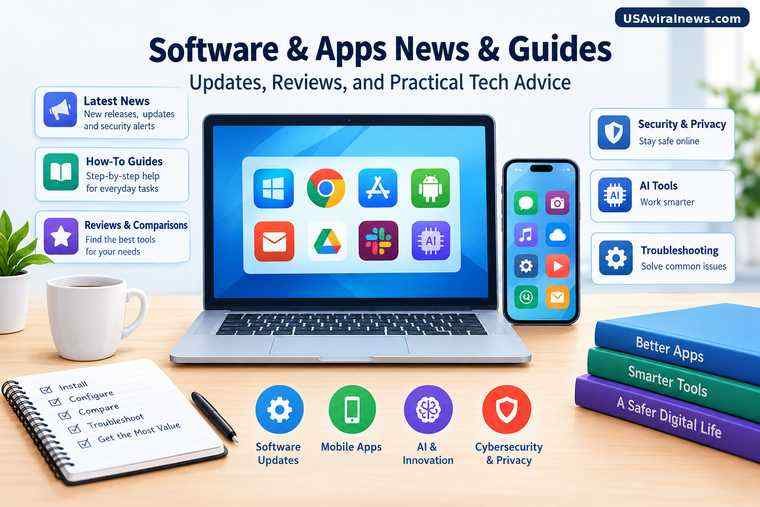
Software and mobile apps change constantly. New features appear, security flaws are discovered, subscription plans change, and tools that once worked well may become outdated or lose support. Keeping up with these changes can help people choose better apps, protect their devices, and get more value from the software they already use.
Software and apps news and guides bring these developments together in one place. News explains what has changed and why it matters. Guides show readers how to install, configure, compare, troubleshoot, and use digital tools effectively. Reviews and comparisons help them decide which software best fits their needs.
The most useful coverage does more than announce a release. It explains who is affected, whether an update deserves attention, what limitations to consider, and what action, if any, a reader should take.
What Software and Apps News Covers
Software news tracks changes that affect how people work, communicate, create, browse the internet, and manage their devices. A useful technology news section separates major developments from minor announcements and explains their practical consequences.
Software releases and updates
Operating systems, desktop applications, browsers, and productivity tools receive updates that may introduce features, fix bugs, improve compatibility, or address security weaknesses.
For example, Microsoft documents changes to Windows update behavior, including how certain updates are grouped to reduce interruptions. That kind of detail helps readers understand not only what changed but also what to expect when maintaining their computers.
Microsoft Support
When reading an update story, look for:
- The software version and release date.
- The devices or operating systems affected.
- The most important changes and fixes.
- Known problems or compatibility requirements.
- Whether users need to take action.
Mobile app news
App coverage includes new releases, redesigned interfaces, subscription changes, removed features, policy updates, and developments involving Android and iOS applications.
A new app is not automatically a useful one. Readers should consider whether it solves a real problem, works on their device, handles personal information appropriately, and offers enough value to justify its price.
Artificial intelligence tools
AI software is now a major category of technology coverage. News and guides may explore AI assistants, writing applications, coding tools, image generators, transcription services, research products, and features integrated into existing software.
The most helpful coverage distinguishes announced capabilities from features people can actually use. Availability may depend on a subscription, device, region, operating system, or gradual rollout.
When evaluating an AI tool, consider its accuracy, privacy practices, limitations, cost, and whether it saves enough time to justify adding another service to your workflow.
Cybersecurity and privacy updates
Security reporting explains vulnerabilities, patches, scams involving software, suspicious applications, and changes to privacy controls.
This category deserves particular attention because some updates address risks that are not visible during everyday use. Apple maintains a security release record that identifies software updates and associated security advisories.
Apple Support
Readers should prioritize credible information about security issues affecting their actual devices rather than treating every alarming headline as an immediate threat.
Practical Software and App Guides
News explains developments. Guides help readers put information into practice.
How to guides
Step by step instructions for installing software, changing settings, creating accounts, configuring features, and completing everyday tasks. Good tutorials identify the required device or software version and explain what to do when a step does not match the reader’s screen.
Reviews and comparisons
Reviews examine the strengths and weaknesses of an individual product. Comparisons help readers choose between alternatives based on cost, usability, features, performance, and compatibility.
App discovery and recommendations
Curated recommendations help readers find tools for productivity, education, communication, photography, entertainment, business, and personal organization. Useful recommendations explain who benefits from an app and who may be better served by an alternative.
Troubleshooting guides
These explain how to resolve installation failures, crashes, login problems, slow performance, syncing errors, and compatibility issues. The best guides begin with low risk checks before moving to more disruptive fixes.
How to Choose the Right Software
The best application is not necessarily the most popular or the one with the longest feature list. It is the one that meets the user’s requirements without introducing unnecessary cost, complexity, or risk.
Use the following criteria when comparing options.
| What to evaluate | What to check |
| Purpose | Does the software solve the specific problem you have? |
| Compatibility | Does it support your device, operating system, and other essential tools? |
| Price | Is it free, subscription based, or a one time purchase? Are important features restricted to paid plans? |
| Ease of use | Can you complete common tasks without an unnecessarily complicated setup? |
| Privacy | What data does it collect, and how is that data used? |
| Security | Does the provider maintain the product and publish security information? |
| Support | Are documentation, troubleshooting instructions, and updates available? |
| Portability | Can you export your files and move to another service if necessary? |
Free software versus paid software
Free software can be sufficient for basic tasks, while paid applications may offer advanced functionality, professional support, collaboration features, or higher usage limits. Neither pricing model guarantees quality.
Before paying, check the actual limitations of the free version. Some products restrict storage, exports, automation, or access to particular features. Others are entirely adequate without a subscription.
Also distinguish a free trial from a genuinely free plan. A trial may require payment details and automatically convert to a paid subscription unless canceled under the provider’s terms.
Browser based tools versus installed applications
Browser based software is convenient because it can often be accessed from different devices without a full installation. Installed applications may offer stronger integration with the operating system, offline functionality, or access to device specific features.
Your choice depends on the work involved. Someone who needs to edit documents from multiple computers may prefer a cloud based service. Someone working with large files or unreliable internet access may benefit from a desktop application.
Check offline support, data synchronization, and storage requirements before deciding.
How to Install and Update Software Safely
Downloading software from an unfamiliar website can expose a device to malicious programs, unwanted extensions, deceptive installers, or fake update notifications.
A safer installation process starts with the official app store or the software developer’s verified website.
- Confirm the publisher. Check the developer’s name, official website, and application details before downloading.
- Review permissions. Be cautious if an application requests access to information or device functions that do not appear necessary for its purpose.
- Check compatibility. Verify system requirements and whether your device is supported.
- Review the installation options. Read prompts carefully and avoid accepting unrelated software or unnecessary changes to browser settings.
- Keep security protections enabled. Do not disable built in protections simply because an unfamiliar installer asks you to.
- Install relevant updates. Security and stability fixes can be important even when an update does not add visible features.
Google recommends obtaining Android apps through Google Play and explains that Google Play Protect checks for potentially harmful applications, including apps installed from other sources. These protections are useful safeguards, although no single check should be treated as a guarantee that every app is safe.
Android Help
+1
For Apple devices, users can review available system security releases and manage app updates through the App Store settings.
Apple Support
+1
Should you install every software update immediately?
Not every update has the same urgency.
Security fixes addressing serious vulnerabilities deserve prompt attention, particularly when the affected product is exposed to the internet or handles sensitive information. Feature updates may be less urgent, especially if they introduce compatibility concerns for essential work.
A sensible approach is to:
- Read the official release notes.
- Check whether the update applies to your device.
- Back up important files before a major system upgrade.
- Review reported compatibility problems when the software is critical to your work.
- Follow the vendor’s security guidance when a vulnerability requires urgent action.
Avoid postponing security updates indefinitely. At the same time, understand what a major upgrade changes before installing it on a device that must remain reliable.
How to Troubleshoot Common Software Problems
Many software problems have straightforward causes, such as an outdated version, insufficient storage, a weak internet connection, or incorrect settings. A systematic process can save time and prevent unnecessary data loss.
| Problem | First steps to try |
| App will not open | Restart the app, check for updates, and restart the device. |
| Installation fails | Verify storage, system requirements, permissions, and installer source. |
| App runs slowly | Close unnecessary processes, check available storage, and review resource usage. |
| Login does not work | Confirm the account details, network connection, and service status. |
| Files will not sync | Check connectivity, account access, storage limits, and synchronization settings. |
| An update causes errors | Review release notes, check for known issues, and consult official support instructions. |
These are starting points rather than universal fixes. The right solution depends on the application, device, and error message.
Before clearing application data, reinstalling software, or resetting a device, check whether the action could delete local files, saved settings, or authentication information. For work systems, follow the organization’s IT procedures instead of making changes that could affect business data.
How to Judge Whether a Software News Story Is Reliable
Software coverage often mixes official announcements, early reports, user complaints, reviews, and speculation. These sources can all provide useful context, but they do not establish the same things.
A developer’s announcement is generally the best starting point for confirming that a feature exists or a release has been announced. Independent testing can help establish how well that feature performs in practice. User reports can reveal recurring problems, but an isolated complaint does not prove that every user will experience the same issue.
Use this checklist when evaluating a story:
- Check the date. An old article may describe a feature, price, or interface that has since changed.
- Find the original source. Look for official release notes, documentation, security advisories, or a direct company announcement.
- Separate fact from prediction. A feature described as being tested is not necessarily available to everyone.
- Look for specific evidence. Screenshots, reproducible steps, version numbers, and documented test conditions are more useful than vague claims.
- Read beyond the headline. A headline may emphasize a dramatic change while the article describes a limited rollout or narrow set of affected users.
- Check more than one credible source when necessary. This is particularly important for security incidents, disputed claims, and major product changes.
A trustworthy technology article should make it clear what is confirmed, what remains uncertain, and what the reader should do with the information.
Software and Apps Trends Worth Following in 2026
Technology coverage is most useful when it connects new developments to practical changes in everyday use. Several areas deserve attention.
AI integrated into everyday applications
AI capabilities are increasingly appearing inside writing tools, office software, browsers, creative applications, and development environments. Instead of evaluating a product only by whether it includes AI, examine which tasks the feature performs, how reliably it works, and whether it introduces additional privacy or subscription concerns.
Privacy and security controls
Users benefit from clearer information about permissions, data collection, account protection, and security updates. A practical guide should explain where to find relevant settings and what changing them means, rather than merely announcing that a new privacy feature exists.
Subscription changes and software pricing
Pricing changes can affect the real value of a product even when its technical capabilities remain the same. Useful coverage should identify which plans are affected, whether existing customers are included, and whether alternatives offer comparable features.
Compatibility and long term support
An application may work well today but become a poor long term choice if the developer stops maintaining it or drops support for a device. Readers should pay attention to support periods, operating system requirements, export options, and whether their existing hardware can continue to use the software.
Accessibility and ease of use
Improvements to captions, keyboard navigation, screen reader compatibility, text scaling, and interface customization can make software more useful to a wider range of people. Such changes are worth evaluating in terms of practical accessibility, not just appearance.
These are useful areas to monitor, not a guarantee that every trend will affect every user. The right priorities depend on the devices and applications each reader relies on.
Frequently Asked Questions
What does software and apps news and guides mean?
It refers to news, tutorials, reviews, comparisons, and troubleshooting resources about computer software, mobile applications, operating systems, and digital tools. The goal is to help readers understand developments and use software more effectively.
Where should I download software and mobile apps?
Start with the official app store or the verified website of the software developer. Check the publisher, permissions, compatibility, and requested access before installing. Avoid unfamiliar download links and installers that ask you to disable security protections.
How can I find out whether an app is safe?
Review the publisher, app permissions, privacy information, recent updates, and credible user feedback. Use available platform security protections, such as Google Play Protect on Android. These checks reduce risk but cannot guarantee that an application is completely safe.
Are free apps better than paid apps?
Not necessarily. Free applications may meet your needs without additional cost, while paid products may offer useful advanced features or support. Compare the capabilities you actually need, recurring charges, privacy terms, and limitations before deciding.
How often should I update my software?
Install relevant security updates promptly, especially when the developer identifies an urgent vulnerability. For other updates, review compatibility and release notes where appropriate. Keeping software maintained is generally safer than leaving it outdated indefinitely.
What should a good software guide include?
A good guide identifies the supported devices and software versions, explains the steps clearly, addresses likely errors, and warns about important risks such as data loss or privacy changes. It should also distinguish verified instructions from suggestions that may vary by device.
Finding Software News and Guides That Save Time
The best software coverage helps readers make informed decisions without forcing them to sort through vague claims, outdated instructions, or unnecessary technical jargon.
Look for articles that explain what changed, verify important details, provide steps that match the relevant version, and acknowledge limitations. Whether you are choosing a new productivity tool, learning an AI application, updating a phone, or resolving a computer problem, reliable guidance should leave you with a clearer understanding and a practical next step.
You may also read:Flint AI