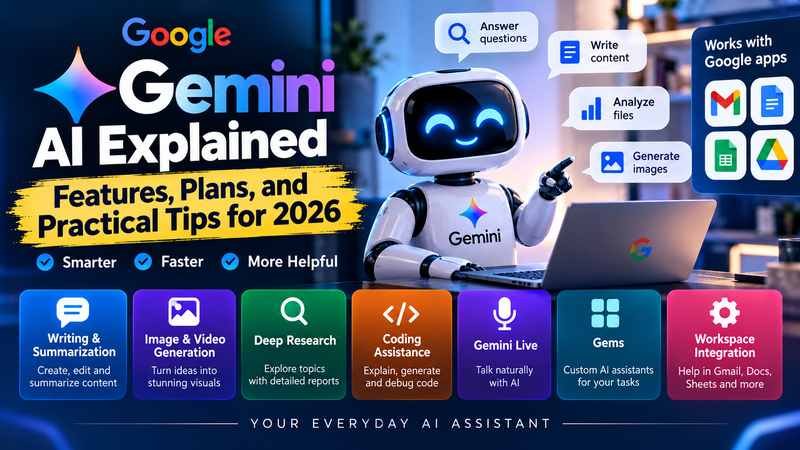
Gemini AI Explained: Features, Plans, and Practical Tips for 2026

gemini-ai

Gemini AI is Google’s artificial intelligence assistant for answering questions, writing content, analyzing files, researching topics, generating images, and helping people work across Google’s apps. In 2026, it has grown beyond a simple chatbot into a broader collection of AI models, creative tools, research features, and productivity services.

The important distinction is that Gemini is both an AI assistant and a wider ecosystem of models and tools. You can use the Gemini app for everyday tasks, access AI assistance in supported Google services, or work with Gemini models through developer tools. The features available to you depend on your account, subscription, country, and the particular tool you use.

This guide explains what Gemini AI does, which features are useful, how its subscription plans compare, and how to get better results without wasting time or money.

What Is Gemini AI?

Gemini AI is Google’s family of artificial intelligence models and user-facing services. It can interpret and generate text, work with supported images and files, assist with coding, summarize information, and handle certain audio and video tasks.

It is designed to understand more than text alone. Depending on the model and feature, you can combine written instructions with documents, pictures, and other supported media to give the assistant more context.

For example, you could ask Gemini to summarize a lengthy report, explain a difficult scientific concept in simple language, draft a professional email, or help troubleshoot a programming error.

Gemini is available through several routes:

  • Gemini app: A conversational assistant for questions, writing, learning, planning, and creative work.
  • Gemini in Google apps: AI assistance integrated into eligible services such as Gmail, Docs, Sheets, and other Workspace products.
  • Gemini developer tools: Models and related services available through platforms such as Google AI Studio and the Gemini API.
  • AI-powered research and creation tools: Features for deeper research, document analysis, image generation, video creation, and other specialized tasks, subject to availability and plan limits.

You can explore the consumer assistant at Gemini.

How Does Gemini AI Work?

Gemini uses machine learning models trained to recognize patterns in information and generate responses based on the context of a request. It predicts and constructs an answer rather than retrieving a guaranteed correct response from a database.

The interaction usually follows a straightforward process:

  1. You provide a question, instruction, document, image, or other supported input.
  2. Gemini interprets the available context and determines how to respond.
  3. The model generates an answer, analysis, draft, or other output.
  4. You review the result, correct mistakes, and ask follow-up questions if needed.

Some tasks may involve tools that search for information, analyze files, generate media, or interact with connected services. The exact capabilities depend on the model, feature, and permissions available.

Why Gemini can still make mistakes

Gemini can produce convincing explanations that contain incorrect facts, outdated information, faulty calculations, or invented references. This is sometimes called an AI hallucination.

A well-written response is not proof that the answer is accurate. For important claims, verify information against original documents, official websites, or other trustworthy sources.

This matters especially when using Gemini for academic research, business decisions, financial analysis, technical work, or publishing content. Treat it as an assistant that can accelerate your work, not as an unquestionable authority.

Key Gemini AI Features in 2026

Gemini’s usefulness depends less on the number of features available and more on how well those features fit your daily work. These are the main capabilities worth understanding.

1. Writing, rewriting, and summarization

Gemini can help create first drafts, rewrite awkward sentences, summarize long passages, adjust tone, and organize scattered ideas into a coherent document.

Common uses include:

  • Drafting emails, reports, blog posts, and business proposals.
  • Rewriting technical material for a general audience.
  • Turning meeting notes into action items.
  • Summarizing lengthy documents.
  • Producing outlines and alternative headlines.
  • Checking a draft for clarity, structure, and repetition.

The best results usually come from giving Gemini a clear audience, purpose, tone, and output format. For publishable work, review factual claims and revise the language rather than accepting the first draft unchanged.

2. Multimodal understanding

Gemini can work with multiple types of input, depending on the feature and model. These may include text, images, documents, audio, and video.

For example, you could provide a photograph of a household appliance and ask what its visible controls mean, upload a supported document for analysis, or ask for a summary of a video.

Multimodal support is particularly useful when describing something in words would be difficult. However, visual interpretation can be wrong, and the assistant may miss small details, text, or context. Check important observations against the original material.

3. Deep Research

Deep Research is designed for questions that require more than a quick answer. It can investigate a topic across multiple sources and produce a structured report.

Potential uses include:

  • Comparing competing products or services.
  • Exploring a business market.
  • Gathering background information for an article.
  • Identifying trends and competing explanations.
  • Building a starting bibliography for further research.

Google describes Deep Research as a tool that browses and analyzes online sources to create research reports. Its access and usage limits depend on the applicable Google AI plan. See the official Google AI plans page.

A useful research report still needs editorial judgment. Check the dates of cited sources, follow important claims to their originals, and distinguish evidence from the model’s interpretation.

4. Image and video generation

Gemini’s creative tools can help turn written ideas and visual references into generated media. Depending on availability, users may be able to create or edit images, work with music generation, or produce video through Google’s supported creative models and services.

Practical applications include:

  • Developing concepts for blog illustrations.
  • Creating visual ideas for social media.
  • Exploring alternative product or campaign designs.
  • Turning a rough creative brief into a visual starting point.
  • Producing short video concepts for further editing.

Access to particular generation models, output quality, and usage limits varies by plan and region. Generated media may also contain visual inconsistencies, so review the result before publishing it.

5. Coding and technical assistance

Gemini can explain programming concepts, generate example code, suggest debugging steps, review functions, and help developers understand unfamiliar codebases.

A developer might ask it to explain an error message, write a sample Python function, or compare two approaches to a database query.

For stronger results, include the relevant code, the exact error, the expected behavior, and the environment in which the code runs. Ask Gemini to explain its proposed changes and provide tests.

Important: Generated code is not automatically secure or correct. Test it, inspect dependencies, and review permissions and security implications before using it in production.

6. Gemini Live and conversational assistance

Where supported, Gemini Live lets users interact through natural voice conversation rather than relying exclusively on typed prompts. This can make brainstorming, language practice, explanations, and hands-free assistance more convenient.

For example, you could talk through a presentation idea, ask follow-up questions about a concept, or practice a conversation in another language.

Voice features and integrations vary by device, account, language, and location. Spoken answers should be checked just as carefully as written ones.

7. Gems and personalized workflows

Gems let users configure Gemini for recurring tasks by giving it specialized instructions. Instead of repeating the same requirements in every conversation, you can create a reusable assistant for a particular purpose.

Examples include a writing editor, study tutor, brainstorming partner, or coding helper.

A useful Gem should have a clearly defined role, a specific task, explicit constraints, and a consistent output format. For example, a content editor Gem could be instructed to flag unsupported claims, remove repetition, and preserve the writer’s intended meaning.

Google’s Gems help documentation explains how to create and use these customized assistants. Features and account policies can change, so check the current documentation before relying on a specific workflow.

8. Integration with Google Workspace

For people who already use Google services, integration can be one of Gemini’s most practical advantages.

Depending on the plan and availability, Gemini assistance may be offered in services such as:

  • Gmail: Help with email drafts and communication.
  • Google Docs: Drafting, rewriting, and document refinement.
  • Google Sheets: Working with data, formulas, and spreadsheet tasks.
  • Google Drive: Finding or analyzing information in supported files.
  • Google Search: Access to AI-powered search experiences and research features.

These integrations can reduce the need to copy information between separate tools. However, not every feature is included in every account, and some require a paid plan or a supported language and region. Google’s current plan comparison lists the benefits and restrictions associated with its subscriptions.

Gemini AI Features at a Glance

Feature Best use Main consideration
Writing assistance Drafting, editing, and summarizing Verify facts and refine the style
Image and file analysis Interpreting supported visual or document inputs Check details against the original
Deep Research Multi-source research and reports Verify citations and source quality
Image and video generation Creative concepts and media production Limits and availability vary
Coding assistance Explaining code and debugging Test and review generated code
Gemini Live Voice conversations and brainstorming Depends on device and regional support
Gems Reusable, specialized instructions Quality depends on setup and review
Workspace integration Working within Google apps Some integrations require subscriptions

The table describes general use cases, not a guarantee that every feature is available to every user.

Gemini AI Plans and Pricing in 2026

Gemini offers free access alongside paid Google AI subscriptions. Paid plans generally provide higher usage limits, expanded access to advanced models, additional creative tools, and cloud storage.

The main plans listed by Google are Google AI Plus, Google AI Pro, and Google AI Ultra. The best option depends on how frequently you use Gemini and which features you need.

Google AI plan comparison

The following prices are US reference prices. Your local pricing, taxes, promotions, and available benefits may differ.

Plan US reference price Storage Best suited for
Gemini free access $0 15 GB Google Account storage Everyday questions and occasional use
Google AI Plus Varies by offer and region 400 GB Regular personal productivity
Google AI Pro $19.99/month 5 TB Frequent research, writing, and creative work
Google AI Ultra $99.99/month starting price 20 TB Heavy AI use and advanced creative or technical workflows

Google’s official AI plan page provides the current subscription details. Prices and benefits can change, so confirm the amount shown for your account before subscribing.

Free Gemini access

The free option is a sensible starting point for people who want to ask questions, brainstorm, draft content, or explore supported AI features without paying a subscription fee.

Its main advantages are the lack of a subscription cost and the ability to learn how the assistant fits into your workflow before committing to a paid tier.

The tradeoff is that usage limits and access to advanced features can be more restrictive. Google’s published limits can change, and access may depend on testing, account eligibility, and availability.

Best for: Students, casual users, and anyone who uses AI occasionally.

Google AI Plus

Google AI Plus sits between free access and the more expensive subscriptions. It provides increased access to Gemini and selected creative and productivity features, alongside 400 GB of storage in the plan described by Google.

It may be a reasonable upgrade if you frequently reach free usage limits but do not need the broadest access available to advanced users.

Best for: Regular users who want more capacity without paying for the highest tier.

Google AI Pro

Google AI Pro is designed for people who rely on AI regularly for demanding tasks. Google’s US reference price is $19.99 per month, with expanded access to Gemini models and features such as Deep Research, plus integrations and storage benefits.

Depending on availability, its additional benefits can include AI assistance in Google Workspace, expanded creative tools, and developer-oriented services.

The subscription makes more sense when you use several of these benefits consistently. Paying for a higher usage limit alone may not justify the cost if your tasks are simple and infrequent.

Best for: Content professionals, researchers, developers, and users who depend on AI throughout the workday.

Google AI Ultra

Google AI Ultra is the premium option, with a US starting price of $99.99 per month on Google’s current plan page. It offers higher usage limits and additional access to advanced capabilities, including Deep Think and selected agentic or creative tools.

Its value depends on the amount of work you can genuinely accomplish with those extra capabilities. Someone who regularly performs intensive research, complex reasoning, or media production may benefit more than someone who primarily writes emails.

Best for: Advanced users and professionals with sustained, demanding AI workloads.

Which Gemini plan should you choose?

Use your actual workflow to make the decision.

  • Choose free access if you are still learning Gemini or use it for straightforward questions.
  • Consider AI Plus if you regularly need more capacity but have moderate requirements.
  • Choose AI Pro if advanced research, productivity integrations, or creative tools are central to your work.
  • Consider AI Ultra if you repeatedly encounter Pro limits or need specific premium capabilities.

One practical rule: upgrade because you need a particular capability or consistently hit a limit, not simply because a higher-priced plan sounds more powerful.

How to Use Gemini AI: A Step-by-Step Guide

Getting started is straightforward. You do not need programming experience to use the consumer Gemini app.

Step 1: Open Gemini

Visit gemini.google.com or install the official Gemini app on a supported device. Sign in with your Google Account if required.

Step 2: Describe your task

Type a question or instruction into the prompt field. Explain what you want, why you need it, and any important restrictions.

Step 3: Review the answer

Read the response and identify missing details, questionable claims, or sections that do not meet your needs.

Step 4: Refine the result

Ask Gemini to revise, explain, shorten, expand, compare, or verify specific parts. Follow-up prompts often produce better results than trying to write one enormous instruction.

Step 5: Apply the output

Copy or transfer the useful material into your document, project, or workflow. Verify important facts and edit the final result before using it.

The interface may look different across web, mobile, and account versions, but the underlying process remains similar.

8 Practical Tips for Getting Better Gemini AI Results

The quality of an AI response depends partly on the model and partly on how clearly you describe the task. These techniques make prompts more useful and outputs easier to evaluate.

1. Give Gemini a specific role and task

Vague instructions encourage generic responses. Instead of asking for help with a blog post, define what kind of help you need.

Weak prompt:

“Write about digital marketing.”

Improved prompt:

“Write an introductory article for small business owners explaining three practical digital marketing strategies. Use plain English, give one realistic example per strategy, and avoid unsupported statistics.”

The second prompt establishes an audience, scope, style, and quality standard.

2. Include the context that matters

Tell Gemini who will use the output, what you already know, and what constraints it must respect.

For example, when asking for a weekly study plan, provide your subjects, available study hours, exam date, and difficult topics. Without that information, the assistant can only produce a generic schedule.

Do not include passwords, confidential business records, or sensitive personal information unless you have a legitimate reason and an appropriate, approved way to handle it.

3. Specify the desired format

If you need a comparison, ask for a table. If you need an action plan, request numbered steps. If you need a short answer, state a word or sentence limit.

You can specify:

  • Output format.
  • Intended audience.
  • Tone and reading level.
  • Required sections.
  • Length constraints.
  • Evidence or citation requirements.

Clear formatting instructions reduce the amount of editing needed afterward.

4. Break complex tasks into stages

A multi-stage workflow often works better than asking Gemini to complete every part of a complicated project in one response.

For an article, for example:

  1. Identify the audience and search intent.
  2. Gather and verify relevant evidence.
  3. Develop the structure.
  4. Draft the sections.
  5. Review accuracy, clarity, and repetition.
  6. Edit the final article.

This approach makes mistakes easier to identify and gives you more control over the result.

5. Ask for sources, then verify them

For factual research, request links to original studies, official documentation, or primary sources wherever possible.

Do not assume a citation exists simply because Gemini provides a convincing title or URL. Open the source and confirm that it supports the specific claim being made.

For time-sensitive topics such as software features, subscription prices, and regulations, check the publication or update date as well.

6. Use follow-up prompts to improve weak answers

You do not have to start again when the first response is mediocre.

Try prompts such as:

  • “Explain this for a beginner without losing technical accuracy.”
  • “Identify the weakest assumptions in your answer.”
  • “Separate verified facts from recommendations.”
  • “Remove repetition and preserve the useful details.”
  • “List the claims that still need independent verification.”

The goal is not to make Gemini sound more confident. It is to make the output more useful and easier to check.

7. Match the model to the difficulty of the task

Where multiple models or thinking levels are available, use a faster option for routine tasks and a more capable reasoning option for problems that need deeper analysis.

A short email does not usually require the same computational effort as analyzing a lengthy technical report or debugging a complicated program.

Google notes that advanced models and higher thinking levels may consume more of your available usage. Choosing an appropriate level can help you avoid exhausting limits on routine work. See the official Gemini usage and limits documentation.

8. Build reusable prompts for recurring work

If you perform the same task repeatedly, create a standard prompt or a Gem instead of rewriting your instructions each time.

For example, a reusable content-review prompt could ask Gemini to:

  • Flag claims without adequate evidence.
  • Identify repeated ideas.
  • Check whether headings match the content.
  • Suggest clearer explanations.
  • Preserve the intended audience and tone.

Reusable instructions improve consistency, although they do not eliminate the need to review each result.

Best Gemini AI Use Cases by Audience

Gemini is most valuable when it addresses a recurring task or a clear bottleneck. The following examples show where different users may benefit.

User type Useful applications What to watch
Students Explanations, revision questions, study schedules Check answers against course material
Writers and bloggers Outlines, editing, research assistance Verify claims and avoid derivative writing
Business owners Email drafts, planning, document summaries Review decisions and sensitive information
Developers Code explanations, debugging, sample functions Test code and inspect security
Researchers Source discovery, synthesis, document analysis Validate citations and methodology
Designers and creators Visual concepts, image generation, creative briefs Inspect generated assets for errors
Office professionals Document drafting and spreadsheet assistance Check formulas, calculations, and permissions

Gemini AI for students

Students can ask Gemini to explain difficult concepts, generate practice questions, compare ideas, and organize revision schedules.

A particularly useful technique is to request a guided explanation instead of an answer alone. Ask Gemini to explain the reasoning, identify common misconceptions, and give you a similar problem to solve independently.

This supports learning more effectively than copying a finished answer without understanding it.

Gemini AI for SEO and content writing

Gemini can assist with topic research, content briefs, heading structures, draft editing, and the identification of questions an article should answer.

However, a fluent article is not necessarily a useful or authoritative one. Writers should independently verify facts, evaluate sources, and add meaningful explanations rather than simply generating large amounts of text.

For SEO, the priority should remain satisfying the reader’s intent and producing accurate, original content. Repeating keywords or publishing unreviewed AI drafts does not guarantee search visibility.

Gemini AI for businesses

Businesses can use Gemini to draft communications, summarize documents, brainstorm campaigns, and explore operational problems.

The main consideration is data governance. Before uploading customer information, contracts, internal documents, or other sensitive material, review the terms, account settings, and applicable organizational policies for the specific product you use.

A personal consumer account should not automatically be treated as an approved environment for confidential company information.

Gemini AI vs. ChatGPT: What Is the Difference?

Gemini and ChatGPT are both general-purpose AI assistants, but their strongest practical fit depends on the tools, integrations, and models available in the specific plans you compare.

Consideration Gemini ChatGPT
Google ecosystem Direct connection to supported Google services and features Can connect with supported services and tools, depending on the plan
Research Offers research features such as Deep Research where available Offers research capabilities through supported tools and plans
Writing and reasoning Supports drafting, analysis, and problem-solving Supports drafting, analysis, and problem-solving
Media generation Offers supported image, video, and other creative capabilities Offers supported image and other media capabilities
Developer use Gemini API, AI Studio, and related developer tools OpenAI API and supported coding tools
Subscription choice Google AI plans with tier-specific benefits ChatGPT plans with tier-specific benefits

Neither assistant is automatically better for every task. Features, usage limits, model quality, and pricing change over time, so compare the exact plans rather than relying on broad brand claims.

If you already work heavily in Google Workspace, Gemini’s integrations may be particularly convenient. If you need a specific set of tools, compare their availability and performance directly before choosing a subscription.

Limitations and Risks of Gemini AI

Gemini can save time, but understanding its limitations is necessary if you want reliable results.

Incorrect or misleading information

Gemini may misunderstand a question, produce incorrect facts, or present uncertain information confidently. Verify important claims, especially those that affect money, health, legal obligations, safety, or professional decisions.

Privacy and data handling

Your responsibilities depend on the account type, product, and applicable terms. Review Google’s privacy information and the relevant product settings before sharing sensitive data.

Avoid uploading information that you do not have permission to disclose.

Usage limits and subscription changes

Paid subscriptions do not necessarily provide unlimited access. Google may apply limits based on the plan, model, task complexity, and feature used. Model names and access conditions can also change.

Check the current plan documentation if a particular capability is essential to your workflow.

Regional and device restrictions

Some features are restricted by country, language, age, account type, or device. A feature shown in a product announcement may not be available to every user immediately.

Check the eligibility requirements before paying for a plan primarily to access a specific feature.

Copyright and originality

AI-generated content can resemble existing material or contain inaccurate descriptions of sources. Review text and media before publication, and make sure you have the rights and permissions needed for your intended use.

For professional publishing, independent research and meaningful human editing remain important.

Frequently Asked Questions About Gemini AI

Is Gemini AI free to use?

Yes, Gemini offers free access, although available models, usage limits, and features may be restricted. Paid Google AI plans offer expanded access and additional benefits. Check the current Google AI plan comparison for the options available in your region.

Is Gemini AI better than ChatGPT?

Neither is universally better. Gemini may suit users who rely on Google services and its associated AI tools, while ChatGPT may better fit users whose preferred workflow depends on its particular models and features. Compare the specific capabilities you need.

Can Gemini AI generate images?

Yes, Gemini supports image generation and editing capabilities through eligible models and tools. Access, limits, and supported functions vary by plan and region.

Can Gemini AI analyze PDF files?

Gemini supports file uploads and document analysis in eligible experiences. You can use it to summarize a PDF, extract key ideas, or ask questions about its contents. Check numerical details and important quotations against the original file.

Can Gemini AI help with coding?

Yes. Gemini can explain programming concepts, generate sample code, suggest debugging approaches, and assist with technical analysis. Generated code should be tested and reviewed before use.

Does Gemini AI have a mobile app?

Yes. Gemini is available through supported mobile apps and the web. Availability and individual features depend on your device, account, language, and region.

Is Gemini AI safe to use?

Gemini can be useful when used with appropriate safeguards, but it is not error-free. Verify important answers, protect sensitive information, review permissions, and avoid relying on generated content alone for high-stakes decisions.

Which Gemini AI plan is best for beginners?

Free access is generally the best starting point. Learn how Gemini handles your everyday tasks before deciding whether higher limits or premium features would justify a subscription.

What is the difference between Gemini Flash and Gemini Pro?

In Google’s model lineup described in its documentation, Flash models emphasize a balance of speed and capability, while Pro is designed for more demanding reasoning, mathematics, coding, and complex analysis. Exact model versions and access conditions can change. Consult the official Gemini model and usage guide for current details.

Final Thoughts

Gemini AI is best understood as a flexible assistant rather than a tool that automatically produces finished, reliable work. It can help you write, research, analyze files, create media, learn new concepts, and work more efficiently within supported Google services.

Start with a real task you want to improve. Learn how to write clear prompts, check the output, and build repeatable workflows. Upgrade only when you need additional access or a specific paid capability.

The biggest benefit comes from combining Gemini’s speed with your own judgment. Let it handle useful parts of the work, verify what matters, and remain responsible for the final result.

You may also read:Creatify AI Review


Creatify AI Review: The Ultimate Guide to Video Ads

creatify-ai-review

Creating video advertisements can be expensive and time-consuming, especially for online stores, digital marketers, and small businesses that need fresh creatives for social media campaigns. Creatify AI aims to simplify this process by turning product links, images, and scripts into video ads with AI-generated presenters, voiceovers, and visual elements.

But does Creatify AI produce advertisements that are genuinely useful, or does it simply make video production faster?

The answer depends on your goals. Creatify is worth considering if you want to produce multiple ad concepts quickly, test different marketing messages, and reduce your reliance on traditional filming. However, generated videos can still require editing, and the cost of credits deserves attention if you need many revisions.

This review examines Creatify AI’s features, pricing, workflow, advantages, limitations, alternatives, and the situations in which it makes the most sense.

What Is Creatify AI?

Creatify AI is an AI-powered advertising platform designed to help businesses create video and image advertisements. Rather than starting with a camera, actors, and a full editing workflow, users can provide product information, a website URL, images, or a script and let the platform generate an initial creative.

Its main purpose is to make ad production faster and easier to scale, particularly for e-commerce businesses and performance marketers.

According to Creatify’s official feature pages, the platform includes URL-to-video generation, AI avatars, voice generation, image-to-video tools, video editing, and advertising intelligence features. Its capabilities extend beyond producing a single video, allowing marketers to develop different versions of a creative for testing. Source: Creatify’s official features.

Who is Creatify AI designed for?

Creatify may be useful for:

  • E-commerce sellers: Turn product listings into promotional videos without organizing a new shoot for every product.
  • Digital marketing agencies: Produce more creative concepts for clients and test different advertising angles.
  • Small business owners: Create promotional content without hiring a full production team.
  • Affiliate marketers: Develop product-focused videos for campaigns and social platforms.
  • Social media managers: Create short-form promotional content for TikTok, Instagram Reels, and YouTube Shorts.
  • Growth teams: Generate variations of ads to explore different hooks, scripts, and presentations.

It is less suitable for people who need precise cinematic storytelling, highly controlled product demonstrations, or completely authentic customer testimonials without AI involvement.

How Does Creatify AI Work?

Creatify’s central idea is straightforward: provide information about a product, generate a video concept, review the result, and refine it before publishing.

The exact options depend on the tool and plan you use, but a typical workflow looks like this.

1. Provide a product URL or assets

You can start with a product page or supply product information and media manually. Creatify’s URL-to-video feature analyzes a product URL and uses available information and assets to help create an advertisement. Manual input is useful when a product page is incomplete or when you want more control over the source material.

Official guide: URL-to-video generator.

2. Generate the script and creative concept

The platform helps develop advertising copy and a visual direction. A typical concept might introduce a problem, present the product as a solution, explain a benefit, and finish with a call to action.

This stage deserves attention. AI-generated copy can misunderstand product details or make claims that are not supported by the information supplied. Check every product specification, price, benefit, and promotional statement before moving forward.

3. Select an avatar, voice, or visual style

Depending on the workflow, you can use an AI presenter, voiceover, product visuals, or other generated elements.

An avatar can be useful when a campaign needs a presenter but filming a real person is impractical. Product-focused visuals may be a better choice when viewers need to see the item itself rather than watch someone talk about it.

4. Generate the video

Creatify assembles the selected creative elements into a video draft. The result may include narration, scenes, captions, music, and other advertising components, depending on the workflow.

The speed of generation is one of the platform’s main attractions. However, a quickly generated draft is not necessarily a finished advertisement. Visual continuity, script accuracy, and the relationship between narration and footage still need review.

5. Edit and export

Before publishing, review the script, pacing, product appearance, voiceover, subtitles, and final call to action. Replace weak scenes, remove inaccurate claims, and check the output in the format required by your advertising platform.

Creatify also offers an AI video editor for adjusting elements such as captions, music, scripts, and calls to action.

Creatify AI Features Reviewed

Creatify’s feature set is broader than a basic text-to-video generator. The most valuable tools depend on whether your priority is product promotion, presenter-led content, or high-volume creative testing.

Feature What it does When it is useful
URL-to-video Uses a product URL to help create a video advertisement Online stores and product campaigns
AI avatars Adds an AI-generated presenter to video content Presenter-led promotions and UGC-style ads
Custom avatars Creates a digital avatar from supplied footage Brands that want a recurring digital presenter
AI voice generation Produces narration from text Videos that need voiceovers without recording sessions
Image-to-video Animates or transforms still images into video content Product showcases and visual variations
Video editor Allows changes to scripts, captions, music, and scenes Refining generated drafts
Creative insights Helps marketers examine advertising concepts and competitor creatives Researching hooks and developing campaign ideas
Ad variations Supports the creation of multiple creative versions Testing different messages and presentations

Feature availability and usage limits can vary by subscription. Check the official feature list and pricing page before choosing a plan.

URL-to-video generation

URL-to-video is arguably the most important feature for online sellers. Instead of writing a complete brief from scratch, a marketer can start with an existing product page and let the system prepare an initial advertisement.

This can reduce repetitive setup work when a store has many products. It is especially useful for testing whether a product deserves more advertising investment before commissioning a polished production.

The limitation is that the quality of the input matters. A weak product page, vague descriptions, outdated images, or inconsistent specifications can lead to an inaccurate or unconvincing ad.

Practical recommendation: Treat the generated script as a first draft. Supply clear product benefits, verified specifications, audience information, and the action you want viewers to take.

AI avatars and UGC-style videos

Creatify offers AI-generated presenters and custom avatar options. These can help businesses produce presenter-led videos without repeatedly arranging filming sessions.

They can be useful for straightforward product explanations, introductory promotions, and variations of a familiar advertising format.

However, an AI avatar is not the same as a real customer sharing a genuine experience. Facial movement, lip synchronization, expressions, and visual consistency may not always look natural. Some viewers may also react negatively to synthetic presenters.

If your brand depends on personal trust, real customer footage may be more persuasive. If your goal is to test multiple scripts economically, AI presenters may be worth trying.

Voice generation and localization

AI voiceovers can reduce the time required to record narration. Creatify advertises support for more than 75 languages across its platform, although available voices and features may depend on the selected plan and tool.

Localization can help a business explore different markets, but translating a script is only one part of the job. A successful localized ad also needs natural phrasing, appropriate cultural references, accurate pronunciation, and a clear offer.

Have a fluent speaker review important campaigns, especially when a mistranslated product claim could mislead customers.

Image-to-video and product visuals

Image-to-video tools can give static product photography movement, creating more visual options from assets a business already owns.

This is helpful when a seller has good product photographs but limited video footage. Yet generated motion may introduce incorrect details, unusual shapes, or inconsistent product appearances.

Inspect the item carefully throughout the video. A product that changes shape between scenes can undermine the credibility of an otherwise attractive advertisement.

Creative intelligence and ad variations

Creatify also promotes tools for examining advertising creatives, finding inspiration, and generating variations. These features can help marketers explore different hooks, selling points, and formats.

The important distinction is that creative production and advertising performance are different things. A platform can make it easier to produce dozens of videos, but it cannot guarantee that viewers will watch, click, or buy.

Use variations to test a specific hypothesis, such as whether a demonstration performs better than a presenter-led introduction. Generating many nearly identical videos without a clear testing objective can waste credits and make the results harder to interpret.

Creatify AI Pricing: What Does It Cost?

Creatify offers a free tier and paid subscriptions. Its official pricing page currently lists the following starting options, although prices and plan details can change.

Plan Listed price Monthly credits General fit
Free $0 10 Exploring the platform
Starter $39 per month 100 Individual creators and smaller projects
Pro $99 per month 300 Marketers and teams producing more content
Enterprise Custom pricing Custom limits Organizations with larger or specialized requirements

Source: Creatify’s official pricing page. Prices shown are in US dollars and reflect the listed monthly subscription options. Annual billing and other plan configurations may differ.

Is Creatify AI free?

Yes. Creatify’s pricing page describes a free plan with 10 monthly credits. The listed free allowance supports up to two video ads or 20 image ads, with watermarked exports and other feature limits.

This makes the free tier useful for exploring the interface and assessing whether the workflow fits your needs. It may not be enough to evaluate the platform for sustained commercial production, particularly if you need repeated revisions or more advanced features.

Review the current terms before starting, including what happens to credits when you upgrade or cancel.

Is the Starter plan worth it?

At the listed price of $39 per month, Starter is the more relevant paid option for an individual seller or creator who needs recurring access beyond the free allowance.

It includes 100 monthly credits, watermark removal, access to the listed creation tools, 300 AI actors, and other plan-specific limits.

The key question is how many usable ads you can produce with those credits. A credit allowance does not necessarily translate into a fixed number of finished advertisements because different generation workflows and revisions may consume different amounts.

Before subscribing, estimate your monthly workload and check the credit cost of the exact tools you plan to use.

Is the Pro plan worth it?

The listed Pro plan costs $99 per month and includes 300 monthly credits, access to a larger AI actor library, additional templates and premium models, and features aimed at marketing teams.

It may be appropriate for an agency or business that produces ads regularly and benefits from features such as competitor ad tracking and team collaboration.

However, a higher credit allowance does not automatically make it the better-value plan. If you only produce a few videos each month, you may not use enough of the additional capacity to justify the expense.

Understand credits before paying

Credits are an important part of the real cost of Creatify AI. The subscription price is only one component of the expense if you need repeated generations or more complex outputs.

For a sensible budget, consider:

  • The credit cost of your preferred generation method.
  • How many versions you expect to create for each product.
  • How many revisions are typically required.
  • Whether unused credits carry over.
  • Whether your selected plan includes the features you need.
  • The conditions for subscription renewal and cancellation.

For example, suppose you want to produce five finished ads and expect to generate three drafts for each one. That is 15 generation attempts before considering further revisions. Your actual credit requirement depends on the costs of those specific operations, so check the platform’s current credit rules rather than assuming every video costs the same.

Creatify AI Pros and Cons

Creatify’s strengths are most apparent when speed and creative volume matter more than complete automation.

Pros

Faster production workflow. Starting with a product URL can reduce the time spent assembling scripts and visual concepts manually.

Useful for creative testing. Businesses can explore multiple hooks, presenters, and visual approaches without organizing a separate shoot for every variation.

Several tools in one platform. URL-to-video, avatars, voice generation, image-to-video, and editing tools cover several parts of the advertising workflow.

Less dependence on filming. Businesses without regular access to actors, cameras, or production facilities can still create video drafts.

Suitable for product-focused campaigns. Its emphasis on advertisements makes it relevant to sellers and marketers who need promotional content rather than general-purpose video editing alone.

Cons

Output quality is inconsistent. Generated footage, avatars, voices, and scene transitions may need correction before a video is suitable for a real campaign.

Human editing remains necessary. The platform can automate parts of production, but it does not eliminate the need to check claims, product details, pacing, and brand consistency.

Credits can complicate budgeting. Repeated generations may increase the effective cost of producing a usable ad.

Synthetic presenters may not suit every brand. Some audiences prefer genuine customer footage, recognizable employees, or real creators.

Performance is not guaranteed. Better production speed does not necessarily mean better click-through rates, conversions, or return on ad spend.

Subscription terms need attention. Users should understand renewal dates, cancellation steps, and credit rules before committing to a paid plan.

What Do Users Say About Creatify AI?

Public feedback presents a mixed picture. That is more useful than treating either glowing promotional content or a handful of negative reviews as a definitive verdict.

Positive discussions often emphasize the speed of creating product-based ads and the ability to test multiple creative variations. These benefits make sense for businesses that need a steady supply of new advertising concepts.

Some users report different experiences. Recent reviews on Trustpilot include complaints about inaccurate video generation, inconsistent voices, credits consumed during revisions, unexpected subscription charges, cancellation difficulties, and dissatisfaction with customer support. Other public discussions describe avatar realism and lip synchronization as inconsistent.

These are individual reports, not proof that every user will encounter the same problems. They also do not establish an overall failure rate. Still, the recurring themes identify sensible areas to test before spending heavily.

Three lessons stand out:

  1. Test actual output quality. Do not judge the platform only by showcase videos or marketing claims.
  2. Track credit consumption. Record how many attempts it takes to create a video you would genuinely publish.
  3. Check billing terms early. Confirm the renewal date, cancellation process, and refund policy before subscribing.

A useful trial is not simply one that produces a video. It is one that shows whether you can consistently produce acceptable ads at a cost your business can support.

Can Creatify AI Make Ads That Convert?

Creatify can help create advertisements, but no video generator can promise that a particular creative will convert.

Advertising results depend on several factors beyond production quality:

  • The offer: A compelling product offer can matter more than elaborate visuals.
  • The opening hook: Viewers need a reason to stop scrolling.
  • Audience relevance: The message must address a genuine customer need.
  • Product credibility: Demonstrations and claims should match what the product actually does.
  • The call to action: Viewers should understand what to do next.
  • The landing page: A good ad can still underperform if the destination is confusing, slow, or inconsistent with the promise.
  • Campaign setup: Targeting, budget, placement, and measurement all affect results.

A sensible way to use Creatify is to treat it as a tool for testing creative ideas, not as an automatic performance optimizer.

For example, an online store could create three versions of an ad for the same product. One version opens with the problem the product solves, another demonstrates a key feature, and a third focuses on a specific customer benefit. The business can then compare the results under reasonably consistent campaign conditions.

Measure relevant outcomes such as qualified clicks, conversion rate, cost per acquisition, and return on ad spend. A video that looks more polished is not necessarily the one that produces the best business results.

How to Create Better Video Ads With Creatify AI

The tool’s output depends partly on the quality of your inputs and how carefully you review the result. The following workflow can improve the odds of producing a usable advertisement.

Step 1: Start with a clear advertising objective

Decide what the video should accomplish. Is it intended to introduce a product, demonstrate how it works, generate leads, or encourage an immediate purchase?

A single video trying to achieve all these goals can become unfocused. Choose one primary objective and make the script support it.

Step 2: Supply accurate product information

Use a reliable product page and provide missing details where necessary. Include verified specifications, important benefits, the target audience, and relevant restrictions.

Do not assume that the AI has correctly interpreted every line on a webpage. Verify the generated claims against your own product information.

Step 3: Write a strong opening

The opening should give viewers a reason to keep watching. It might identify a problem, show an important product feature, or introduce a relevant benefit.

Avoid exaggerated claims that the product cannot substantiate. A clever hook is not worth the loss of customer trust.

Step 4: Match the creative format to the product

Use an avatar when a presenter helps explain the offer. Use product footage when viewers need to see the item in action. Use text and voiceover when the message is simple and direct.

Do not add an AI presenter merely because the feature is available. Every visual element should help explain or sell the product.

Step 5: Generate a small, purposeful batch

Create a few genuinely different concepts instead of producing many superficial variations. Change the opening, benefit, demonstration, or offer so you can learn something from the results.

This also makes it easier to manage credits and identify which creative decisions are helping.

Step 6: Inspect the entire video

Check for:

  • Incorrect product details or visual changes.
  • Awkward avatar movements and lip synchronization.
  • Unnatural pauses or inconsistent narration.
  • Spelling mistakes in captions and on-screen text.
  • Music that competes with the voiceover.
  • Unsupported claims or misleading demonstrations.
  • A missing or unclear call to action.

Watch the exported file, not just the preview. Small problems can become more noticeable in the final version.

Step 7: Test results and refine

Once an ad is published, compare its performance against a meaningful baseline. Use the data to decide what to change next.

If viewers leave early, investigate the opening and pacing. If they click but do not buy, review the offer and landing page as well as the ad. Do not assume every weak result is caused by the video generator.

Creatify AI Alternatives

Creatify is not the only option for AI-assisted video advertising. The right alternative depends on whether you want advertising-specific workflows, digital presenters, or more conventional editing controls.

Tool Main strength Consider it when
Creatify AI Product-focused ad generation and creative variations You want to turn product information into advertising concepts
HeyGen AI presenters and avatar-based videos Presenter-led communication and localized videos are priorities
Arcads AI actors and UGC-style advertising You want to explore creator-style promotional formats
CapCut Video editing, effects, captions, and social content workflows You prefer greater hands-on control over editing and assembly

These tools overlap, but they are not interchangeable in every workflow. Features, pricing, and usage limits change, so compare the current plans before making a decision.

Creatify AI vs. HeyGen

Choose Creatify when your central task is turning product information into advertising concepts and testing variations.

Consider HeyGen when AI presenters, avatar-led explanations, or other presenter-focused content are more important than a product-ad workflow.

The best choice depends on whether your starting point is a product campaign or a presenter delivering a message.

Creatify AI vs. Arcads

Both platforms are relevant to marketers interested in AI-generated actors and UGC-style advertising.

Compare the realism of the actors, control over scripts, available formats, editing flexibility, and total cost for the number of usable videos you expect to produce. A convincing demo does not establish that a tool will work equally well for your product, audience, and script.

Creatify AI vs. CapCut

Creatify focuses on AI-assisted ad production, while CapCut is widely used for editing and assembling video content.

Creatify may save time when you want to generate a product-based draft. CapCut may be more appropriate when you already have footage and want direct control over cuts, timing, captions, and effects.

You can also use a generator to create a starting point and finish the video in an editor, provided the export and licensing terms allow your intended workflow.

Is Creatify AI Worth It?

Creatify AI is worth considering if your business needs to create and test video advertisements regularly, especially for e-commerce and paid social campaigns.

Its main advantage is production efficiency. Product URLs, AI presenters, generated voiceovers, and editing tools can reduce the amount of manual work required to develop an initial ad. That advantage becomes more valuable when you need to explore multiple concepts rather than produce one highly polished video.

However, the platform should not be treated as a replacement for marketing judgment or quality control. Generated content can contain errors, and the need for revisions can affect both production time and credit costs.

Who should consider Creatify?

A good fit:

  • Online sellers with several products to promote.
  • Marketers who regularly test different advertising concepts.
  • Agencies that need more draft creatives for campaign experiments.
  • Small teams that want to reduce the need for repeated filming.

A less suitable fit:

  • Brands whose identity depends on authentic human testimonials.
  • Businesses that require exact control over every frame.
  • Teams that need complex cinematic storytelling.
  • Users who expect every generated video to be publication-ready.
  • Occasional creators who cannot justify a recurring subscription.

My recommendation is to start with the free tier, test a real product, and measure the effort required to produce a video you would actually publish. Upgrade only if the quality, workflow, and credit economics make sense for your needs.

Frequently Asked Questions

Is Creatify AI legitimate?

Creatify is an operating AI advertising platform with official product, feature, and pricing pages. That does not mean every generated result will meet your expectations. Evaluate its output quality, billing terms, and suitability for your workflow before committing to a paid plan.

Does Creatify AI have a free plan?

Yes. Its official pricing page lists a free tier with 10 monthly credits, limited creation capacity, and watermarked exports. Check the current terms for the latest limits and feature availability.

Can Creatify AI make video ads from a product URL?

Yes. Its URL-to-video feature uses product-page information and available assets to help generate an advertisement. You can also provide product information and assets manually when a URL is unsuitable.

Are Creatify AI videos ready to publish?

Some outputs may need relatively little editing, while others require substantial corrections. Always review the product visuals, script, narration, captions, and call to action before publishing.

Can I use Creatify AI for TikTok and Instagram ads?

Creatify is designed to support advertising and short-form promotional content. Confirm the current export options and the technical and advertising requirements of your chosen platform before launching a campaign.

Does Creatify AI guarantee better conversions?

No. It can help you produce and test creative variations, but conversions depend on the offer, audience, message, landing page, campaign settings, and other factors. Measure actual campaign outcomes rather than assuming that AI-generated content will perform better.

Is Creatify AI worth paying for?

It can be worthwhile if you produce ads regularly and the time saved exceeds the subscription and credit costs. If you need only occasional videos, begin with the free tier and compare the total cost of producing usable content with alternative tools or conventional editing.

What should I check before subscribing?

Review the monthly credit allowance, generation costs, feature restrictions, export quality, renewal date, cancellation procedure, and refund policy. Run a small test with a real product before committing to a larger plan.

Final Verdict

Creatify AI is best understood as a tool for accelerating advertising production, not as a guarantee of better advertising performance.

Its URL-to-video workflow, AI avatars, voice generation, and creative variation features can help businesses develop promotional content without arranging a full production process for every concept. For e-commerce sellers and performance marketers, the ability to test different messages may be more valuable than producing a single elaborate video.

The trade-offs are important. Generated content still needs human review, visual and audio quality can vary, and credit usage can make the real cost higher than the subscription price alone suggests.

Start small, test the platform with your own product, and keep track of how many attempts are needed to produce an acceptable ad. If the results are accurate, on-brand, and economical, Creatify may be a useful addition to your marketing workflow. If the output requires extensive repair or your customers respond better to authentic footage, another tool or a traditional production approach may offer better value.

You may also read:Artificial intelligence


AI News, Tools & Trends: What Matters in Artificial Intelligence

AI News, Tools & Trends What Matters in Artificial Intelligence

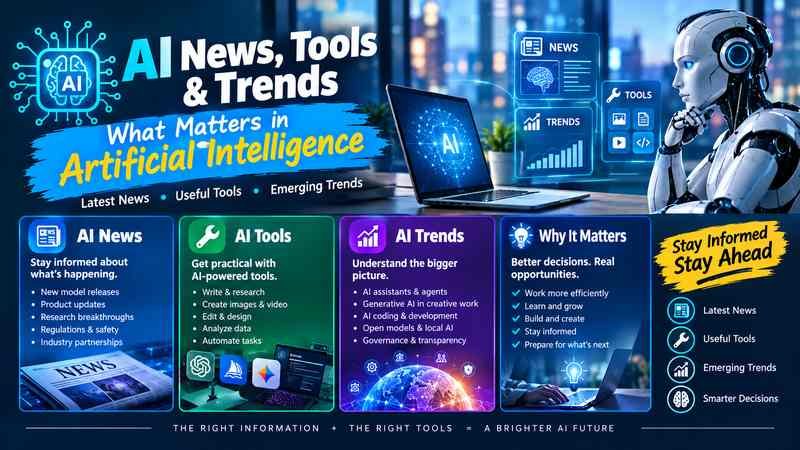
Artificial intelligence is moving beyond chatbots and content generation. AI tools are becoming part of everyday work, software development, research, design, business operations, and education. At the same time, new model releases, changing regulations, and growing concerns about privacy and reliability make it difficult to separate meaningful developments from short-lived hype.

Following AI news, tools and trends is not simply about knowing which product launched most recently. It is about understanding what changed, what the technology can actually do, and whether it offers a practical advantage.

For readers, students, creators, developers, and businesses, the most useful approach combines three things: reliable news, carefully selected tools, and a realistic understanding of emerging trends.

What Does AI News, Tools & Trends Cover?

The topic brings together three closely connected areas of artificial intelligence.

  • AI news: Announcements about new models, product updates, research breakthroughs, business partnerships, regulations, and safety developments.
  • AI tools: Applications that use artificial intelligence to help people write, research, create images, edit videos, analyze information, build software, or automate tasks.
  • AI trends: Broader changes in how AI is developed, adopted, regulated, and used across different industries.

These areas serve different purposes. News explains what happened, tools help people act on new capabilities, and trend analysis explains why a development might matter over time.

A new AI model, for example, is a news event. A writing application that uses the model is a tool. A wider shift toward AI systems that can complete multistep tasks is a trend.

Understanding the relationship between these categories makes it easier to evaluate developments without chasing every announcement.

The Latest Directions in Artificial Intelligence

AI changes quickly, so individual product names and capabilities can become outdated. Several broader developments are especially useful to follow.

AI assistants are expanding beyond conversation

Traditional chatbots primarily respond to questions and instructions. Newer AI experiences increasingly combine conversation with tools, files, visual interfaces, and task-oriented workflows.

This shift can make AI more useful for activities such as organizing information, analyzing documents, preparing reports, and coordinating parts of a work process.

However, an assistant that can plan a task is not necessarily able to complete every step independently. Its permissions, available integrations, reliability, and need for human approval still matter.

AI agents are attracting attention

AI agents are systems designed to pursue goals through multiple steps, often by selecting tools, gathering information, and responding to intermediate results.

A conventional chatbot might explain how to organize a spreadsheet. An agent-enabled system might be able to inspect a permitted file, transform its contents, and prepare a result.

The distinction is practical rather than absolute. Some products use the term agent for relatively simple automated workflows, while others support more flexible multistep execution. Before adopting one, check what it can actually do, which actions require approval, and how errors are handled.

Generative AI is spreading across creative work

Generative AI can produce or transform text, images, audio, video, and software code. These capabilities are increasingly incorporated into tools for marketing, education, design, entertainment, and business communication.

The main benefit is faster experimentation. A creator can generate several concepts, compare directions, and refine a draft without starting from a blank page each time.

The limitation is that generating something quickly does not guarantee originality, accuracy, consistent quality, or permission to use every output commercially. Human review remains important, especially for public-facing or paid work.

AI coding tools are changing software workflows

AI coding assistants can explain unfamiliar code, suggest implementations, generate tests, identify possible bugs, and help developers navigate larger projects.

Their usefulness depends on the task and the developer’s ability to evaluate the result. Generated code may contain security weaknesses, incorrect assumptions, or subtle errors that only appear under particular conditions.

For that reason, AI-assisted development works best when paired with code review, testing, version control, and clear security practices.

Open models and local AI remain important

Not every AI system needs to run entirely through a commercial online service. Open-weight models can give developers and organizations more control over deployment, customization, and infrastructure.

Running a model locally may improve control over where certain data is processed, but it does not automatically guarantee privacy or security. Hardware requirements, software configuration, model licenses, and network connections still need consideration.

The right approach depends on the balance between convenience, cost, control, and technical resources.

AI governance and transparency are becoming central concerns

As AI systems become more capable and widely used, questions about data protection, generated content, accountability, bias, and misuse are receiving more attention.

Businesses need to consider what information employees can submit to AI services, how outputs are checked, and who is responsible for decisions made with AI assistance.

For individuals, the practical lesson is simple: understand the tool’s data practices and avoid treating generated answers as automatically trustworthy.

AI Tools by Category: Which Ones Are Useful?

There is no single best AI tool for everyone. The right choice depends on the work you need to complete, the quality of the output, your budget, and how much control you require.

Category Typical uses What to evaluate
AI chat and research assistants Drafting, explanations, brainstorming, summarization Accuracy, source verification, file support
Writing and editing tools Rewriting, proofreading, content development Tone, factual reliability, editing control
Image generation tools Concepts, illustrations, marketing visuals Prompt control, image quality, usage rights
Video and audio tools Video creation, transcription, voiceovers Editing flexibility, output quality, consent requirements
Coding assistants Code completion, debugging, documentation Test quality, security, compatibility
Automation and agent tools Repetitive workflows, task coordination Permissions, reliability, error recovery
Data analysis tools Exploring datasets, charts, summaries Calculation accuracy, data handling, reproducibility
AI development platforms Building, testing, or deploying AI applications Model access, infrastructure, cost, scalability

These categories overlap. A general-purpose assistant may support writing, research, image creation, and data analysis, while a specialized application may offer more detailed controls for one task.

Examples of AI tools worth exploring

The following products illustrate different approaches to AI. They are examples, not a universal ranking, and their features and pricing may change.

ChatGPT: A general-purpose assistant for writing, research support, document analysis, brainstorming, and other supported tasks. Its usefulness depends on the available features and how carefully outputs are checked.

Google Gemini: Google’s AI assistant and model family, with capabilities that vary by product, account, and integration. It may suit people who already work with Google’s services.

Claude: An AI assistant from Anthropic used for tasks such as writing, document analysis, reasoning, and coding. Available capabilities depend on the product and plan.

Canva: A design platform with AI-assisted features that can help create and edit visual content, presentations, and marketing materials.

Midjourney: An image-generation platform often considered for creative and stylized visual work. Users should review its current access terms and commercial-use conditions before relying on it professionally.

GitHub Copilot: An AI coding assistant designed to support software development, including code suggestions and related programming workflows.

Hugging Face: A platform and community for discovering, sharing, and working with machine learning models, datasets, and related tools. It is especially relevant to developers and people exploring open models.

Before choosing any product, check its official website for current features, availability, pricing, and usage terms.

How to Choose the Right AI Tool

A long list of AI applications can create the impression that productivity requires subscribing to many services. In practice, a small set of tools that fit your workflow may be more useful than a large collection of overlapping subscriptions.

Use the following process to narrow the options.

1. Define the task

Start with a specific problem. Do you need to research a topic, prepare a presentation, generate product images, summarize meetings, or assist with coding?

A clearly defined task makes tools easier to compare. It also provides a practical way to determine whether the application saves time or improves the result.

2. Test the same task in competing tools

Where possible, give several candidates the same representative input. Compare the accuracy, usefulness, editing effort, and consistency of their outputs.

Do not judge a tool only by its most impressive demonstration. A system that produces an excellent result once may still be unreliable across routine work.

3. Calculate the real cost

A free plan may be enough for occasional use. Frequent users may need higher usage limits, stronger capabilities, team controls, or integrations available through a paid subscription.

Consider the total cost, including subscriptions, API usage, setup, training, and the time required to review results. A low-cost tool that repeatedly produces unusable output may be more expensive in practice.

4. Check privacy and usage rights

Before uploading files or customer information, read the service’s privacy policy and relevant account settings. Check how submitted information may be stored, processed, or used.

For professional use, also review licensing, commercial-use terms, retention policies, and any requirements involving personal or confidential data.

5. Keep a human review step

AI output can sound confident while containing errors. Establish a review process appropriate to the consequences of the task.

A brainstorming draft may need only light editing. A legal summary, financial calculation, security change, or medical explanation requires a much higher level of verification.

How to Follow AI News Without Getting Lost in Hype

New announcements appear frequently, but not all of them deserve equal attention. A useful news routine focuses on changes that affect your work or understanding of the field.

Prioritize reliable sources

For official announcements, research findings, and product changes, start with primary sources.

Official sources are useful for establishing what a company says it released. Independent reporting can add context, scrutiny, and comparisons with competing products. Neither source type should automatically replace the other.

Separate an announcement from a proven result

A product announcement describes what a company says its system can do. A benchmark measures performance under specified conditions. Independent testing examines how a product performs in other circumstances. Real-world adoption reveals whether people find it useful in practice.

These are different forms of evidence.

For example, a model performing well on a coding benchmark does not establish that it can safely maintain every production software system. The benchmark may measure a narrow set of tasks and conditions.

Look for the test method, limitations, independent evidence, and the actual task being evaluated before accepting broad claims.

Follow trends that affect your goals

A developer may need to track model capabilities, APIs, coding tools, and deployment costs. A content creator may care more about image generation, video editing, licensing, and audience expectations. A business owner may prioritize privacy, automation, reliability, and measurable return on investment.

You do not need to follow every part of the AI industry. A focused reading list is more likely to produce useful knowledge than an endless stream of updates.

Practical Ways to Use AI Tools

AI becomes more valuable when it supports a defined workflow rather than being used simply because it is available.

For students and learners

AI assistants can explain unfamiliar concepts, generate practice questions, compare alternative explanations, and help organize study notes.

Use them to support learning, not replace it. Verify important claims against course materials or trusted references, and follow your institution’s rules about AI assistance.

For writers and content creators

AI can help with idea development, outlining, editing, research organization, and early drafts. It can also support the creation of visual concepts and other media.

The strongest results usually require human judgment about the intended audience, factual accuracy, originality, and style. Publishing raw output without checking it can introduce errors, generic language, and unsupported claims.

For freelancers and small businesses

AI tools can assist with routine communications, document preparation, customer support drafts, marketing concepts, and internal processes.

Start with repetitive, low-risk tasks. Measure whether the tool improves speed or quality, and establish review procedures before expanding into customer-facing or sensitive workflows.

For developers

AI coding assistants can help explain unfamiliar libraries, generate test cases, draft documentation, and explore implementation options.

Treat suggested code as a proposal that needs review. Run tests, inspect dependencies, check security implications, and understand the changes before deploying them.

For researchers and analysts

AI can help organize documents, suggest search directions, summarize supplied material, and explore patterns in data.

However, generated references may be incorrect, summaries may omit important qualifications, and analytical results may reflect faulty assumptions. Confirm sources and reproduce important calculations before relying on conclusions.

Benefits and Limitations of Modern AI

AI tools can reduce repetitive effort, speed up early-stage creation, make complex information easier to explore, and provide new ways to interact with software.

Their limitations are just as important.

Accuracy: Models can produce false or incomplete information. Verification is essential when correctness matters.

Context: A tool may misunderstand the objective, miss relevant details, or interpret ambiguous instructions incorrectly.

Privacy: Uploading sensitive information can create data-handling risks. Controls vary by provider, plan, and configuration.

Cost: Paid plans, usage-based fees, and infrastructure costs can accumulate, particularly when AI is used at scale.

Consistency: Output quality may vary across tasks, prompts, languages, and input formats.

Human judgment: AI can assist with decisions, but it does not remove the need for accountability, domain knowledge, and ethical consideration.

The best approach is neither to reject AI entirely nor to trust it without question. Use it where its strengths match the task, and maintain stronger safeguards where mistakes could cause harm.

How to Evaluate Whether an AI Trend Is Worth Following

When a new model, feature, or application attracts attention, ask four questions.

  1. What has actually changed? Identify the specific capability, price, access condition, or workflow improvement rather than relying on a broad marketing claim.
  2. Who benefits? Determine whether the development helps a particular group, such as developers, educators, designers, or business teams.
  3. What are the trade-offs? Consider reliability, privacy, operating costs, licensing, integration, and the amount of human review required.
  4. Is there evidence of practical value? Look for reproducible tests, independent evaluation, documented limitations, or results from a relevant real-world workflow.

This framework helps distinguish a meaningful development from a product launch that may have little effect on your own work.

Frequently Asked Questions

What are AI news, tools and trends?

AI news covers developments in artificial intelligence. AI tools are applications that use the technology to perform tasks, while AI trends are broader changes in capabilities, adoption, business use, and regulation.

What are the most useful AI tools?

The most useful tool depends on your task. General assistants such as ChatGPT, Gemini, and Claude support a range of activities, while tools such as Canva, Midjourney, and GitHub Copilot focus on specific creative or development workflows. Compare them using your own requirements rather than relying only on rankings.

Are there free AI tools?

Yes. Some AI applications provide free access or limited free plans, and some open models can be used without paying a model-access fee. Free access may have usage limits, restricted features, hardware costs, or other conditions. Check the current terms before choosing a tool.

How can I keep up with AI news?

Follow official company announcements for product details, reputable technology publications for independent reporting, and research sources for technical findings. Focus on developments related to your interests and verify important claims before acting on them.

Can AI tools replace human work?

AI can automate or accelerate certain tasks, but its ability to replace an entire role depends on the work involved, the consequences of errors, and the need for judgment, communication, and accountability. In many situations, the more practical question is how people can use AI to improve parts of their work.

Is AI-generated content always accurate?

No. AI systems can generate incorrect facts, misleading summaries, fabricated references, or plausible-sounding explanations that lack evidence. Check important claims against reliable sources, especially when the information affects consequential decisions.

The Bottom Line

AI news, tools and trends are most useful when they help you make better decisions, not when they encourage you to chase every new release.

Follow trustworthy sources, choose applications according to real needs, and evaluate new capabilities through practical testing. Pay attention to privacy, cost, reliability, and the quality of human review.

The aim is not to use the largest number of AI tools. It is to understand which developments matter, which tools solve genuine problems, and where human judgment remains essential.

You may also read:AI model generator


AI Model Generator: What It Is, How It Works, and Which Tools to Choose

AI model generator

An AI model generator is a tool that uses artificial intelligence to create a model based on what a user needs. The term has two common meanings: software that generates realistic human models for fashion, advertising, and social media, and tools that help developers build, train, or customize machine learning models.

Understanding the difference matters because these tools solve very different problems. A clothing brand might need a virtual model wearing its products, while a developer might want to build an AI system that predicts sales or generates text.

This guide explains both meanings, how AI model generators work, which tools are worth considering, what they cost in practical terms, and how to choose an option that fits your project.

What Is an AI Model Generator?

An AI model generator uses trained AI systems to produce a particular output. That output may be a digital person, a product photograph, a character, or a machine learning model designed for a specific task.

The right definition depends on the user’s goal.

Type What it creates Typical users
AI fashion model generator Virtual people wearing clothing or presenting products Clothing brands, online stores, marketers
AI character generator Digital personalities with consistent appearances and styles Content creators, designers, social media teams
AI image model generator Images, illustrations, portraits, and other visual content Designers, artists, businesses
Machine learning model builder A trained system that makes predictions or processes information Developers, analysts, researchers
AI model training platform A customized or fine tuned model based on data and a chosen starting model AI engineers, businesses, research teams

These categories sometimes overlap. An image generator, for example, may use a pretrained image model, while a separate tool allows users to customize that model for a particular character or visual style.

The first decision is therefore not which tool has the most features. It is what you actually want to create.

How Does an AI Model Generator Work?

The process varies by product, but most generators follow a similar pattern: the user supplies instructions or data, the AI processes that input, and the system produces an output that can be reviewed and refined.

1. You provide a prompt or input

For an image generator, this could be a description such as:

Create a studio photograph of a virtual fashion model wearing a navy blue jacket, standing against a plain background with soft lighting.

A machine learning platform may instead require a dataset containing sales figures, customer behavior, product information, or labeled images.

2. The AI processes the input

A generative image system uses a trained model to interpret the prompt and create an image. A machine learning training system uses data and a learning algorithm to adjust a model’s parameters so that it can perform a task.

These are related AI technologies, but they are not interchangeable processes.

3. The system generates a result

Depending on the tool, the result might be a virtual person, a product image, a character design, a prediction model, or a customized version of an existing AI model.

4. You review and refine the result

Generated images may need corrections to clothing, hands, facial details, backgrounds, or product appearance. A trained predictive model may need testing to determine whether it performs reliably on data it has not seen before.

Generating an output is not the same as verifying its quality. Human review and appropriate testing remain important, especially when the result will be used commercially or to make consequential decisions.

Best AI Model Generators for Different Needs

There is no single best AI model generator for every purpose. The strongest choice depends on whether you need visual content, a reusable digital character, or a trained machine learning system.

The following options are established starting points for different workflows. Their features, availability, and pricing can change, so check the official product information before committing.

1. Adobe Firefly for Creative and Commercial Visual Workflows

<text color=”secondary” size=”sm”>Best suited to: Designers, marketers, and creative teams</text>

Adobe Firefly is a family of generative AI tools for creating and editing visual content. It is relevant when you need images for advertising, product concepts, campaign assets, or other creative work.

Its connection to Adobe’s creative software can be useful for teams that already work with applications such as Photoshop.

Strengths

  • Supports AI assisted visual creation and editing.
  • Fits into established creative workflows.
  • Offers tools for refining and adapting visual assets.

Limitations

  • It is not a dedicated solution for every virtual fashion model workflow.
  • Results still require review for visual accuracy and brand suitability.
  • Available features and commercial terms depend on the specific product and plan.

Official website: Adobe Firefly.

2. OpenAI Image Generation for Prompt Based Visual Creation

<text color=”secondary” size=”sm”>Best suited to: General image creation and concept development</text>

OpenAI’s image generation capabilities can help users create visuals from text descriptions and, where supported, edit existing images. They can be useful for concept art, campaign ideas, illustrations, product concepts, and visual experimentation.

This is a flexible option when you need a particular scene or image rather than a specialized fashion photography workflow.

Strengths

  • Supports natural language descriptions.
  • Can be used for varied creative purposes.
  • Helps users iterate on visual ideas without traditional illustration skills.

Limitations

  • Exact clothing details, product geometry, text, and other fine details may need correction.
  • Image generation does not automatically guarantee consistent identity across every image.
  • Access, usage limits, and available capabilities depend on the product or plan.

Official website: OpenAI.

3. Canva AI for Marketing Content

<text color=”secondary” size=”sm”>Best suited to: Small businesses and social media teams</text>

Canva combines design tools with AI assisted features for creating marketing materials, presentations, social posts, and other visual content.

It can be a practical choice when the final deliverable is not just an image but a finished advertisement, promotional graphic, or social media post.

Strengths

  • Combines visual creation with layout and design tools.
  • Helps users assemble marketing materials in one workflow.
  • Offers templates that can simplify routine content production.

Limitations

  • A general design platform may offer less specialized control than a dedicated fashion photography tool.
  • Some AI features and usage limits depend on the subscription.
  • Generated assets still need brand and accuracy checks.

Official website: Canva.

4. Hugging Face for Open Models and Customization

<text color=”secondary” size=”sm”>Best suited to: Developers and technically capable creators</text>

Hugging Face provides a platform for discovering and working with machine learning models, datasets, and related tools. It is useful when you want to explore pretrained models, experiment with open models, or build a more customized workflow.

Unlike a simple image generator, it is an ecosystem rather than one single generation tool.

Strengths

  • Offers access to a wide range of models and datasets.
  • Supports experimentation and customization.
  • Can provide more flexibility for users comfortable with technical workflows.

Limitations

  • Some workflows require coding, model configuration, or computing resources.
  • Model licenses and usage conditions vary.
  • Not every model is equally suitable for commercial use or production deployment.

Official website: Hugging Face.

5. Google AI and Cloud Tools for Building Machine Learning Models

<text color=”secondary” size=”sm”>Best suited to: Developers, data teams, and businesses</text>

Google provides tools for experimenting with generative AI and developing machine learning applications. Google AI Studio supports experimentation with Gemini models, while Google Cloud offers services for building, customizing, training, and deploying AI systems. Google AI and Google Cloud describe these different development paths.

These tools are more relevant when you want to create an AI powered application or work with models programmatically than when you simply need a virtual person for a product photograph.

Strengths

  • Supports experimentation and application development.
  • Offers paths from prototyping to deployment.
  • Provides options for teams with different technical requirements.

Limitations

  • Cloud development may require technical knowledge.
  • Costs can depend on model usage, computing resources, and related services.
  • Building a reliable production system involves testing, monitoring, and maintenance.

6. Amazon SageMaker AI for Training and Customizing Models

<text color=”secondary” size=”sm”>Best suited to: Machine learning teams and organizations</text>

Amazon SageMaker AI provides infrastructure and tools for training, fine tuning, and working with machine learning models at scale. It is intended for model development and deployment workflows rather than simply producing an attractive AI portrait.

The service can help teams manage training jobs and computing infrastructure without having to build every component themselves. Amazon SageMaker AI provides an overview of its training capabilities.

Strengths

  • Supports large scale model training and fine tuning.
  • Provides managed infrastructure for machine learning workloads.
  • Can support workflows involving established frameworks and pretrained models.

Limitations

  • It is generally more complex than a consumer image generator.
  • Computing and storage costs require careful management.
  • Model performance still depends on data quality, task design, and evaluation.

AI Fashion Model Generators vs. Machine Learning Model Builders

The word model causes much of the confusion surrounding this search term.

In fashion, a model is the person presenting clothing or a product. In machine learning, a model is a trained computational system that processes inputs and generates predictions or other outputs.

The distinction changes almost everything about choosing a tool.

Consideration Virtual fashion model Machine learning model
Primary goal Create visual content Solve a computational task
Input Prompts, reference images, product photos Data, algorithms, configurations
Output Images or visual assets Predictions, classifications, generated content, or other results
Main quality test Visual realism and product accuracy Performance on relevant evaluation data
Typical skills Prompting and visual editing Data preparation, model evaluation, and sometimes programming
Common risks Inconsistent appearance, inaccurate products, misleading imagery Bias, poor generalization, privacy issues, unreliable predictions

If your goal is to display clothing on a synthetic person, a fashion focused generator is usually the more direct route. If your goal is to predict customer demand or build a custom AI application, you need machine learning development tools instead.

How to Choose the Right AI Model Generator

Before signing up for a service, define the outcome you need and how you will judge success.

Choose based on your main goal

For an online clothing store: Look for realistic garment rendering, control over poses and backgrounds, consistent output, and a workflow that preserves the actual product’s color, shape, and details.

For social media content: Prioritize ease of use, suitable image dimensions, visual consistency, editing options, and licensing terms that fit your intended use.

For marketing and design: Choose a tool that integrates with your design process and makes it easy to adapt assets for different campaigns.

For building an AI application: Look for model access, customization options, documentation, evaluation tools, deployment capabilities, and data controls.

For training a custom model: Check what data is required, which computing resources are needed, how the model can be evaluated, and whether you can export or deploy the trained result.

Check these five factors before paying

  1. Output quality: Does the tool reliably produce the type of result you need?
  2. Control: Can you specify important details and make revisions without starting over?
  3. Consistency: Can it maintain the same character, product appearance, or performance standard across multiple outputs?
  4. Total cost: Consider subscriptions, usage credits, computing, editing time, and any commercial licensing requirements.
  5. Usage rights and privacy: Understand how uploaded images and data are handled, and check the terms governing commercial use.

The most expensive option is not automatically the best. A simple hosted tool may be sufficient for occasional content, while a development platform may make sense only when customization or scale justifies the extra complexity.

Can You Use an AI Model Generator for Free?

Yes, some AI model generators provide free access, free trials, limited usage credits, or open source models. However, free access does not mean every feature or use case is available without cost.

There are three common approaches.

Free or limited hosted tools: These are often the easiest way to begin. You use a web interface and let the provider handle the computing infrastructure. Limits may apply to image generation, resolution, speed, or available features.

Paid subscriptions or usage based services: These can offer greater capacity, additional tools, or more suitable terms for regular commercial work. Check the current pricing and usage limits rather than relying on an advertised starting price.

Open models that you run yourself: Some models can be downloaded and run on your own hardware or rented computing infrastructure. This may provide more control, but it can involve setup, maintenance, and hardware costs.

For developers, a service such as Hugging Face can help locate open models, while cloud platforms provide managed training and deployment options. Neither route is automatically free to operate at scale.

How to Generate a Virtual AI Fashion Model

If your goal is to create a virtual person for a clothing or product campaign, the workflow is different from training a machine learning model.

Step 1: Define the intended image

Decide whether you need an e commerce product photograph, a lifestyle image, an editorial fashion image, or a social media creative.

The intended use determines the required realism, composition, aspect ratio, and level of product detail.

Step 2: Write a specific prompt

Describe the model’s general appearance, clothing, pose, lighting, background, and camera style. Keep the details relevant to the final image.

For example:

Create a realistic studio fashion photograph of an adult virtual model wearing a plain navy blue jacket, standing against a light gray background. Use soft, even lighting and a natural full body pose. Keep the jacket’s shape, color, seams, and buttons clearly visible.

This is a starting prompt, not a guarantee that every detail will be rendered accurately.

Step 3: Use reference images when supported

Reference images can help communicate the desired composition, style, or product appearance. Before uploading photographs of real people, check that you have permission to use them and understand how the service handles uploaded content.

If the clothing must match a real product, compare the generated result with the original product photographs.

Step 4: Review the image carefully

Inspect the face, hands, fabric, garment fit, shadows, background, and any text or logos.

For product listings, inaccurate details can mislead customers. AI generated images should not imply that a garment fits or looks exactly as shown if the image materially changes the real product.

Step 5: Edit and export

Correct visible defects and export the image at a resolution and aspect ratio suitable for the intended platform. Keep a record of which images were generated or altered when that information matters to customers, partners, or your organization’s policies.

What Are the Benefits of AI Model Generators?

The benefits depend on the type of generator, but several advantages apply across many use cases.

Faster experimentation

Generative tools can help users explore several visual concepts or test different model configurations without manually building every version from scratch.

Lower barriers to entry

A hosted generator can make image creation accessible to users who lack professional photography equipment or advanced programming skills.

More flexible creative workflows

Businesses can experiment with backgrounds, layouts, styles, and campaign concepts before investing in a final production process.

Customization

Depending on the tool, users may adjust prompts, use reference images, fine tune an existing model, or train a system for a specific task.

Support for repeatable production

When configured properly, AI tools can help teams produce related assets or run repeated workflows. The degree of consistency depends on the model, settings, and quality controls.

These benefits are not automatic. A poor result may require enough editing to erase the time saved, and a customized machine learning model can be more expensive to maintain than using an existing service.

Limitations and Risks to Consider

AI model generators can be useful, but the results should not be treated as inherently accurate, original, unbiased, or safe for every purpose.

Inconsistent results

An image generator may change facial features, garment details, proportions, or backgrounds between attempts. A predictive model may perform well on training data but poorly on new examples.

Product and factual inaccuracies

Generated imagery can introduce details that were not present in the source material. Machine learning systems can also produce incorrect predictions or generated information.

Privacy and consent

Uploading photographs, customer information, or proprietary data can create privacy and confidentiality concerns. Review the service’s data handling policies before providing sensitive material.

Copyright and licensing

The right to use generated output commercially depends on the provider’s terms and the circumstances of creation. Rights in reference images, trademarks, likenesses, and other protected material may raise separate questions.

Bias and representation

AI systems can reproduce patterns and biases in their training data. The resulting images or predictions may not represent all people, environments, or situations fairly.

Ongoing costs

Free access may be enough for experimentation, but regular use can involve subscriptions, usage charges, computing, storage, and human review.

For any high consequence application, use appropriate evaluation and human oversight rather than assuming that an AI generated result is correct.

Frequently Asked Questions

What is an AI model generator used for?

It can refer to software that generates virtual people and images or to tools used to build and train machine learning models. Common applications include fashion marketing, product photography, character creation, prediction, and AI application development.

Which AI model generator is best for beginners?

For image creation, a hosted visual tool with a simple interface is generally the easiest starting point. Adobe Firefly, Canva’s AI features, and OpenAI’s image generation capabilities serve different creative workflows. For machine learning development, a beginner may prefer guided or managed tools rather than configuring infrastructure independently.

Can AI generate realistic fashion models?

Yes. Image generation tools can create realistic looking virtual people wearing clothing. However, garment accuracy, pose consistency, hands, logos, and small product details may need correction before an image is suitable for commercial use.

Can I create an AI model without coding?

Yes, if you want to generate images or use a visual interface for an existing AI service. Training and deploying a custom machine learning model may require more technical knowledge, although some managed tools offer guided workflows.

Are free AI model generators safe to use?

Free access alone does not establish whether a service is safe. Check the provider’s reputation, privacy terms, image and data retention practices, usage rights, and the permissions requested by the application.

Can AI generated models be used commercially?

Potentially, but commercial use depends on the tool’s terms, the content being generated, and any relevant third party rights. Review the current license and make sure you have permission to use any uploaded reference material.

Is an AI model generator the same as an AI image generator?

Not always. An AI image generator produces visual content. An AI model generator may refer to the same kind of tool when the output is a virtual person, but it can also refer to software for creating or customizing machine learning models.

Do I need a powerful computer to generate AI models?

Not necessarily. Hosted services perform much of the computing remotely. Running open models locally can require substantial memory and suitable hardware, depending on the model and task.

Final Verdict

An AI model generator can mean anything from a tool that creates a virtual fashion model to a platform for training a machine learning system. The best option depends on the result you need, not simply on which product has the most features.

For creative images and marketing assets, begin with an accessible visual generation tool. For custom AI applications or predictive systems, explore model development platforms such as Hugging Face, Google Cloud, or Amazon SageMaker AI.

You may also read:Top AI Trends 2026


Google Ranking Factors: A Complete SEO Guide for Google AI Overviews

google_ranking_factors

Search engine optimization can feel confusing when Google keeps changing how people discover information. You may publish helpful articles, build backlinks, and improve your website, yet rankings can still move up and down. The good news is that understanding the main Google ranking factors can help you make better decisions. You do not need to chase every new SEO trend or follow every ranking trick you find online.

This guide explains the main Google ranking factors, including content quality, backlinks, on-page SEO, technical SEO, and user experience. You will also learn how Google AI Overviews SEO works, how to improve your website’s visibility, and how to track your SEO results. Whether you manage a blog, business website, or online publication, these practical steps can help you build a stronger search presence.

What Are Google Ranking Factors?

Google ranking factors are signals and systems that help Google decide which pages best answer a search query. These systems consider relevance, content quality, context, usability, and other signals. Different searches can require different ranking considerations. For example, someone searching for breaking news needs recent information, while someone learning a basic concept may need a clear, detailed explanation.

Google does not publish one complete checklist of every factor or its exact weight. Therefore, nobody can honestly promise first-page rankings by following a fixed formula. A better SEO strategy focuses on making pages useful, trustworthy, accessible, and relevant to real users. When your website consistently meets these goals, you give search engines stronger reasons to discover and recommend your content.

Why Google Ranking Factors Matter for SEO

Understanding Google ranking factors helps you spend time on improvements that matter. Instead of publishing dozens of similar articles, you can focus on answering important questions properly. You can also find technical problems that stop search engines from accessing your pages. These improvements may support better visibility and help visitors find information without unnecessary effort.

SEO is not only about getting more clicks from Google. It also helps the right people discover your services, products, expertise, or helpful resources. A visitor who finds a useful answer may explore related pages or return later. However, higher rankings and more traffic are never guaranteed. Your results depend on competition, search intent, website quality, and many other factors.

1. High-Quality Content

Content quality is one of the most important areas to focus on when improving SEO. Google aims to show helpful, reliable information that satisfies the user’s needs. Your article should answer the main question clearly and cover the supporting details readers need. Avoid adding paragraphs simply to increase word count because longer content does not automatically rank better.

Write with your readers in mind rather than trying to impress search engines. Explain difficult ideas using simple words, useful examples, and clear headings. If a topic involves changing facts, check reliable sources before publishing. Add original observations, practical steps, or examples that make your article more useful than similar pages. These efforts help readers understand why your content deserves their attention.

Match Content With Search Intent

Search intent means understanding what someone wants when they enter a query into Google. A person searching for “Google ranking factors” probably wants an explanation and practical SEO advice. Someone searching for “best SEO tools” may want comparisons, features, and pricing information. If your page does not match that purpose, even well-written content may struggle to perform.

Before writing, review the pages that currently appear for your target keyword. Notice whether Google shows guides, product pages, videos, or official documentation. Use these results to understand the likely intent, but do not simply copy competing articles. Create a more helpful resource by answering missing questions, explaining confusing details, and offering clear examples.

Demonstrate Experience, Expertise, Authoritativeness, and Trust

Google uses the concept of E-E-A-T to describe experience, expertise, authoritativeness, and trustworthiness. E-E-A-T is not a single ranking factor or a score you can directly optimize. However, its principles can help you create content that readers can trust. Your website should make it clear who created the content and why readers should consider it reliable.

Add accurate author information, relevant experience, and links to trustworthy sources when appropriate. If you review a product, explain how you tested it and what you actually observed. If you publish research, describe your sources and methods. Never invent personal experience, qualifications, reviews, or expert endorsements. Honest information builds trust more effectively than impressive claims without evidence.

Keep Content Accurate and Useful

Old content can lose value when facts, products, policies, or industry practices change. Review important pages regularly and correct outdated information. Add new details when they genuinely improve the reader’s understanding. You do not need to change a publication date merely to make an article appear fresh.

You should also check for repeated ideas, unclear explanations, and unsupported statements. Remove sections that do not help readers complete their goals. Include relevant examples, useful comparisons, and answers to common questions. The purpose is not to make every article longer. It is to make each page as useful and accurate as the topic requires.

2. Backlinks and Website Authority

Backlinks are links from other websites that point to your pages. They can help Google discover content and understand relationships between websites. Links from relevant, trustworthy sources can also send visitors who are genuinely interested in your topic. However, not every backlink provides the same value, and a large link count does not guarantee strong rankings.

Focus on earning links through useful resources, original research, expert contributions, and relevant digital outreach. For example, an original industry study may attract links from publishers discussing the same subject. A detailed tutorial may become a useful reference for other website owners. These links are more meaningful when they arise naturally from the value your content provides.

Build Relevant and Natural Backlinks

Relevance matters because a link should make sense within its surrounding content. A link from a respected website in your industry may be more useful than an unrelated link from a random site. Still, Google evaluates many signals, so you should not judge a backlink using domain metrics alone. Third-party authority scores are estimates, not Google’s own ranking scores.

Avoid buying links designed to manipulate rankings, automated link schemes, and excessive link exchanges. These methods can create risks under Google’s spam policies. Guest posting can be useful when it provides genuine value to the publication’s audience. Keep the article relevant, follow the publisher’s rules, and disclose paid placements where required. Never treat backlinks as a shortcut around content quality.

Use Internal Links to Connect Related Pages

Internal links connect pages within your own website. They help readers discover related information and give search engines paths to find other content. For example, an article about Google ranking factors can link to detailed guides about keyword research, technical SEO, and backlink strategies. These links should help readers understand the topic more fully.

Use clear anchor text that describes the destination page. Avoid adding dozens of links simply to make a page look optimized. Review important pages to ensure they have useful links from relevant sections of your website. A clear internal linking structure can support crawling, navigation, and the discovery of related content.

3. On-Page SEO

On-page SEO involves improving the content and HTML elements of individual pages. It helps search engines understand what a page covers and helps users decide whether it answers their questions. Important areas include page titles, headings, meta descriptions, URLs, image descriptions, and internal links. Each element should support the page’s purpose instead of repeating keywords without a reason.

Start by choosing one clear primary topic for each page. Use related terms naturally where they improve clarity and coverage. Organize the article with descriptive headings and place important information where readers can find it easily. Good on-page SEO should make the page easier to understand, not make the writing sound unnatural.

Optimize Your SEO Title and Meta Description

Your SEO title should describe the page accurately and give readers a clear reason to visit. Include the primary keyword when it fits naturally. Avoid exaggerated promises or repetitive wording that makes the title difficult to read. Google may generate a different title link when it believes another page element better represents the result.

A meta description should summarize the page and explain what readers can expect. It can influence how appealing your search listing appears, but it is not a direct ranking factor. Google may also create a different snippet from your page content. Write a unique, useful description that matches the actual information on the page.

Use Headings and Keywords Naturally

A clear heading structure makes long articles easier to scan. Use an H1 for the main page title, H2 headings for major sections, and H3 headings for supporting topics. Include relevant keywords when they accurately describe the section. You do not need to insert the exact keyword into every heading.

Semantic keywords are related words and phrases that help explain the topic in context. For a page about Google ranking factors, these might include search intent, crawlability, content relevance, backlinks, and Core Web Vitals. Use these terms where they support a complete explanation. Keyword stuffing can make content harder to read and may violate Google’s spam policies.

Optimize Images and Image Alt Text

Images can make complex topics easier to understand and give readers helpful visual context. Use relevant screenshots, original diagrams, charts, or illustrations when they add value. Compress large image files and choose suitable dimensions to avoid unnecessary loading delays. Descriptive file names can also make your media library easier to manage.

Alt text explains the purpose or content of an image for people using screen readers. It can also help search engines understand the image. Describe what the image actually shows instead of filling the alt text with keywords. Decorative images may need empty alt attributes, depending on how they are implemented.

4. Technical SEO

Technical SEO helps search engines access, crawl, render, and index your website. Even excellent content may receive little search visibility if important pages cannot be found or processed. Technical problems can include broken links, incorrect indexing directives, server errors, duplicate URLs, and poor mobile usability. Regular checks help you identify problems before they affect important pages for long periods.

You do not need an advanced technical setup for every website. Start with the basics and prioritize issues that prevent important pages from appearing in search. Make sure your website is accessible to visitors and search engines. Use Google Search Console to review indexing reports, inspect URLs, and identify technical issues that need attention.

Improve Crawling and Indexing

Crawling is the process of discovering and fetching pages, while indexing involves processing and storing information about them. A page must be eligible for indexing before it can appear as a normal Google Search result. However, meeting technical requirements does not guarantee that Google will index or display it.

Check that important pages are not blocked by robots.txt or restricted by an unintended noindex directive. Use internal links to help Google discover your content. An XML sitemap can help search engines find important URLs, especially on larger websites. Submit your sitemap through Search Console and investigate persistent indexing problems instead of repeatedly resubmitting the same URL.

Make Your Website Mobile-Friendly

Many visitors browse websites using phones and tablets. Your pages should fit different screen sizes without forcing users to zoom or scroll sideways. Text should remain readable, navigation should work properly, and important content should not disappear on smaller screens. Test your key pages on real devices as well as browser testing tools.

Mobile usability is only one part of a successful website experience. Make sure buttons are easy to tap and forms are simple to complete. Avoid intrusive pop-ups that cover the main content. A mobile-friendly design helps visitors use your website comfortably and supports a more accessible experience.

Improve Core Web Vitals and Page Speed

Core Web Vitals measure aspects of loading performance, responsiveness, and visual stability. Their main metrics are Largest Contentful Paint, Interaction to Next Paint, and Cumulative Layout Shift. These metrics help you understand whether a page loads its main content quickly, responds well to interactions, and avoids unexpected layout changes.

You can check Core Web Vitals through Google Search Console and use PageSpeed Insights to investigate individual URLs. Common improvements include compressing images, reducing unnecessary JavaScript, improving server response times, and reserving space for images or advertisements. Do not chase perfect scores at the expense of useful features. Focus on improvements that make the experience better for real visitors.

Use HTTPS and Maintain a Clean Website Structure

HTTPS protects information exchanged between a website and its visitors. Make sure your site uses a valid security certificate and redirects HTTP pages to their correct HTTPS versions. Also check for redirect loops, broken URLs, and unnecessary duplicate pages. A consistent URL structure makes navigation and website management easier.

Use canonical tags when appropriate to identify the preferred version of similar or duplicate pages. Keep important content accessible through useful navigation and internal links. Structured data can help Google understand eligible page information, but it does not guarantee special search appearances. Always ensure your structured data matches the visible content on the page.

5. User Experience and Page Experience

A good user experience helps visitors find answers without unnecessary effort. Readers should be able to understand the page, navigate related sections, and use the website without constant interruptions. Clear layouts, readable text, helpful navigation, and accessible design all contribute to a more useful experience. These improvements can also encourage visitors to explore other relevant resources.

Google considers page experience among several aspects of search quality, but there is no single page experience score that guarantees higher rankings. Relevant content can still rank when some experience elements are imperfect. Your goal should be to create an overall experience that supports the user’s needs. Do not focus on one metric while ignoring content quality or search intent.

Reduce Intrusive Ads and Pop-Ups

Advertisements can support a website, but they should not prevent visitors from reading the main content. Large pop-ups, aggressive interstitials, and excessive ad placements can frustrate users. They may also make your pages harder to navigate on mobile devices. Place advertising carefully and keep important information easy to access.

Review your pages from a visitor’s perspective. Check whether the main heading and opening paragraphs remain visible without closing multiple pop-ups. Ensure that buttons, links, and forms work correctly. A cleaner design can make your website more comfortable to use and help visitors focus on the information they came to find.

6. Google AI Overviews SEO

Google AI Overviews provide AI-generated summaries for certain searches. These summaries may combine information from multiple sources and show links that help users explore a topic further. This changes how some people discover websites, but it does not make traditional SEO unnecessary. Google’s guidance says the same foundational SEO practices remain important for AI Overviews and AI Mode.

Google AI Overviews SEO is therefore not about finding a secret ranking trick. It is about creating useful, accurate, accessible content that Google can discover and understand. Your pages must meet the relevant technical requirements and be eligible to appear in Google Search with a snippet. Even then, inclusion in AI Overviews is not guaranteed.

How to Optimize Content for Google AI Overviews

Start by answering the main question clearly near the beginning of your article. Then provide deeper explanations, examples, evidence, and helpful context. Use descriptive headings that reflect real questions readers ask. Make important information available as readable text rather than placing every answer inside images or inaccessible elements.

Support factual claims with reliable sources and explain information in your own words. Include original insights that go beyond a basic summary of other websites. Use relevant images or videos when they help explain the topic. Keep your pages crawlable, maintain strong internal links, and ensure your structured data matches the visible page content.

There is no special AI Overview schema or required word count for inclusion. You also do not need to create special AI text files to qualify. Google may choose different sources for different queries, and its AI-generated responses can change. Focus on the same fundamentals that make a page useful in traditional search.

Build Content That Answers Follow-Up Questions

People often ask several related questions while researching a topic. A useful article anticipates these questions and provides clear answers without forcing readers to visit many unrelated pages. For example, a guide to Google ranking factors can explain backlinks, crawlability, page speed, content quality, and performance measurement. Each section should provide enough detail to help readers understand the issue.

Question-based headings can make the article easier to navigate. Short definitions may help readers understand a new concept quickly, while deeper sections provide supporting details. Do not split content into unnecessary sections just to target more queries. Every section should have a clear purpose and contribute meaningful information.

Measure Visibility Beyond Traditional Rankings

AI-powered search can change how people discover and visit websites. Your page might receive impressions without gaining the same number of clicks as before. It is therefore useful to review traffic, conversions, engagement, and the queries that bring people to your site. Do not judge success using a single ranking position alone.

Use the performance tools available in Google Search Console to monitor search impressions, clicks, and other reported data. Google has also introduced reporting resources for generative AI search features, although availability and reporting details can change. Review the current Search Console documentation to understand which reports are available to your property. Compare trends over time instead of reacting to every short-term change.

7. Content Freshness and Topical Coverage

Freshness matters when a search needs current information, such as recent product changes, new policies, or breaking news. However, not every topic requires frequent updates. A basic educational guide may remain useful for years if its information is still correct. Update pages when you have meaningful improvements to make, not simply to change the date.

Topical coverage means publishing related content that serves a clear audience and website purpose. For example, an SEO website might cover keyword research, technical audits, content optimization, link building, and Search Console. These pages can support each other through relevant internal links. However, publishing many shallow articles about similar keywords can create repetition instead of useful depth.

Create a Helpful Content Plan

Begin by identifying the questions your audience needs answered. Group related queries into sensible topics and decide whether each needs its own page. Avoid creating separate articles when one comprehensive guide would serve readers better. Also check existing pages before publishing new ones to reduce unnecessary overlap.

A strong content plan includes research, writing, fact-checking, and regular maintenance. Use reliable references for technical claims and explain what makes your advice useful. If you cover products or tools, distinguish tested findings from general information. This process helps build a website that readers can return to when they need reliable answers.

8. How to Track Your SEO Results

Tracking SEO results helps you understand which pages perform well and where improvements may be needed. Without measurement, you may spend time changing pages that already work or overlook problems that reduce visibility. Start with a few clear goals, such as increasing relevant organic traffic, improving important page rankings, or generating more leads. Choose metrics that match the purpose of your website.

Google Search Console and Google Analytics serve different but useful roles. Search Console reports how your website performs in Google Search, including clicks, impressions, click-through rate, and average position. Analytics can help you understand what visitors do after arriving on your website. Together, these tools provide a broader view of search visibility and visitor behavior.

Monitor Search Console Performance

Open the Performance report in Google Search Console and review the queries bringing people to your pages. Look for relevant searches that generate impressions but relatively few clicks. Consider whether the title and description accurately represent the content and match the user’s intent. A low click-through rate can have several causes, so investigate the query and search results before changing anything.

Review performance by page, query, device, and date range. Compare similar periods when possible and remember that seasonality can affect search demand. Use the URL Inspection tool when an important page appears to have indexing problems. Check the Page Indexing and Core Web Vitals reports to identify issues that may require further investigation.

Measure Traffic, Leads, and Conversions

Traffic is useful, but the right visitors matter more than raw numbers alone. A business website may value contact form submissions, purchases, or qualified leads. An educational blog may focus on engaged readers, newsletter sign-ups, or visits to related guides. Define what success means before deciding which pages deserve additional work.

Use analytics to identify landing pages that attract relevant visitors and support your goals. Check whether visitors can find the next step easily. Improve pages when the information is outdated, confusing, or incomplete. Allow enough time to evaluate changes because search performance can fluctuate for reasons outside your control.

Review SEO Changes Carefully

Avoid changing titles, URLs, content, and internal links all at once without recording what you did. If performance changes afterward, it becomes harder to identify the cause. Keep a simple record of major updates, technical fixes, and content improvements. Review the results over a suitable period rather than judging success after a few days.

When rankings fall, investigate before making large changes. Check indexing, search demand, competitors, site errors, and recent content changes. A decline does not always mean that Google penalized your website. Sometimes the search results have changed, the query has become less popular, or another page now better satisfies the user’s needs.

9. Common SEO Mistakes to Avoid

Many websites lose opportunities by focusing on shortcuts instead of helping readers. Keyword stuffing, copied articles, manipulative backlinks, and mass-produced pages with little original value can damage quality. Other common problems include broken internal links, missing important content, slow pages, and confusing navigation. These issues deserve attention because they can reduce usefulness or conflict with Google’s policies.

Avoid assuming that one SEO plugin score reflects your entire website’s quality. Plugin recommendations can help with basic checks, but they cannot fully measure search intent, originality, trust, or competitive strength. Similarly, high domain authority scores from third-party tools do not guarantee rankings. Use tools to support your judgment rather than replacing careful research and practical testing.

Do not believe anyone who promises guaranteed first-place rankings or secret access to Google’s algorithm. Search systems are complex and change over time. A sustainable strategy combines helpful content, sound technical practices, relevant links, and regular measurement. Focus on improvements you can verify instead of chasing every new SEO claim.

10. A Practical Google Ranking Factors Checklist

You can use this checklist when publishing a new article or reviewing an existing page. Not every item applies to every website, so prioritize the issues that affect your readers and important pages. Start with the page’s purpose, then check content quality, accessibility, and performance. Record any changes so you can review their impact later.

  • The page answers a clear search intent.

  • The title and main heading describe the topic accurately.

  • The content provides useful, original information.

  • Important claims are accurate and supported where needed.

  • Relevant keywords appear naturally in the content.

  • Headings organize the page into clear sections.

  • Useful internal links connect related pages.

  • Backlinks are earned through relevant, legitimate methods.

  • Search engines can crawl and index the intended page.

  • The page works well on mobile devices.

  • Images are optimized and have suitable alt text.

  • Core Web Vitals and major technical issues are reviewed.

  • The page uses HTTPS and avoids unnecessary errors.

  • Structured data matches the visible page content.

  • Google Search Console is used to monitor performance.

  • Content is reviewed when meaningful updates are needed.

Completing this checklist does not guarantee a top ranking. It gives you a practical way to catch common problems and improve the quality of your website. Over time, consistent work can help you build a stronger search presence and make your content more useful to readers.

Frequently Asked Questions

What are the most important Google ranking factors?

There is no universal list with fixed weights for every search. Important areas include relevance, helpful content, links, technical accessibility, and page experience. Their influence can vary with the query and context. Focus on meeting the user’s needs rather than trying to optimize for a single signal.

Is SEO still important for Google AI Overviews?

Yes, traditional SEO remains important for Google AI Overviews. Google says the same foundational SEO practices apply to its AI search features. Pages should be crawlable, eligible for indexing, useful, and aligned with search policies. Meeting these requirements does not guarantee that a page will appear in an AI-generated summary.

Does E-E-A-T directly affect Google rankings?

E-E-A-T stands for experience, expertise, authoritativeness, and trustworthiness. It is not a single direct ranking factor or a score assigned to every website. Its principles help publishers build reliable content and demonstrate credibility. Trust is especially important when content can affect people’s health, finances, or safety.

Are backlinks still important for SEO?

Backlinks remain useful for discovery and can provide signals about relationships and reputation. However, link quality, relevance, and context matter more than chasing large numbers. Avoid schemes designed to manipulate search rankings. Focus on publishing useful content that relevant websites have a genuine reason to reference.

How long does SEO take to show results?

SEO timelines vary by website, competition, technical condition, and content quality. Some pages may begin receiving impressions relatively quickly, while meaningful growth can take months. There is no fixed timeline or guaranteed outcome. Track changes in Search Console and review progress against realistic goals.

Does website speed directly improve Google rankings?

Core Web Vitals are used by Google’s ranking systems, but speed alone cannot guarantee high rankings. Google considers many signals, and relevant content may still rank when some performance measures are imperfect. Improve loading, responsiveness, and layout stability to provide a better experience. Prioritize real problems rather than chasing perfect test scores.

How can I track my SEO performance?

Google Search Console helps you review impressions, clicks, search queries, average position, and indexing information. Google Analytics can show what visitors do after reaching your website. Use both tools to understand visibility and outcomes. Review trends over time and investigate major changes before making large adjustments.

Can AI-generated content rank on Google?

AI-assisted content can appear in search results when it provides useful, reliable information and follows Google’s policies. The main concern is not simply whether AI helped create the content. The concern is whether the page offers genuine value or is produced at scale with little originality. Review facts carefully and add meaningful expertise, examples, and human judgment.

Final Thoughts

Successful SEO is not about finding one magic Google ranking factor. It is about combining helpful content, relevant backlinks, strong on-page SEO, reliable technical foundations, and a good user experience. These areas work together to help search engines discover your pages and help visitors find the information they need. Consistency and careful measurement are more useful than chasing every new ranking theory.

Google AI Overviews SEO adds another reason to create clear, trustworthy, and genuinely helpful content. Yet the fundamentals remain familiar: understand your audience, answer questions accurately, keep your website accessible, and improve pages when you have something valuable to add. Track your results, learn from the data, and focus on sustainable improvements. That approach gives your website a stronger foundation for long-term search visibility.

You may also read:Top AI Trends 2026

Top AI Trends 2026: 15 Artificial Intelligence Trends Shaping the Future

Top AI Trends 2026

Artificial intelligence is changing how we work, learn, communicate, and solve everyday problems. From smart assistants to advanced robots, AI is becoming part of our daily lives. What once seemed like science fiction is now helping people complete real tasks. Businesses, students, developers, and content creators are discovering new ways to use this technology.

The Top AI Trends 2026 reveal an important shift toward smarter tools, automated workflows, and more practical applications. AI is no longer limited to answering questions or generating simple content. Modern systems can analyze information, understand different types of media, and support complex tasks. Some can even complete multiple steps with limited human guidance.

However, not every new technology will deliver the same value. Some innovations are already useful, while others still need testing and improvement. Understanding the latest AI trends helps you make better decisions about learning, business, and technology. In this guide, we explore 15 important developments shaping artificial intelligence in 2026.

What Are the Top AI Trends 2026?

The Top AI Trends 2026 describe important developments changing how artificial intelligence works and where people use it. These trends include AI agents, multimodal models, robotics, personalized assistants, and stronger security systems. They also highlight growing interest in smaller AI models and tools designed for specific industries.

The biggest change is the move from simple experimentation toward practical results. People increasingly want AI tools that save time, reduce repetitive work, and solve real problems. Businesses are also paying closer attention to reliability, privacy, operating costs, and measurable benefits. These priorities help explain why several artificial intelligence trends are receiving attention throughout 2026.

1. AI Agents Will Handle More Complex Tasks

AI agents are among the most important AI technology trends in 2026. Unlike traditional chatbots, these systems can work toward goals through several connected steps. Depending on their design, they can gather information, use software tools, and organize tasks. Some can also review results before continuing with the next step.

For example, an AI agent might research competitors, organize findings, and prepare a draft report. Another agent could help customer support teams classify requests and suggest suitable responses. These capabilities can reduce repetitive work and help employees focus on decisions requiring human judgment. However, agents still need clear instructions, appropriate permissions, and careful monitoring.

According to Google Cloud’s 2026 AI agent report, businesses are exploring agents for productivity, customer service, and security operations. The report also emphasizes workforce training as an important part of successful adoption.

2. Multimodal AI Will Understand Different Types of Content

Multimodal AI is another major development among the latest AI trends. These systems can work with different information types, including text, images, audio, video, and documents. Instead of treating every format separately, they can combine information to understand a broader context.

Imagine uploading a product photograph and asking an AI assistant to describe its features. You could then provide a video and request a comparison with another product. A multimodal system may analyze both inputs and explain their similarities. This makes AI more useful for education, research, marketing, and everyday communication.

Businesses can also use multimodal AI to review documents, summarize recorded meetings, and analyze visual information. These applications may save time when employees work with large amounts of mixed content. Still, users should verify important details because AI systems can misunderstand images, speech, or context.

3. AI-Powered Automation Will Transform Business Workflows

Business automation is moving beyond basic actions such as sending automatic emails. Modern AI systems can help connect different tasks into more organized workflows. For example, a system might summarize customer messages, identify urgent requests, and prepare suggested replies. Another workflow could organize sales information and generate regular performance reports.

These emerging AI technologies 2026 may help small businesses compete with larger organizations. Owners can use automation to manage repetitive administrative work without immediately hiring additional staff. Marketing teams can also organize research, content planning, and reporting more efficiently. However, automation works best when businesses define clear goals and review important outputs.

Companies should begin with simple processes that have predictable steps. They can measure time savings, error rates, and customer satisfaction before expanding automation. This approach helps businesses identify genuine benefits instead of adopting AI simply because it is popular.

4. Personalized AI Assistants Will Become More Useful

AI assistants are becoming more helpful as developers improve their ability to understand context. Some systems can remember relevant preferences or work with information users provide during conversations. Others can connect with approved applications to support everyday activities. These features may make digital assistants more useful for personal and professional tasks.

For instance, an assistant could help organize a weekly schedule, prepare meeting notes, or explain unfamiliar topics. A student might use one to understand difficult lessons through simpler examples. A business owner could ask for help planning campaigns or reviewing customer feedback. The quality of these results still depends on available information and the assistant’s capabilities.

Privacy remains important when assistants handle personal details or business documents. Users should review memory settings, permissions, and data policies before sharing sensitive information. Personalization can improve convenience, but it should never replace informed control over personal data.

5. Smaller AI Models Will Gain More Attention

Large AI models receive considerable attention because of their impressive capabilities. However, smaller models are becoming important for organizations seeking affordable and efficient solutions. These models can be designed for specific tasks, such as classification, summarization, or document analysis. They may also require fewer computing resources than larger alternatives.

Smaller models can be especially useful when businesses need predictable results for narrow applications. Some can run directly on local computers or compatible devices. This approach may reduce delays and limit the amount of information sent to external servers. Nevertheless, performance depends on the model, hardware, and complexity of the task.

Organizations should compare accuracy, speed, cost, and privacy requirements before choosing a model. A smaller system may outperform a larger one on a carefully defined task. The best choice depends on the problem rather than the model’s size alone.

6. AI Coding Tools Will Support Software Development

AI coding assistants are changing how developers write, test, and maintain software. These tools can suggest code, explain errors, generate tests, and help developers understand unfamiliar projects. More advanced systems can support several development steps within a connected workflow. This allows developers to spend less time on repetitive coding tasks.

However, generated code is not automatically correct or secure. Developers must check for errors, performance issues, and potential security weaknesses. They should also understand the code before using it in important applications. AI can speed up development, but professional judgment remains essential.

The future of software development will likely involve closer cooperation between humans and AI tools. Developers who understand programming fundamentals can evaluate suggestions more effectively. Learning how to test, debug, and review AI-generated code will therefore remain valuable.

7. AI Robotics Will Move Into More Real-World Environments

Robotics is becoming an important part of the future of artificial intelligence. Researchers are combining AI models with machines that interact with physical surroundings. These systems can help robots interpret instructions, recognize objects, and respond to changing conditions. Progress in this area could expand automation beyond traditional factory environments.

Manufacturing facilities already use robots for repetitive and controlled tasks. Newer systems aim to handle more flexible activities in warehouses, laboratories, and other workplaces. AI-powered robots may eventually support certain household and service tasks. However, reliable movement, safety, cost, and real-world training remain significant challenges.

Businesses should distinguish between impressive demonstrations and dependable commercial products. A robot that performs well in a controlled test may struggle in unfamiliar surroundings. Wider adoption will depend on consistent performance, practical costs, and effective safety measures.

8. AI in Healthcare Will Support Research and Patient Services

Healthcare is another important area among the top artificial intelligence trends. AI systems can help researchers examine medical information and identify patterns worth investigating. They may also support administrative work, medical image analysis, and clinical documentation. These applications can help professionals manage information more efficiently.

Researchers are also exploring AI-assisted drug discovery and other scientific applications. These tools may help identify promising research directions or prioritize experiments. However, discovering a potential treatment is different from proving that it works safely. Clinical testing and expert evaluation remain essential.

AI should support qualified healthcare professionals rather than replace appropriate medical care. Systems can make mistakes, and medical information requires careful interpretation. Patient privacy, reliable evidence, and human oversight must remain central to healthcare applications.

9. AI Education Tools Will Support Personalized Learning

Education technology is changing as AI tools become more accessible. Students can use AI assistants to explain difficult concepts, practice languages, and generate revision questions. Teachers may use these systems to prepare lesson materials or organize learning activities. These features can make educational support more flexible.

For example, a student struggling with mathematics could request several simpler explanations. The assistant could then provide practice questions with step-by-step guidance. A language learner might practice conversations and receive suggestions for improving grammar. These examples show how AI can support different learning needs.

However, students should not depend entirely on automatically generated answers. They need to check facts, practice independently, and develop their own understanding. Teachers also need clear policies for responsible AI use. The strongest educational results come when technology supports active learning rather than replacing it.

10. AI Cybersecurity Will Become More Important

As organizations adopt more AI tools, cybersecurity becomes increasingly important. AI can help security teams identify unusual activity and investigate potential threats. Some systems can organize alerts and highlight patterns that deserve attention. These capabilities may help analysts respond more efficiently.

Unfortunately, attackers can also use AI to improve phishing messages and automate certain malicious activities. This creates new challenges for businesses and individual users. Organizations must protect their systems, review access permissions, and train employees to recognize suspicious activity. Security teams should also test AI tools before allowing them to take sensitive actions.

Responsible AI security requires more than installing another software product. Businesses need monitoring, clear accountability, regular testing, and reliable backup procedures. Human review remains especially important when automated systems can affect important accounts or infrastructure.

11. On-Device AI Will Improve Speed and Privacy Options

On-device AI processes information directly on compatible phones, computers, or other devices. This differs from systems that depend entirely on remote cloud servers. Local processing can reduce network delays and may help keep certain information on the device. It can also allow some features to work without a constant internet connection.

For example, a smartphone might use local AI to summarize notes or organize photographs. A computer could support selected writing and productivity tasks without sending every request to a remote service. These benefits depend on hardware capabilities, model size, and available memory.

On-device processing does not automatically guarantee complete privacy. Apps may still collect information through other features or connected services. Users should check privacy settings and understand where their data goes. This trend offers useful options, but implementation details matter.

12. Open-Source AI Will Expand Opportunities for Developers

Open-source and open-weight AI projects are giving developers more ways to experiment. Depending on the license, users may inspect code, run available models, or adapt them for specific needs. This can help researchers and smaller businesses explore AI without relying entirely on one provider.

Developers may use these models to build specialized assistants or private document-search systems. Organizations can also evaluate whether local deployment suits their technical requirements. However, open-weight models do not always provide access to every part of the original training process. Their licenses and limitations also vary.

Before choosing a model, developers should review its documentation, permitted uses, and security requirements. They should also examine performance using their own examples. Open AI technologies can increase flexibility, but they still require responsible implementation.

13. Generative AI Will Improve Content Creation

Generative AI remains a significant force in writing, design, video, and audio production. These tools can help creators brainstorm ideas, prepare outlines, generate drafts, and explore different visual styles. Some systems can also transform existing content into alternative formats. This makes creative experimentation faster and more accessible.

For example, a content creator could develop several article outlines before selecting the strongest approach. A designer might explore different concepts before producing a polished final image. Video creators could use AI to prepare captions, organize footage, or draft scripts. Human creativity remains important for originality, accuracy, and audience understanding.

Businesses should avoid publishing unchecked AI-generated material. Incorrect facts, repetitive writing, and misleading images can damage trust. The strongest results usually combine AI assistance with original experience, careful editing, and a clear understanding of audience needs.

14. Responsible AI and Governance Will Receive Greater Attention

Responsible AI is becoming a practical business requirement rather than an optional discussion. Organizations need to understand how their systems use data and make decisions. They must also consider privacy, fairness, security, and the consequences of errors. These concerns become more important as AI handles complex tasks.

Businesses should establish clear rules for approving tools and reviewing their outputs. They can document important decisions, limit access, and test systems for known weaknesses. Employees also need guidance about which information they can share with AI services. These steps help organizations use technology more responsibly.

Governance does not have to prevent innovation. Clear policies can help teams experiment while reducing avoidable risks. Companies that combine useful AI applications with proper oversight may be better prepared for changing expectations and regulations.

15. AI Skills Will Become More Valuable Across Industries

Learning how to use AI effectively is becoming useful across many professions. Workers do not always need advanced programming skills to benefit from these tools. However, they should understand how to write clear instructions, evaluate results, and recognize common limitations. These practical abilities can improve everyday productivity.

Students can learn AI fundamentals alongside writing, research, and problem-solving. Business owners can explore automation and data analysis using tools suited to their needs. Marketers can practice content research, campaign planning, and performance reporting. Developers can build deeper skills in model integration, evaluation, and security.

The goal should not be to learn every new tool immediately. Instead, choose tools that solve real problems and practice using them consistently. Strong communication, critical thinking, subject knowledge, and adaptability will remain valuable alongside technical skills.

How AI Trends 2026 May Affect Different Industries

The impact of artificial intelligence will vary according to each industry’s needs. Some sectors will focus on automation, while others will prioritize research, customer service, or better access to information. Understanding these differences helps businesses choose suitable applications instead of following every new development.

Industry Potential AI application Main benefit
Healthcare Medical image support and research Better information analysis
Education Personalized explanations and practice Flexible learning support
Marketing Research, drafting, and campaign analysis More efficient workflows
Software development Code assistance and testing Faster development tasks
Manufacturing Robotics and predictive maintenance Improved operational efficiency
Customer service AI assistants and request classification Faster initial responses
Cybersecurity Alert analysis and threat detection Better security monitoring
Retail Product recommendations and demand analysis More relevant customer experiences

These examples represent potential uses rather than guaranteed results. Actual benefits depend on implementation, data quality, costs, and human supervision. Businesses should measure outcomes before expanding their AI investments.

Benefits and Challenges of the Latest AI Trends

The latest AI trends offer opportunities to improve productivity and make complex information easier to understand. They can help people explore ideas, automate routine tasks, and support decisions. Smaller organizations may also gain access to capabilities that previously required larger technical teams.

However, AI adoption comes with important challenges. Systems can generate incorrect information, expose sensitive data, or produce inconsistent results. Advanced applications may also require expensive hardware, technical expertise, and ongoing maintenance. Organizations must consider these limitations before relying on AI for important work.

A balanced approach focuses on clear goals, careful testing, and human accountability. Start with manageable tasks and evaluate the results honestly. Expand only when the benefits justify the costs and risks. This approach helps individuals and businesses gain value without treating AI as a perfect solution.

How to Prepare for Emerging AI Technologies in 2026

You do not need to become an AI researcher to prepare for these changes. Start by identifying tasks that consume too much time or involve repetitive work. Then explore tools designed for those specific needs. Test their outputs carefully and compare their results with your existing process.

Businesses should establish clear rules for data access, human review, and tool selection. Employees need practical training that matches their daily responsibilities. Small experiments can reveal whether AI improves speed, accuracy, or customer experience. Regular reviews also help teams identify problems before expanding their use.

Individuals can focus on digital skills, critical thinking, and responsible AI use. Learn how different tools work and understand their limitations. Keep improving your existing professional skills instead of relying entirely on automation. The best preparation combines technical awareness with sound judgment and real-world experience.

AI Predictions 2026: What Could Happen Next?

Several developments may shape the next stage of artificial intelligence. AI agents could handle more connected tasks as reliability and permission controls improve. Multimodal systems may become more useful across everyday applications. Smaller models could also expand access to AI on local devices.

Robotics may progress as researchers improve how machines understand and interact with physical environments. AI-assisted scientific research could support new discoveries in medicine and materials science. Businesses may increasingly demand evidence of measurable benefits before expanding their investments.

These AI predictions 2026 should be treated as informed expectations, not guaranteed outcomes. Technical limitations, costs, regulations, and public trust will influence adoption. Some technologies will advance quickly, while others may take longer than expected. Following credible research and real-world results provides a stronger picture than relying on hype.

Frequently Asked Questions

What are the top AI trends in 2026?

The leading trends include AI agents, multimodal models, business automation, AI coding assistants, and robotics. Other important developments include healthcare AI, personalized learning, cybersecurity, and on-device processing. Responsible AI governance and practical AI skills are also receiving greater attention.

Which AI technology will be most useful in 2026?

The most useful technology depends on your goals and daily tasks. AI assistants can help individuals with research, writing, and organization. Businesses may benefit from workflow automation and specialized AI agents. Developers may find coding assistants and smaller models particularly useful.

How will AI affect jobs in 2026?

AI will change how many people perform their jobs by automating selected tasks and supporting decision-making. Some roles may require fewer repetitive activities, while others may develop new responsibilities. The impact will differ across industries, and workers will benefit from learning relevant skills.

Is AI worth learning in 2026?

Yes, learning practical AI skills can be valuable across many industries. Start with basic AI concepts, clear prompting, fact-checking, and data privacy. Then explore tools related to your profession. Strong subject knowledge remains essential for evaluating AI-generated results.

Will AI replace human workers?

AI may automate certain tasks, but that does not mean every affected job will disappear. Many roles combine technical tasks with communication, judgment, and personal responsibility. Workers who learn to use AI effectively may adapt more easily as their industries change.

What are the biggest risks of artificial intelligence?

Important risks include inaccurate information, privacy violations, biased results, cybersecurity threats, and excessive dependence on automation. AI systems can also create challenges involving copyright and accountability. Careful testing, appropriate safeguards, and human oversight can help reduce these risks.

How can small businesses use AI trends in 2026?

Small businesses can begin with customer support, content planning, document summaries, and repetitive administrative tasks. They should select affordable tools that address clear business needs. Testing results and protecting customer information should remain priorities throughout adoption.

Final Thoughts on the Top AI Trends 2026

The Top AI Trends 2026 show how artificial intelligence is moving toward more practical, connected, and specialized applications. AI agents, multimodal tools, robotics, and smaller models offer new ways to solve everyday problems. Meanwhile, privacy, security, and responsible use remain essential parts of successful adoption.

You do not need to follow every new development to benefit from artificial intelligence. Focus on technologies that support your goals and produce measurable improvements. Learn how to check results, protect sensitive information, and make informed decisions. By combining useful AI tools with human judgment, you can prepare for the opportunities and challenges ahead.

You may also read:Top AI Trends 2026