
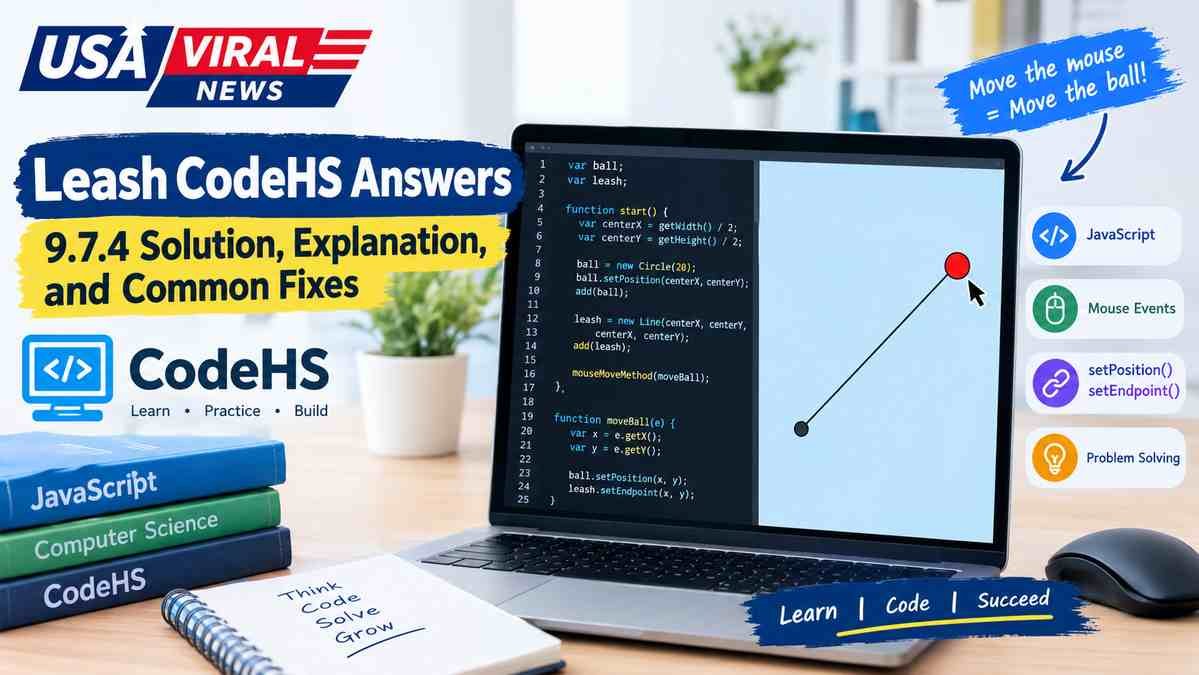
If you are looking for Leash CodeHS answers, you are most likely working on the 9.7.4 Leash exercise in CodeHS Introduction to Computer Science in JavaScript. CodeHS places Leash inside the Drawing Lines lesson, after its mouse movement and line drawing material.
The exercise combines a few simple ideas: a graphical object, X and Y coordinates, a mouse movement event, and a line whose endpoint changes as the mouse moves.
The important part is not simply getting the program to run. You need to keep the moving object and the end of the line synchronized.
What Is the CodeHS Leash Exercise?
The Leash exercise is an interactive JavaScript Graphics problem.
The basic behavior is:
- Create a ball or circle.
- Place it at the starting point.
- Create a line connected to that point.
- Detect mouse movement.
- Move the ball to the mouse coordinates.
- Move the line’s endpoint to those same coordinates.
CodeHS officially lists 9.7.4 Leash in its JavaScript curriculum. The same exercise appears under different section numbers in some other CodeHS courses, so the number shown in your classroom may not always be 9.7.4.
A Working JavaScript Solution
A compact implementation using the CodeHS Graphics API looks like this:
var ball;
var leash;
function start() {
var centerX = getWidth() / 2;
var centerY = getHeight() / 2;
ball = new Circle(20);
ball.setPosition(centerX, centerY);
add(ball);
leash = new Line(centerX, centerY, centerX, centerY);
add(leash);
mouseMoveMethod(moveBall);
}
function moveBall(e) {
var x = e.getX();
var y = e.getY();
ball.setPosition(x, y);
leash.setEndpoint(x, y);
}
The exact starter code in your CodeHS assignment can vary, so preserve any required constants, colors, object names, or starter structure that your particular exercise provides.
The important logic is the relationship between these two updates:
ball.setPosition(x, y);
leash.setEndpoint(x, y);
Both use the same mouse coordinates.
CodeHS documents mouseMoveMethod() as the callback used for mouse movement, and its mouse event object provides getX() and getY() for retrieving the cursor coordinates.
How the Solution Works
The easiest way to understand Leash is to think of the program as two objects connected by coordinates.
The fixed point is the anchor.
The ball is the moving object.
The line connects the anchor to the ball.
When the mouse moves, the program receives a new pair of coordinates:
(x, y)
Those coordinates are then used twice:
Mouse position
|
+—-> Ball position
|
+—-> Line endpoint
Because both objects receive the same coordinates, the line remains attached to the ball.
That is the central idea behind the exercise.
Why mouseMoveMethod() Matters
The program needs to react whenever the mouse moves.
CodeHS provides:
mouseMoveMethod(functionToCall);
This registers a function that CodeHS will call when mouse movement occurs. The function is passed without parentheses because you are registering it for later execution.
For example:
mouseMoveMethod(moveBall);
is correct.
A common mistake is writing:
mouseMoveMethod(moveBall());
That calls the function immediately instead of giving the event system the function to run when the mouse moves.
This distinction is a basic example of event-driven programming.
The program does not need to continuously ask whether the mouse moved. Instead, it registers a callback and responds when the event occurs.
Understanding e.getX() and e.getY()
The function receives an event object:
function moveBall(e) {
The event contains information about the mouse movement.
e.getX()
returns the mouse’s horizontal coordinate.
e.getY()
returns its vertical coordinate.
You can store them in variables:
var x = e.getX();
var y = e.getY();
Then use those values wherever the moving position is needed:
ball.setPosition(x, y);
leash.setEndpoint(x, y);
CodeHS’s own JavaScript documentation demonstrates this same event pattern, including e.getX(), e.getY(), setPosition(), and setEndpoint().
Why setPosition() and setEndpoint() Are Different
This is one of the most important details in the Leash problem.
For the circle:
ball.setPosition(x, y);
changes the circle’s position.
For the line:
leash.setEndpoint(x, y);
changes the line’s ending point.
CodeHS documents setPosition(x, y) for graphical objects such as circles, while its Line documentation specifically defines setEndpoint(x, y) as changing the ending point of a line.
That distinction matters because the leash needs one end to stay anchored while the other end follows the ball.
Conceptually:
Fixed anchor —————- Ball
^
|
Mouse
The anchor stays where it was created.
The endpoint changes.
Why the Objects Should Be Created Only Once
A tempting but incorrect approach is to create a new ball or line every time the mouse moves.
For example, you should not repeatedly do this inside the mouse event:
function moveBall(e) {
var ball = new Circle(20);
add(ball);
}
Every mouse movement could create another object.
The cleaner pattern is:
Create the objects once
↓
Store references to them
↓
Update those same objects repeatedly
That is why the solution keeps ball and leash available outside the event function.
The event function changes existing objects instead of continuously creating new ones.
The Most Common Leash Errors
1. The ball does not move
Check that the mouse event is registered:
mouseMoveMethod(moveBall);
Then check that the event function actually changes the ball:
ball.setPosition(e.getX(), e.getY());
If either part is missing, the ball will remain in its original location.
2. The ball moves but the leash stays still
The ball and line need to receive the same mouse coordinates.
You need both:
ball.setPosition(e.getX(), e.getY());
leash.setEndpoint(e.getX(), e.getY());
Moving only the ball does not automatically move the line.
3. The wrong end of the line moves
Remember the difference between:
leash.setPosition(x, y);
and:
leash.setEndpoint(x, y);
In CodeHS’s Graphics API, setPosition() on a Line changes its starting point, while setEndpoint() changes its ending point.
If the starting point is supposed to remain fixed, changing it will produce the wrong visual behavior.
4. You used parentheses when registering the event
Use:
mouseMoveMethod(moveBall);
not:
mouseMoveMethod(moveBall());
The first version passes the function as the callback. CodeHS specifically notes that the parentheses are left out when passing the function name to a mouse event method.
5. You created the line inside the event function
The line should normally be created during setup and then updated.
Use the pattern:
leash = new Line(…);
once, followed by:
leash.setEndpoint(…);
whenever the mouse moves.
Why Global Variables Are Useful Here
Consider:
var ball;
var leash;
These variables are declared outside start().
Then start() assigns the objects:
ball = new Circle(20);
leash = new Line(centerX, centerY, centerX, centerY);
The mouse callback can then access those same objects later:
function moveBall(e) {
ball.setPosition(e.getX(), e.getY());
leash.setEndpoint(e.getX(), e.getY());
}
The reason is simple: the callback needs references to the objects that were created during setup.
If you declare the objects only as local variables inside start(), they are not automatically available inside a separate function.
A Better Way to Think About the Problem
Instead of memorizing a finished answer, remember this four-step pattern:
- Find the fixed anchor.
- Create the moving object.
- Create the connecting line.
- On every mouse movement, update both with the mouse X/Y.
The key relationship is:
mouse X → ball X
mouse Y → ball Y
mouse X → line endpoint X
mouse Y → line endpoint Y
Once that relationship makes sense, most of the code becomes straightforward.
Is Leash Really 9.7.4 in CodeHS?
For the standard Introduction to Computer Science in JavaScript curriculum, yes. CodeHS lists:
9.7 Drawing Lines
9.7.1 Example: Drawing Lines
9.7.2 Drawing Lines Quiz
9.7.3 Drawing Lines
9.7.4 Leash
9.7.5 Advanced Animator Badge
However, CodeHS reuses curriculum material across different courses. For example, another CodeHS course lists Leash as 15.2.4, while another version places it at 18.2.4.
So if your assignment says something like 15.2.4 Leash rather than 9.7.4 Leash, that does not necessarily mean you are looking at a different programming problem.
Where to Get the Official CodeHS Solution
If you are a verified CodeHS teacher, CodeHS provides official assignment solutions through its platform. Its current documentation says verified teachers can access assignment answers through the Assignments page, Resources, the Solutions tool, or the Code Editor.
CodeHS also provides Problem Guides that explain the motivation behind exercises and common questions and errors.
For students, the more useful approach is usually to use the solution logic as a debugging reference rather than replacing the entire exercise with a copied submission.
What Leash Teaches You
The exercise looks small, but several important programming ideas are packed into it.
| Concept | What you learn |
| Coordinates | How X and Y describe a position |
| Graphics objects | How shapes and lines are represented in code |
| Variables | How to keep references to objects |
| Functions | How to organize behavior |
| Event handlers | How programs respond to user actions |
| Mouse events | How to read cursor movement |
| Object updates | How existing graphics can change while the program runs |
| Line endpoints | How one part of a graphical object can move independently |
These ideas are useful well beyond this particular exercise.
Mouse-driven movement is a foundation for interactive graphics, games, drawing applications, dragging interfaces, and other event-driven programs.
Quick Checklist Before You Run Your Code
If your Leash program is failing, check these items in order:
- Is the circle created?
- Is the circle added to the canvas?
- Is the line created?
- Is the line added to the canvas?
- Is the starting point of the line fixed correctly?
- Is mouseMoveMethod() registered?
- Does the callback receive the event object?
- Are you using e.getX() and e.getY()?
- Does the ball use those coordinates?
- Does the line endpoint use the same coordinates?
- Are you updating existing objects rather than creating new ones?
- Are you using the method appropriate to each object?
If all of those pieces are correct, the core Leash behavior should be in place.
Frequently Asked Questions
What programming language does CodeHS Leash use?
The commonly referenced 9.7.4 Leash exercise is part of CodeHS’s Introduction to Computer Science in JavaScript curriculum and uses CodeHS’s JavaScript Graphics environment.
What does the Leash exercise teach?
It combines mouse events, coordinates, graphical objects, functions, and line manipulation. The central programming idea is updating a graphical object in response to user input.
What does mouseMoveMethod() do?
It registers a function that CodeHS calls when the mouse moves. The callback receives an event object containing information such as the mouse’s X and Y coordinates.
What does setEndpoint() do?
For a CodeHS Line object, setEndpoint(x, y) changes the line’s ending point. This lets one end remain anchored while the other follows the mouse.
Why does my line move from the wrong side?
You may be changing the line’s starting point instead of its ending point. CodeHS distinguishes setPosition() for the starting point from setEndpoint() for the ending point on a Line.
Can I use the same idea in other CodeHS exercises?
Yes. The pattern of registering an event, reading coordinates from the event, and updating an existing graphical object is broadly useful in interactive JavaScript programs. CodeHS documents mouse movement, clicking, dragging, pressing, and releasing as different mouse event callbacks.
Why doesn’t CodeHS JavaScript always work outside CodeHS?
Functions and objects such as add(), Circle, and setPosition() are part of the CodeHS library rather than standard JavaScript. CodeHS notes that programs using its JavaScript library require that library when run outside the CodeHS environment.
The Main Idea to Remember
The Leash exercise is fundamentally a synchronization problem.
The mouse supplies the current coordinates. The ball moves to those coordinates, and the moving endpoint of the line moves to the same coordinates.
In its simplest form:
Mouse coordinates
↓
Ball position
+
Line endpoint
↓
Connected leash effect
Once you understand that relationship, 9.7.4 Leash stops being a problem to memorize and becomes a small example of event-driven graphics programming.
You may also read:Pasonet